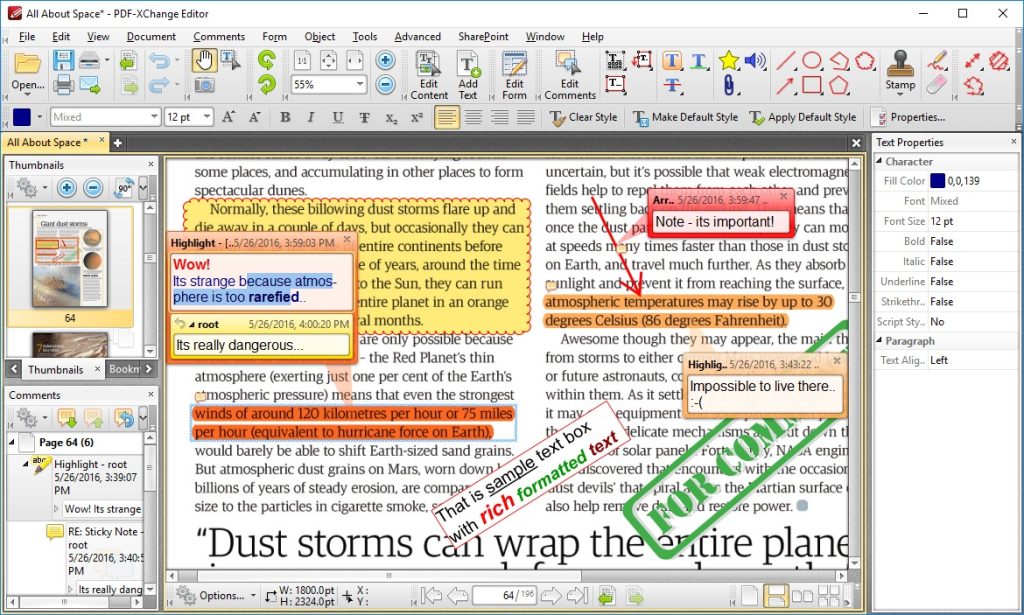
PDF-XChange Editor is a free PDF editor that is the successor to the excellent PDF-Change Viewer. The design has been completely redesigned to make it more user-friendly and easier to use.
From a large PDF file, you can remove or delete whole pages and insert new content such as text, images, blank pages, or entire PDF documents.
You may also like: 11 Best document scanner apps for Android
The PDF-XChange Editor is also great for converting documents between PDF and Word formats, and even includes OCR (optical character recognition) functionality to convert scanned documents into editable text.
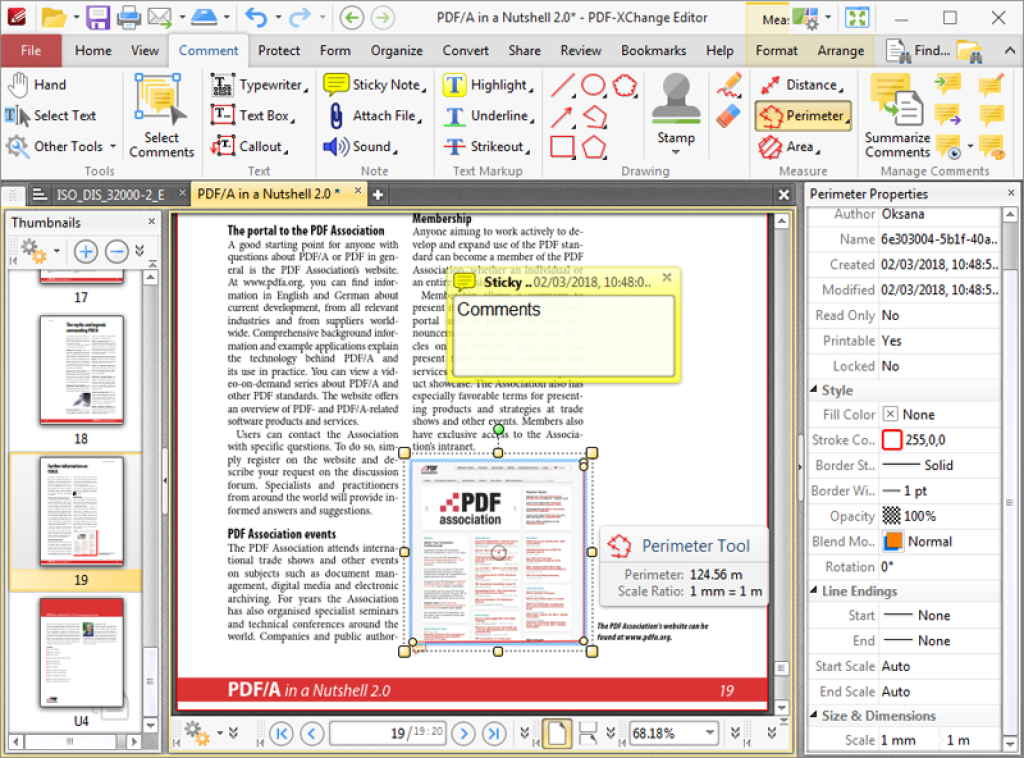
The PDF-XChange Editor installer includes add-ons for Firefox and Internet Explorer. These can be useful – adding the ability to edit PDFs displayed in a web browser – but can be overridden by selecting the Custom option if required.
The software is very easy to use once launched, whether you prefer a ribbon-like interface similar to Microsoft Office (a good choice for touchscreens) or a more traditional toolbar and menu system.
One thing that PDF-XChange Editor should be commended for is the number of features. In fact, you may be surprised to learn that it has more features and a lower price than the popular Adobe Acrobat software. Best of all, some of these features have been refined and improved to a degree that outperforms many applications.
You may also like: 11 Free Speedreading Apps for Android & iOS
PDF-XChange Editor has one of the most powerful OCR tools available. That’s because you can adjust the level of accuracy, detect page skew and page misalignment, and ignore the text, comments, and form fields on a page. When working with poor-quality scans, the application can improve its quality to increase the efficiency of the recognition process.
Surprisingly, you can retain the original image content and still get a selectable and searchable text; most tools only recognize plain text and ignore graphical content. If tables are recognized, PDF-XChange Editor can automatically draw table lines in the output file.
PDF-XChange Editor is one of the best in the document industry, considering how many features it has to offer.
Converting, viewing, protecting, editing, and reviewing PDF files as well as other features can be implemented without the need for external tools or add-ons. Expect high-quality results and a superior OCR tool, all at an affordable price compared to the competition.
You may also like: 6 Free PDF Audio Reader Apps for Android & iOS
Key Features
- Edit PDFs with text, images, and annotations directly in the document
- Remove, delete, or rearrange entire pages within PDF files
- Convert between PDF and Word formats seamlessly
- OCR functionality to transform scanned documents into searchable, editable text
- Browser integration with Firefox and Internet Explorer for web-based PDF editing
Pros and Cons
- Pros:
- Completely free with no hidden paywalls or premium tiers
- Flexible interface options (ribbon-style or traditional toolbar) to match your preference
- Packed with professional-grade features that rival paid competitors
- Cons:
- Browser add-ons install automatically and may require manual removal if unwanted
- Feature-rich interface can feel overwhelming for users who only need basic PDF editing
Bottom Line
If you need a powerful, free PDF editor without paying subscription fees, PDF-XChange Editor is an excellent choice. It’s ideal for anyone who regularly works with PDFs—whether scanning documents, converting formats, or making edits—and doesn’t mind a slightly feature-heavy interface in exchange for professional tools.