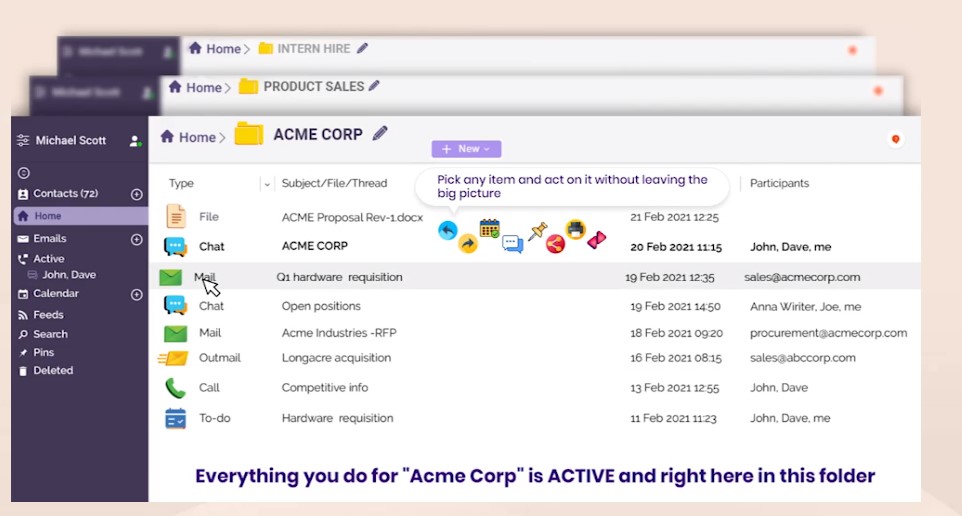
 But what are the key benefits of Clariti?
- Supports commonly used document formats and all CAD formats
- Unlimited storage
- Built-in calendar for to-dos/events
- Cloud storage integration
- Automatic backup
- Provides text editor
- Integrated direct access to files and folders
- Supports Dropbox, G Drive, OneDrive, Box, pCloud, Mega
- Make and receive unlimited one-on-one audio calls
- No local client installation needed
- Add call notes during or after the call
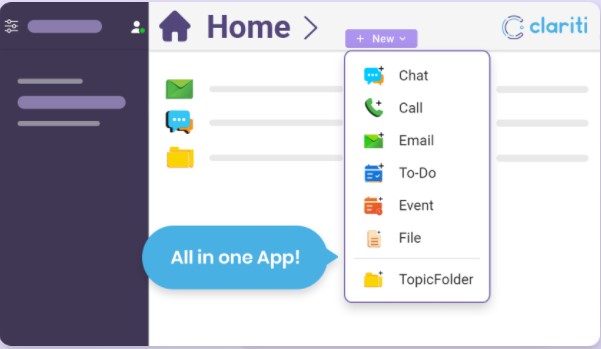 In addition to the aforesaid, the app offers an extended chat functionality. For example, you can chat with people who are not Clariti users via email. Besides, the program supports instant “Share” & “Share and Chat” emails, one-on-one or group calls with screen sharing.
The next interesting feature that many users will certainly like – the app allows users to schedule calendar events for team calls and meetings. We were pleasantly surprised by the well-developed program’s design that makes its interface very convenient. Plus, the navigation is very clear, so it does not require any specific skills or training to find out how everything works there.
On the official website, you will find a wide range of video tutorials or you can also contact customer service at any time. Moving on, there is no need to worry about your safety, as the app supports OAuth logins and 256-bit SHA encrypted data storage.
Coming back to the issue of the battery charge – if you’re still not sure what is the reason your battery is always low, you can use the battery analyzer apps.
Summarizing all the points mentioned above, Clariti is full of magnificent features. So, we can surely say that this is a must-have tool for small businesses and startups to enhance their productivity. Highly recommended!
In addition to the aforesaid, the app offers an extended chat functionality. For example, you can chat with people who are not Clariti users via email. Besides, the program supports instant “Share” & “Share and Chat” emails, one-on-one or group calls with screen sharing.
The next interesting feature that many users will certainly like – the app allows users to schedule calendar events for team calls and meetings. We were pleasantly surprised by the well-developed program’s design that makes its interface very convenient. Plus, the navigation is very clear, so it does not require any specific skills or training to find out how everything works there.
On the official website, you will find a wide range of video tutorials or you can also contact customer service at any time. Moving on, there is no need to worry about your safety, as the app supports OAuth logins and 256-bit SHA encrypted data storage.
Coming back to the issue of the battery charge – if you’re still not sure what is the reason your battery is always low, you can use the battery analyzer apps.
Summarizing all the points mentioned above, Clariti is full of magnificent features. So, we can surely say that this is a must-have tool for small businesses and startups to enhance their productivity. Highly recommended!
List of reviewed apps:
Key Features
- Unified inbox combining emails, messages, calls, and tasks in a single interface
- Topic-based organization system for easy file and conversation retrieval
- Built-in audio calling with call notes functionality for business communication
- Multi-cloud storage support including Dropbox, Google Drive, OneDrive, and more
- Web-based access without requiring local software installation
Pros and Cons
- Pros:
- Reduces app fatigue by consolidating multiple communication tools into one platform
- Seamless cloud integration means your files and conversations follow you everywhere
- Automatic backup ensures you’ll never lose important business data
- Cons:
- Learning curve involved in organizing conversations by topic when switching from familiar apps
- Relies on internet connectivity since it’s a web-based platform with no offline mode
Bottom Line
If you’re drowning in a sea of productivity apps and need a centralized hub for work communication, Clariti is worth a serious look. It’s particularly ideal for remote teams and professionals who want to streamline their workflow and keep everything important in one searchable place.