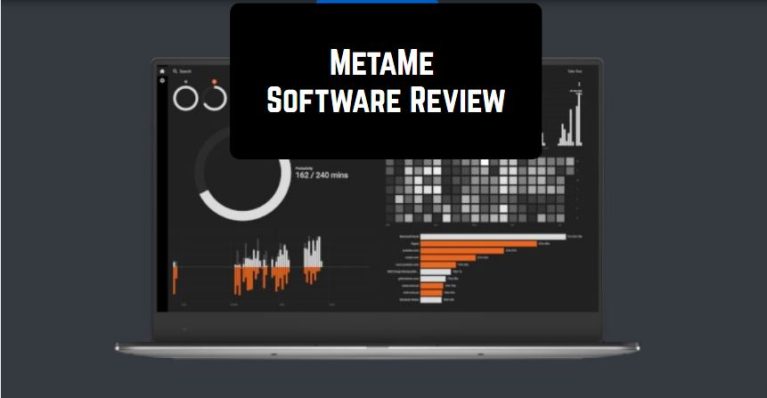
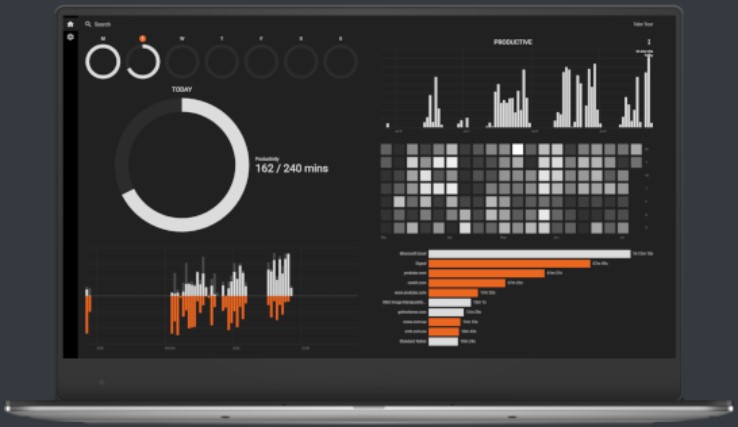
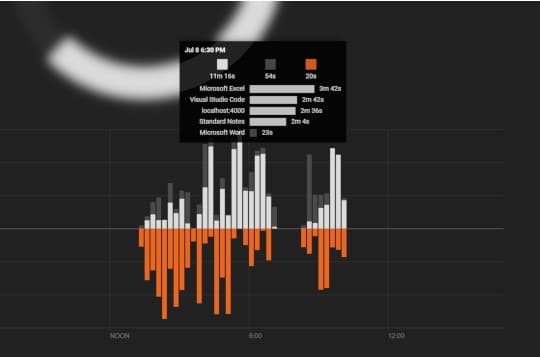
 Moving on, MetaMe enables users to create productivity goals. So, after setting the goal, you can easily keep track of your performance throughout the day.
Besides, due to the built-in heat map option, you can easily monitor the most productive days. There is no need to worry about your privacy safety, as only you have access to your data. We really liked the program’s modern design that makes its interface very simple to manage. So, we can surely say that there is no need to be very tech-savvy!
Moving on, MetaMe enables users to create productivity goals. So, after setting the goal, you can easily keep track of your performance throughout the day.
Besides, due to the built-in heat map option, you can easily monitor the most productive days. There is no need to worry about your privacy safety, as only you have access to your data. We really liked the program’s modern design that makes its interface very simple to manage. So, we can surely say that there is no need to be very tech-savvy!
 Check also the best employee scheduling apps to stay productive at work.
One of the best parts of this tool – it is free. No doubt, this is a very rare advantage for this kind of apps! Overall, if you want to boost your productivity, MetaMe is a must-have tool to fulfill this task. So, hurry up to try it – you will not regret!
Check also the best employee scheduling apps to stay productive at work.
One of the best parts of this tool – it is free. No doubt, this is a very rare advantage for this kind of apps! Overall, if you want to boost your productivity, MetaMe is a must-have tool to fulfill this task. So, hurry up to try it – you will not regret!
List of reviewed apps:
Key Features
- Automatic tracking of productive vs. unproductive computer time with detailed dashboard analytics
- Quick application tagging via hover and keyboard shortcut for effortless setup
- Comprehensive timeline view showing your complete computer usage history
- Customizable productivity goals to set daily targets and monitor your progress
- Heat map visualization to identify your most and least productive days at a glance
Pros and Cons
- Pros:
- Completely free with no hidden paywalls or premium upgrades required
- Privacy-focused design ensures only you can access your personal data
- Intuitive, modern interface that doesn’t require technical expertise to navigate
- Cons:
- Limited to computer-based tracking and doesn’t monitor mobile device productivity
- May require some initial setup time to properly categorize all your work applications
Bottom Line
MetaMe is perfect for remote workers, freelancers, and anyone curious about their digital habits who wants powerful productivity insights without spending a dime. If you’re serious about understanding where your work time actually goes, this free tool deserves a spot on your desktop.