 For those who love to ride a bike, MyBike is a great assistant. It’s designed to collect and record accurate data about your trips.
You can view all the information after your trip. But the app also has many useful features that we’ll tell you about in this review.
For those who love to ride a bike, MyBike is a great assistant. It’s designed to collect and record accurate data about your trips.
You can view all the information after your trip. But the app also has many useful features that we’ll tell you about in this review.
List of reviewed apps:
Functionality
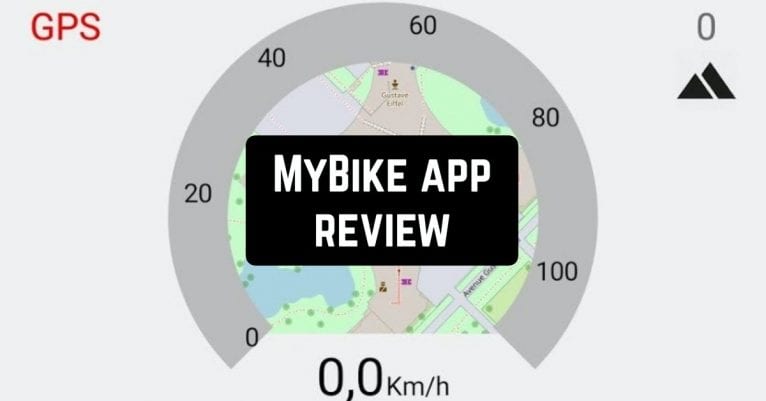
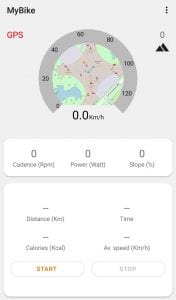
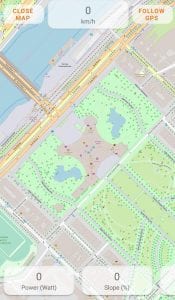
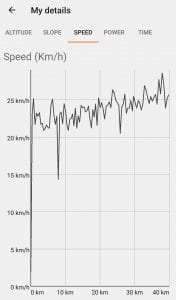
This is a free application that provides access to all the necessary functions without any restrictions. Data such as gradient, altitude, and speedometer are available to you while driving. After the end of your trip, the app will show you the distance and time you have spent, the average speed of your movement, and even calories. If you stop for any reason during the stop, the app will automatically pause to check and record the data. There is also a map in this app that will show you your current position if you need it during the trip. This map is located in a mini format inside the speedometer, and there is also a full-screen map. Each time you ride your bike, there is a detailed map that includes information:- the distance you have traveled
- start and finish time
- total trip time
- the time you spent stopping
- the average speed of your movements
- the calories that were spent on your trip
- the largest speed and altitude
- initial and final height
- up and down the road
- gain and loss accounting
- the largest slope
- average travel speed
You can share all the data that the app has collected during your bike ride with friends. You can do this by using social networking sites or messengers that are installed on your phone. You can also export and import the data for more accurate analysis.
Design
The standard design and menu of the application are in orange and grey. The application theme can be selected in the settings. In this section, there is a wide enough choice among which everyone can find something just for themselves. Night mode is also available, which is convenient to use while cycling in the dark. You can also choose the language you want to use in the application. The app supports English, French, German, Italian, Portuguese, Russian, and Spanish.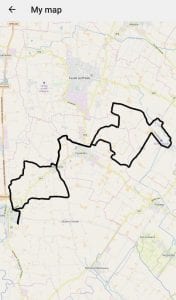
 In general, the MyBike app is great for outdoor activities such as riding a bike. It accurately records all the necessary data and is regularly updated, which makes it only better.
You may also like: 11 Free cycling apps for Android & iOS
In general, the MyBike app is great for outdoor activities such as riding a bike. It accurately records all the necessary data and is regularly updated, which makes it only better.
You may also like: 11 Free cycling apps for Android & iOS
Key Features
- Real-time tracking of speed, altitude, and gradient during rides
- Automatic pause detection when you stop, so your stats stay accurate
- Comprehensive post-ride summary including distance, time, average speed, and calories burned
- Dual map view with mini speedometer map and full-screen navigation option
- Completely free with no hidden paywalls or restricted features
Pros and Cons
- Pros:
- Packed with useful metrics without requiring a subscription
- Smart automatic pause feature means you don’t have to manually stop tracking
- Flexible map options let you choose between quick glances and detailed navigation
- Cons:
- No social features to share rides or compete with friends
- Limited customization options for data display or export formats
Bottom Line
If you’re serious about tracking your cycling performance without paying a dime, MyBike delivers exactly what you need. It’s ideal for casual riders and fitness enthusiasts who want detailed metrics without the complexity of premium apps.