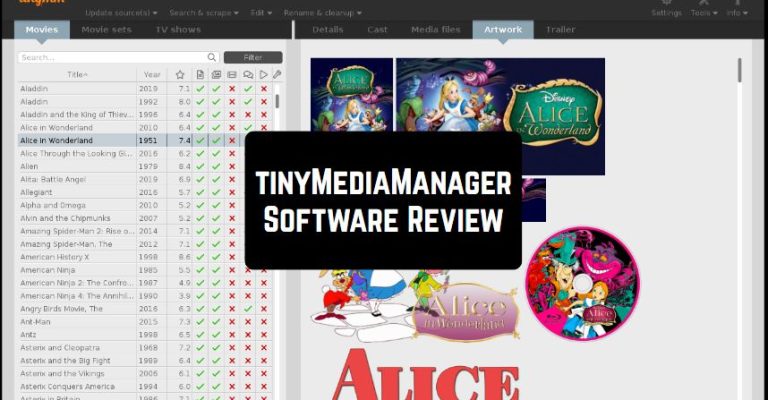
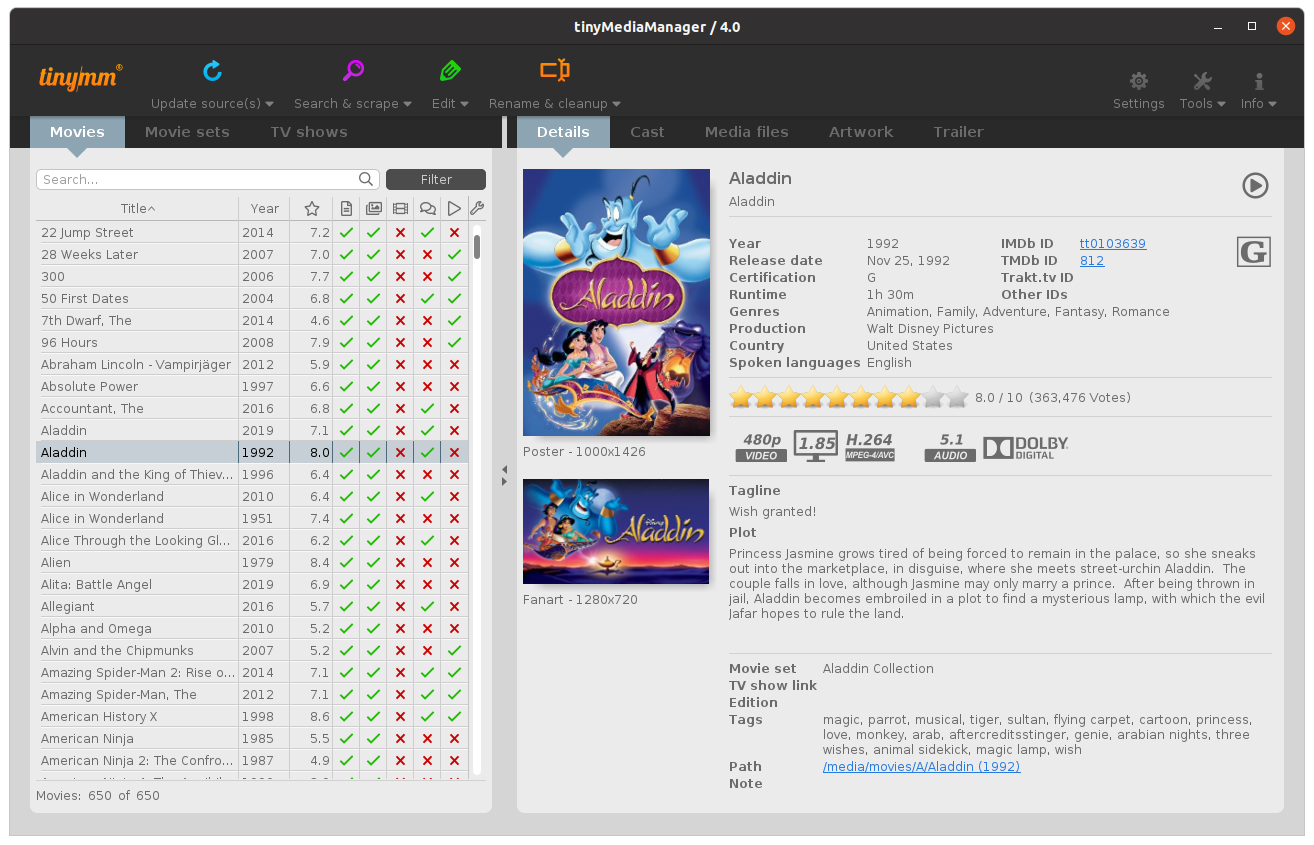
 The program has an easy and intuitive interface on the top menu bar, you can see such sections as movies, tools, feedback, and help. After the top section, the user can see the various icons. To the right of the icons is an input field. The rest of the space is occupied by a working environment consisting of fields.
tinyMediaManager has a support system. Many users may have questions or problems. Compose your question and send it to the support specialists and they will definitely answer you. The developer’s website will allow users to get acquainted with more detailed information and principles of work.
For each file, the information is taken from online databases such as TheMovieDB, IMDB, or OFDb. The data is added automatically, so there is no need to add the material manually, but if for some reason it needs to be done manually, then this possibility is also presented. You can also add other information to the datasets.
A variety of information is displayed for each movie. The program highlights the presence of nfo files, trailers, images, or subtitles on the movie review page, creates nfo files compatible with XBMC and MediaPortal, and can import this information.
The program has an easy and intuitive interface on the top menu bar, you can see such sections as movies, tools, feedback, and help. After the top section, the user can see the various icons. To the right of the icons is an input field. The rest of the space is occupied by a working environment consisting of fields.
tinyMediaManager has a support system. Many users may have questions or problems. Compose your question and send it to the support specialists and they will definitely answer you. The developer’s website will allow users to get acquainted with more detailed information and principles of work.
For each file, the information is taken from online databases such as TheMovieDB, IMDB, or OFDb. The data is added automatically, so there is no need to add the material manually, but if for some reason it needs to be done manually, then this possibility is also presented. You can also add other information to the datasets.
A variety of information is displayed for each movie. The program highlights the presence of nfo files, trailers, images, or subtitles on the movie review page, creates nfo files compatible with XBMC and MediaPortal, and can import this information.
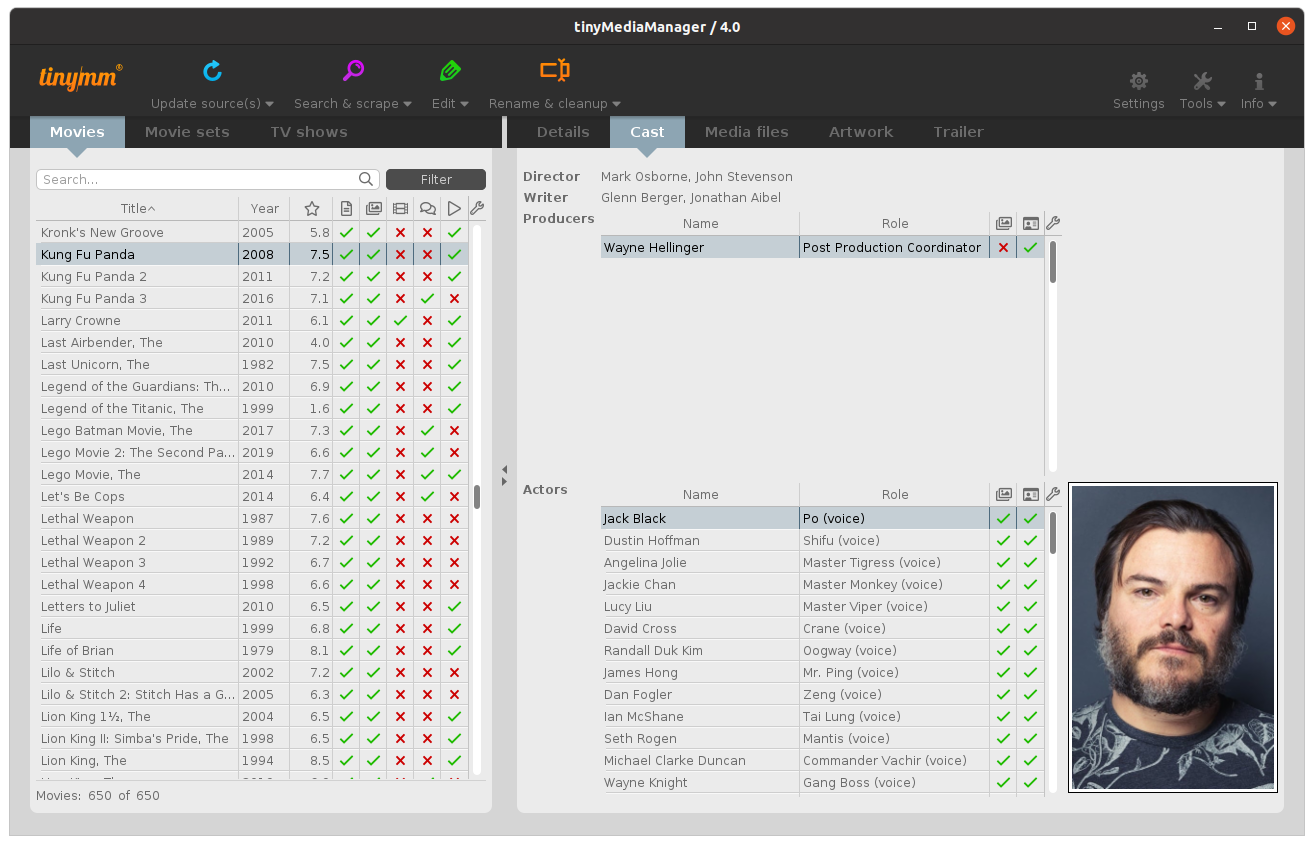 When working with a video, its resolution, format, and audio format are displayed. The program also contains all the information about the film crew, actors, and plot, detailed media information, ratings, a list of all media files, illustrations, and trailers. Comparable information is displayed for the TV show. The video resolution and format are also presented here.
The program allows you to play any file directly from the interface. To do this, just click the play button, and the program will answer whether this file has ever been played or not.
One more interesting feature of TinyMediaManager is a set of movies. The program contains information about films that belong to a certain collection. Enjoy your favorite films!
tinyMediaManager is simple and intuitive to operate and does not require any specific skills to play the game. Mastering the process is not difficult.
And for those who don’t want to watch classic movies, but anime, we can recommend the best anime streaming apps – you will find them here.
Overall, tinyMediaManager is a great utility for all movie lovers. Create your collections and set parameters for easy finding. Be sure, the utility will become your faithful friend in the search for the necessary films. The program will serve as an excellent cataloger for those users who have an impressive collection of films.
When working with a video, its resolution, format, and audio format are displayed. The program also contains all the information about the film crew, actors, and plot, detailed media information, ratings, a list of all media files, illustrations, and trailers. Comparable information is displayed for the TV show. The video resolution and format are also presented here.
The program allows you to play any file directly from the interface. To do this, just click the play button, and the program will answer whether this file has ever been played or not.
One more interesting feature of TinyMediaManager is a set of movies. The program contains information about films that belong to a certain collection. Enjoy your favorite films!
tinyMediaManager is simple and intuitive to operate and does not require any specific skills to play the game. Mastering the process is not difficult.
And for those who don’t want to watch classic movies, but anime, we can recommend the best anime streaming apps – you will find them here.
Overall, tinyMediaManager is a great utility for all movie lovers. Create your collections and set parameters for easy finding. Be sure, the utility will become your faithful friend in the search for the necessary films. The program will serve as an excellent cataloger for those users who have an impressive collection of films.
List of reviewed apps:
Key Features
- Automatically scans your folders and identifies movies and TV shows from online databases
- Retrieves and organizes metadata including posters, synopses, cast information, and ratings
- Supports batch processing so you can manage your entire media library at once
- Works across Windows, Mac, and Linux without breaking a sweat
- Customizable library organization with options for multiple movies per folder
Pros and Cons
- Pros:
- Completely free with no annoying ads or premium paywalls
- Cross-platform compatibility means it plays nice with whatever OS you’re running
- Does the heavy lifting for you—automatically fetches metadata so you don’t have to manually tag everything
- Cons:
- Requires Java installation, which some users find annoying (though portable versions are available)
- Can be slow when scanning large media libraries with thousands of files
Bottom Line
If you’re a movie or TV show enthusiast with a sprawling personal media collection that’s gotten out of control, tinyMediaManager is the free tool you need. It handles the tedious work of organizing and cataloging your library automatically, making it perfect for anyone tired of manually sorting through folders and adding metadata.