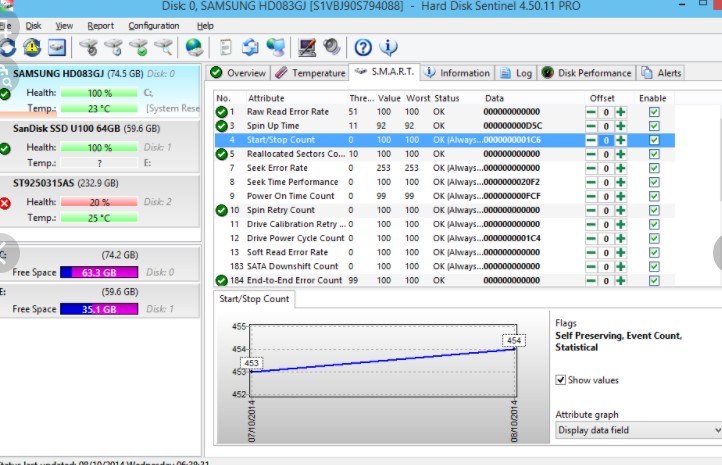
 The major task of this tool is to detect and remove hard disk drive problems and failures.
One of the best options of this program, it offers the most sensitive hard disk health rating system. Therefore, it will prevent HDD failure and SSD / HDD data loss.
While using Hard Disk Sentinel Professional, you can launch hardware hard disk self-tests. These tests will help you to check all hard disk problems and repair all weak points.
When the software finds any errors, it will send alerts by e-mail, SMS, network message, etc. Plus, it can send daily emails about the current status.
Another interesting option there, the software offers a great variety of backup methods. For example, you can backup data to the local computer, LAN server, remote server, or even e-mail. Plus, you can use additional tools to create archives or record CD/DVD media.
The major task of this tool is to detect and remove hard disk drive problems and failures.
One of the best options of this program, it offers the most sensitive hard disk health rating system. Therefore, it will prevent HDD failure and SSD / HDD data loss.
While using Hard Disk Sentinel Professional, you can launch hardware hard disk self-tests. These tests will help you to check all hard disk problems and repair all weak points.
When the software finds any errors, it will send alerts by e-mail, SMS, network message, etc. Plus, it can send daily emails about the current status.
Another interesting option there, the software offers a great variety of backup methods. For example, you can backup data to the local computer, LAN server, remote server, or even e-mail. Plus, you can use additional tools to create archives or record CD/DVD media.
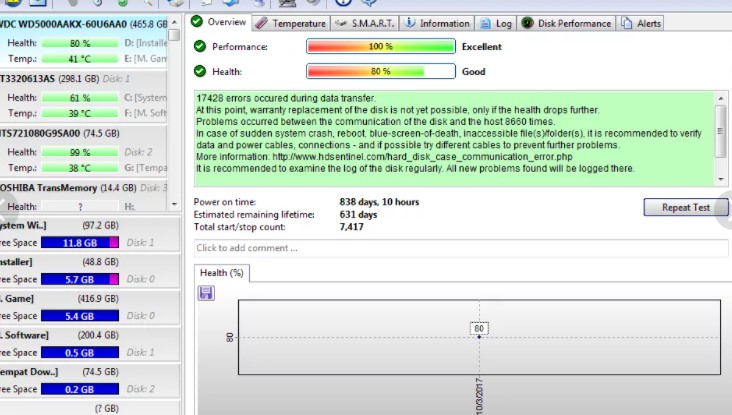 Moving on, the developer constantly updates the program’s version. No doubt, this is a great advantage!
By the way, you can also monitor hard disk status remotely. For this, you will need to use a web browser or your smartphone.
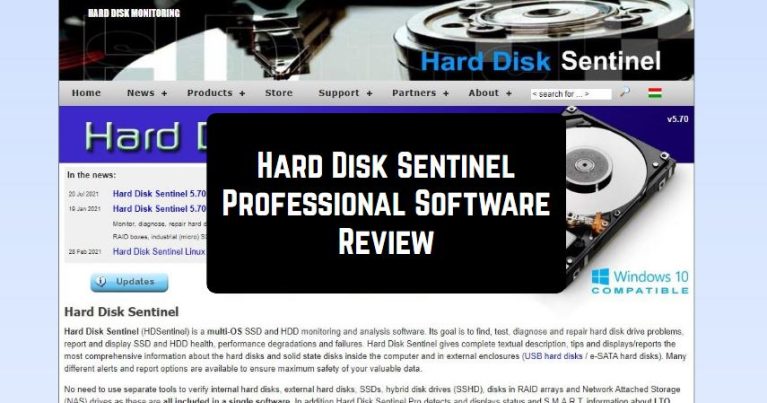
As for the program’s interface, it is very straightforward. On the top of the screen, you will find several sections and buttons. Due to the color indicator, the program demonstrates the level of the problem. Below, you will find a detailed description of errors.
And after you’re done with your disk repair, you can download one of the best photo viewers for Windows.
To sum up, Hard Disk Sentinel Professional is a must-have tool if you want to protect your data. While using the program, we have not faced any significant drawbacks. So, hurry up to try it – you will certainly like it!
Moving on, the developer constantly updates the program’s version. No doubt, this is a great advantage!
By the way, you can also monitor hard disk status remotely. For this, you will need to use a web browser or your smartphone.
As for the program’s interface, it is very straightforward. On the top of the screen, you will find several sections and buttons. Due to the color indicator, the program demonstrates the level of the problem. Below, you will find a detailed description of errors.
And after you’re done with your disk repair, you can download one of the best photo viewers for Windows.
To sum up, Hard Disk Sentinel Professional is a must-have tool if you want to protect your data. While using the program, we have not faced any significant drawbacks. So, hurry up to try it – you will certainly like it!
List of reviewed apps:
Key Features
- Real-time hard drive health monitoring with S.M.A.R.T. data analysis
- Automated hardware self-tests to identify potential disk failures before they happen
- Multi-channel alerts via email, SMS, and network messages for peace of mind
- Comprehensive temperature monitoring to prevent heat-related drive damage
- Compatible with both traditional HDDs and modern SSDs across all brands
Pros and Cons
- Pros:
- Catches drive problems early, potentially saving your data and wallet from disaster
- Runs silently in the background without slowing down your system
- Works with virtually any hard drive you throw at it
- Cons:
- The interface can feel a bit technical for casual users unfamiliar with S.M.A.R.T. data
- Alerts alone won’t fix a failing drive—you’ll still need to replace the hardware yourself
Bottom Line
If you store important files and dread the thought of losing everything to a surprise hard drive failure, Hard Disk Sentinel Professional is worth installing. It’s the digital equivalent of a smoke detector for your storage—not thrilling, but absolutely something you’ll be grateful to have when disaster looms. Anyone serious about data protection should consider adding this tool to their system maintenance arsenal.