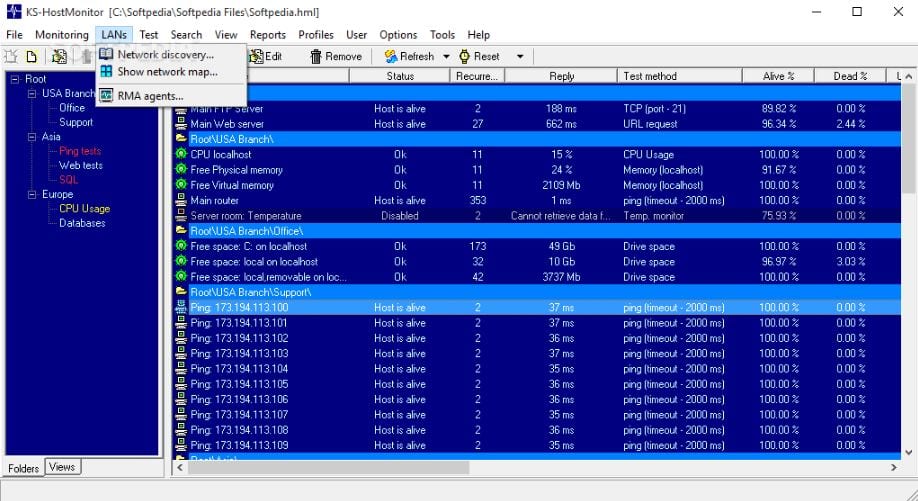
 If any failures or errors are found during server operation, the program will warn the network administrator automatically. Perhaps it will even try to fix the problem on its own, of course, if no human intervention is required. The Advanced Host Monitor has 140 different methods to test your server.
Naturally, the development conducts the most detailed collection of information, that is, you can view the logs, and they will be saved in different formats, from simple text to HTML.
If any failures or errors are found during server operation, the program will warn the network administrator automatically. Perhaps it will even try to fix the problem on its own, of course, if no human intervention is required. The Advanced Host Monitor has 140 different methods to test your server.
Naturally, the development conducts the most detailed collection of information, that is, you can view the logs, and they will be saved in different formats, from simple text to HTML.
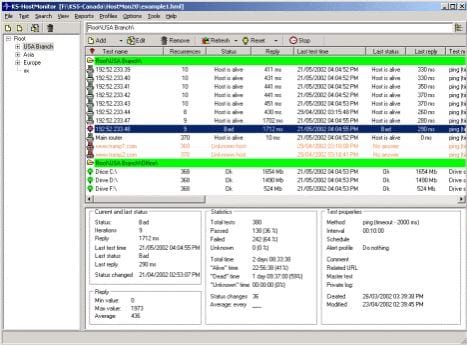 For different tasks, you can define different schedules (when to control), different sets of actions when the status changes. The monitor can log in HTML, DBF, and Text formats with varying detail degrees. Has an integrated viewer and log file analyzer.
And if you like this software, you can also check the list of the last seen tracker apps for your mobile device.
Additionally, you can use the built-in report editor. The Advanced Host Monitor can control almost all known parameters of servers or other network devices, and the program also has 30 ready-made methods for solving common problems.
For different tasks, you can define different schedules (when to control), different sets of actions when the status changes. The monitor can log in HTML, DBF, and Text formats with varying detail degrees. Has an integrated viewer and log file analyzer.
And if you like this software, you can also check the list of the last seen tracker apps for your mobile device.
Additionally, you can use the built-in report editor. The Advanced Host Monitor can control almost all known parameters of servers or other network devices, and the program also has 30 ready-made methods for solving common problems.
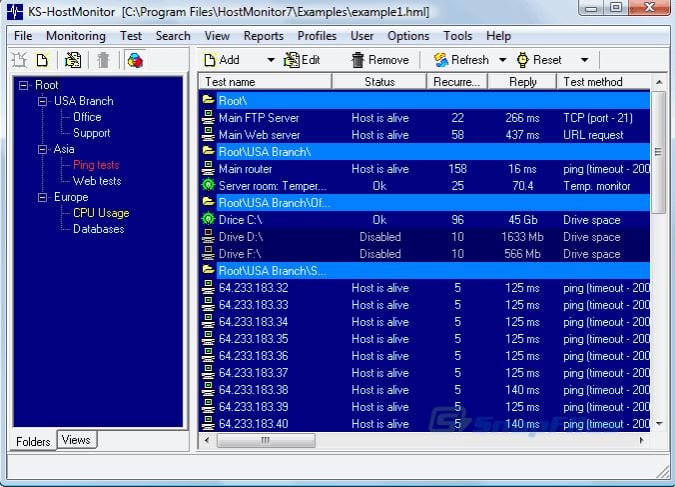 Thanks to the built-in report manager tool, you can create your own reports. Of course, it is quite possible to conduct monitoring remotely, you will have all the necessary data for this.
In order to get the full version of the program, you can purchase it from the official website;
One cannot call the interface cute, but it is clear and all the necessary information about the server is available immediately, so you can edit the parameters you need. Please note that the program has plenty of settings.
By the way, read the article about the best auto-clicker apps so you can earn money online even without your personal presence.
In any case, knowledgeable users will be able to appreciate the functionality of the program.
Thanks to the built-in report manager tool, you can create your own reports. Of course, it is quite possible to conduct monitoring remotely, you will have all the necessary data for this.
In order to get the full version of the program, you can purchase it from the official website;
One cannot call the interface cute, but it is clear and all the necessary information about the server is available immediately, so you can edit the parameters you need. Please note that the program has plenty of settings.
By the way, read the article about the best auto-clicker apps so you can earn money online even without your personal presence.
In any case, knowledgeable users will be able to appreciate the functionality of the program.
List of reviewed apps:
Key Features
- Monitors server availability and performance with 140+ different testing methods
- Performs ping tests, TCP service checks, and HTTP/HTTPS protocol monitoring
- Tracks local resources including disk space, file sizes, and directory information
- Automatic alerts notify administrators of failures or errors in real-time
- Generates detailed logs in multiple formats (text, HTML, and more)
Pros and Cons
- Pro: Comprehensive monitoring with 140+ testing methods means you’re covered for almost any scenario
- Pro: Automatic alerts and self-repair attempts save you from constant manual checking
- Pro: Flexible logging formats make it easy to share reports with your team
- Con: The sheer number of monitoring options might overwhelm beginners
- Con: Setting up custom schedules for different tasks requires some initial configuration time
Bottom Line
Advanced Host Monitor is ideal for IT administrators and network professionals who need robust, hands-off server monitoring without breaking a sweat. If you’re managing multiple servers and want peace of mind that failures won’t catch you off guard, this software delivers the power and automation you need.