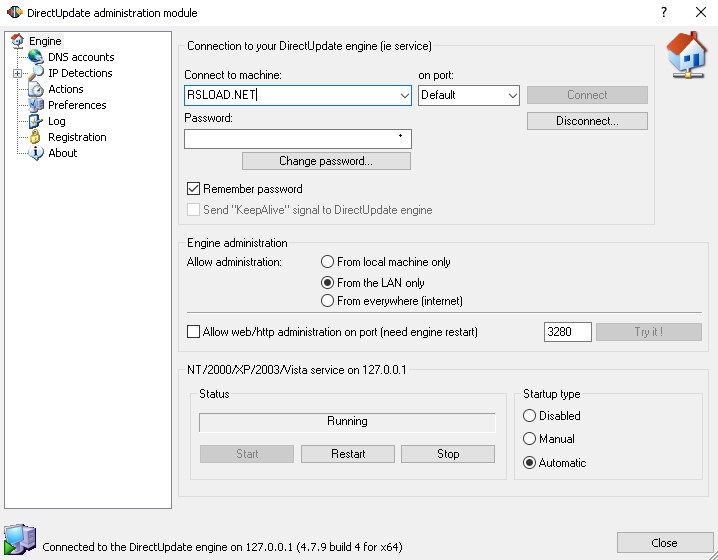
 So, DirectUpdate provides a great number of useful features, so now let’s find out the most interesting ones:
- Operates with numerous DNS services or providers at the same time
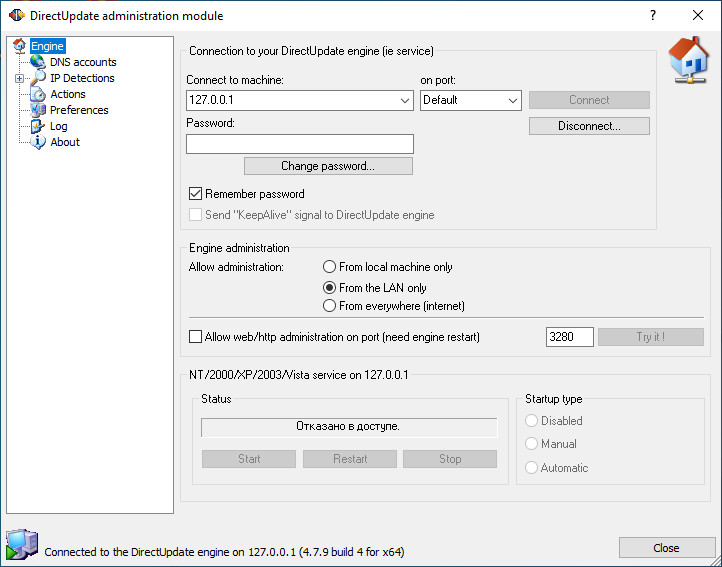
- Offers remote administration anywhere from the LAN and the Internet
- Provides secure updates (SSL or MD5)
- Supports local and remote IP detection with a vast number of connections (including LAN, DSL, and cable router)
- Supports IP detection via the hidden (auto) proxy of ISP.
- Supports local IP detection with router direct query
- Adjustable email notifications and FTP uploads
 However, in case of any misunderstandings, you can contact customer support and ask any questions you want. The customer assistants are very responsive!
Plus, if you open the official website, you can also check FAQs and Forum. As a whole, all the users like this tool, as we have not found any negative comments from them.
What if you discovered that someone is using your WiFi without your permission? You can block the WiFi then. The apps on this list will help you with that.
Summarizing all the points mentioned above, DirectUpdate is truly worth trying. This is a must-have tool for all kinds of users. So, hurry up to try this tool – we believe you will not regret!
However, in case of any misunderstandings, you can contact customer support and ask any questions you want. The customer assistants are very responsive!
Plus, if you open the official website, you can also check FAQs and Forum. As a whole, all the users like this tool, as we have not found any negative comments from them.
What if you discovered that someone is using your WiFi without your permission? You can block the WiFi then. The apps on this list will help you with that.
Summarizing all the points mentioned above, DirectUpdate is truly worth trying. This is a must-have tool for all kinds of users. So, hurry up to try this tool – we believe you will not regret!
List of reviewed apps:
Key Features
- Automatic IP address monitoring and DNS updates without manual intervention
- Background operation that won’t interrupt your workflow or gaming sessions
- Support for multiple DNS providers simultaneously
- Remote administration capabilities from anywhere on your network or internet
- Lightweight installation with minimal system resource consumption
Pros and Cons
- Pro: Runs silently in the background so you’ll never know it’s working
- Pro: Handles multiple DNS accounts at once, perfect for power users
- Pro: Secure updates with SSL and MD5 encryption protocols
- Con: May require some technical knowledge to configure multiple DNS providers
- Con: Limited usefulness if you have a static IP address
Bottom Line
DirectUpdate is ideal for users with dynamic IP addresses who need to keep their DNS records up-to-date automatically, especially those managing multiple DNS accounts across different providers. If you’re tired of manually updating DNS settings every time your IP changes, this lightweight tool handles it all behind the scenes so you can focus on what actually matters.