 Before purchasing a Game Fire, there is an opportunity to try its functionality during the trial period.
To sum up, Game Fire, the ultimate game booster:
Before purchasing a Game Fire, there is an opportunity to try its functionality during the trial period.
To sum up, Game Fire, the ultimate game booster:
- will help to remove unnecessary files that are automatically loaded on the PC along with various applications during the download and installation of games;
- stops all services for the duration of the game to direct the entire efficiency to pull out the quality of the three-dimensional graphics of the games;
- is fully automatic.
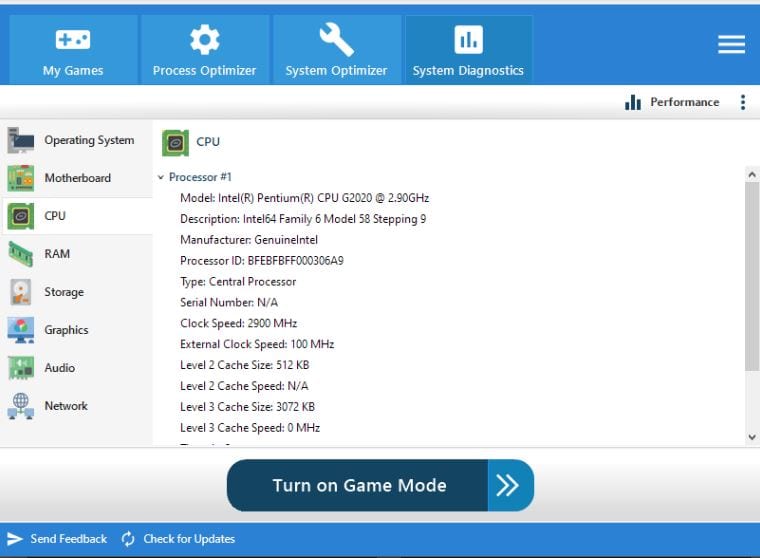 Game Fire is a program with unique algorithms for detecting unnecessary processes and applications during gameplay. After scanning the system, the utility displays a list of actions to optimize your PC, such as disabling Windows Defender or sharing files.
Plus, you can explore the best multi-player games that you can play together with all your friends. Have fun together.
To use it, you just need to add the game to Game Fire and launch it.
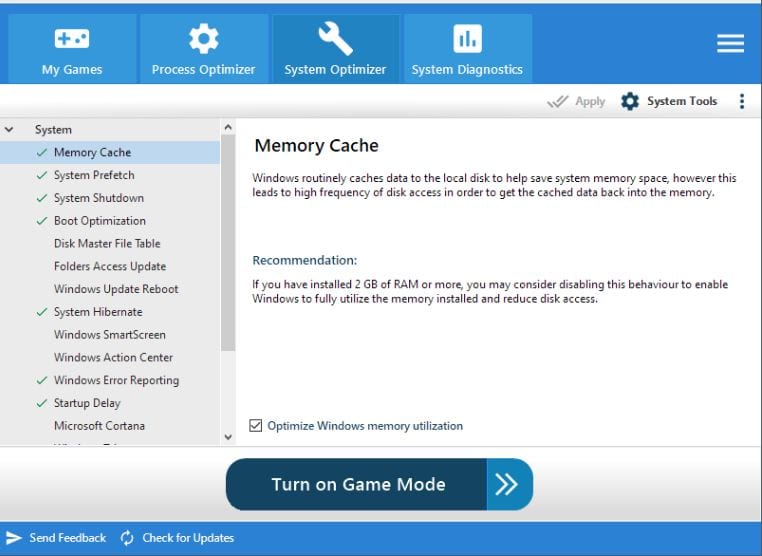
Game Fire’s interface is divided into three sections:
Game Fire is a program with unique algorithms for detecting unnecessary processes and applications during gameplay. After scanning the system, the utility displays a list of actions to optimize your PC, such as disabling Windows Defender or sharing files.
Plus, you can explore the best multi-player games that you can play together with all your friends. Have fun together.
To use it, you just need to add the game to Game Fire and launch it.
Game Fire’s interface is divided into three sections:
- My Games. In this column, the user adds games with which the accelerator will work.
- Process Optimizer. The section resembles a task manager with unneeded processes highlighted.
- System Performance. The graph contains brief data on the state of memory, processor, video card.
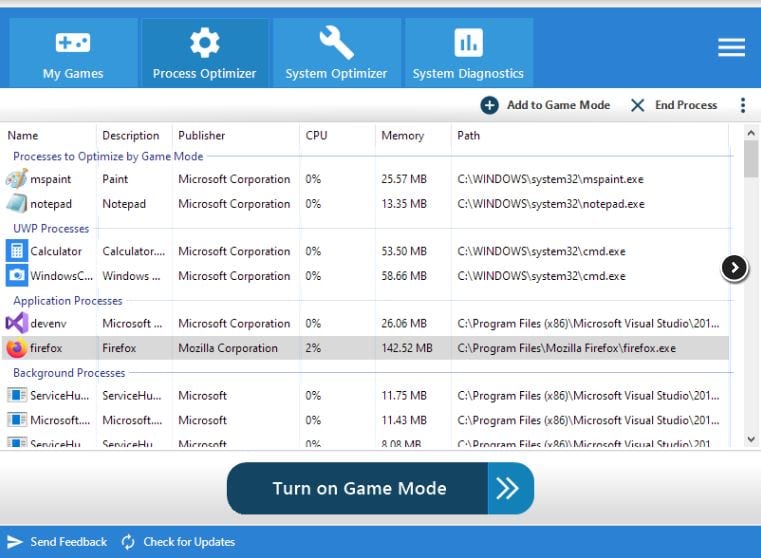 You can see that the booster’s settings are precise, so you will not struggle to understand the program’s interface. You can independently choose which processes should be disabled and which should not. Settings when launching one game may differ from those of another.
And the last bonus that we prepared for the readers is the list of the best horror multiplayer games. We promise incredible fun if you decide to play one of those!
We can say that Game Fire is a highly functional utility. It will definitely help you enjoy your gaming process more, and you will get even more pleasure from what you love!
You can see that the booster’s settings are precise, so you will not struggle to understand the program’s interface. You can independently choose which processes should be disabled and which should not. Settings when launching one game may differ from those of another.
And the last bonus that we prepared for the readers is the list of the best horror multiplayer games. We promise incredible fun if you decide to play one of those!
We can say that Game Fire is a highly functional utility. It will definitely help you enjoy your gaming process more, and you will get even more pleasure from what you love!
List of reviewed apps:
Key Features
- Automatically detects and disables unnecessary background processes during gameplay
- Cleans up junk files and temporary data that accumulate from game installations
- Optimizes system resources to prioritize gaming performance and graphics quality
- One-click activation with minimal user intervention required
- Compatible with Windows XP and newer versions
Pros and Cons
- Pros:
- Free trial available so you can test it before committing
- Fully automated operation—no need to manually tweak settings
- Helps older PCs squeeze out better gaming performance
- Cons:
- May be overkill for gaming PCs that already run smoothly
- Disabling services during gameplay could interfere with other applications you need
Bottom Line
Game Fire 6 is worth downloading if your PC struggles during gameplay and you want an easy, hands-off solution to boost performance. It’s particularly useful for gamers with older systems or those tired of manually shutting down background apps before hitting play.