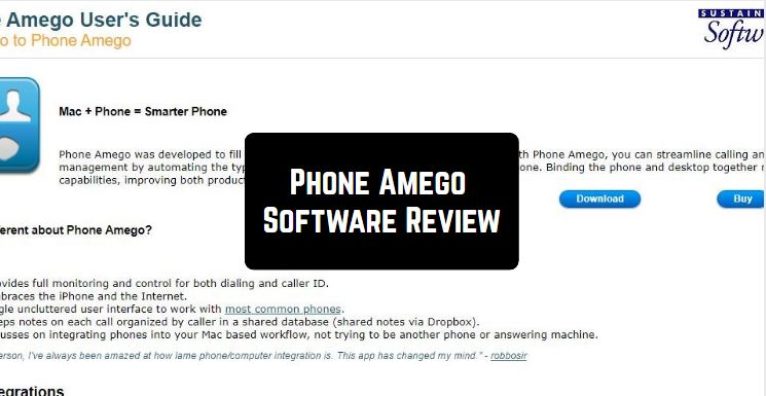
 Phone Amego provides full monitoring and control for both dialing and caller ID. Plus, it keeps all the notes of calls organized by a caller in a shared database (shared notes via Dropbox).
Another useful feature there – the software supports a wide range of CRM integrations – f. ex. Contacts, Calendar, Mail, Safari, Growl, Cloud services, etc.
Phone Amego provides full monitoring and control for both dialing and caller ID. Plus, it keeps all the notes of calls organized by a caller in a shared database (shared notes via Dropbox).
Another useful feature there – the software supports a wide range of CRM integrations – f. ex. Contacts, Calendar, Mail, Safari, Growl, Cloud services, etc.
 As for the additional options, the program allows you to block all unnecessary calls, organize call records and find out all the useful information in a few clicks.
If you open the official website, you will find a wide range of video tutorials. So, there is no need to worry – you will quickly find out how to use this tool!
Check also these data-saving apps for Android – therefore you can be sure you’re going to keep all your records.
To sum up, Phone Amego is a reliable and high-quality program that works fast and steadily. The majority of users truly like this software, so we believe it will fully suit you as well!
As for the additional options, the program allows you to block all unnecessary calls, organize call records and find out all the useful information in a few clicks.
If you open the official website, you will find a wide range of video tutorials. So, there is no need to worry – you will quickly find out how to use this tool!
Check also these data-saving apps for Android – therefore you can be sure you’re going to keep all your records.
To sum up, Phone Amego is a reliable and high-quality program that works fast and steadily. The majority of users truly like this software, so we believe it will fully suit you as well!
List of reviewed apps:
Key Features
- Make and receive calls directly from your computer using your smartphone connection
- Unified caller ID and call history accessible across both devices
- Automatic call logging with notes synced via Dropbox for easy reference
- Integrated call blocking to silence those pesky spam and unwanted calls
- Seamless CRM and productivity app integration for a streamlined workflow
Pros and Cons
- Pro: Works with multiple phone types and calling services, so you’re not locked into one ecosystem
- Pro: Cloud-synced call notes mean you’ll never lose important call details again
- Pro: Extensive video tutorials make setup and daily use surprisingly straightforward
- Con: Requires both smartphone and PC to be connected, which may not work for everyone’s setup
- Con: Limited offline functionality since most features depend on active synchronization
Bottom Line
Phone Amego is ideal for professionals and busy individuals who juggle calls across multiple devices and need their communication centralized and organized. If you spend most of your day at a computer but still need full phone control, this software bridges that gap nicely—just make sure your setup supports the desktop-smartphone connection it requires.