 But what is the major goal of this tool?
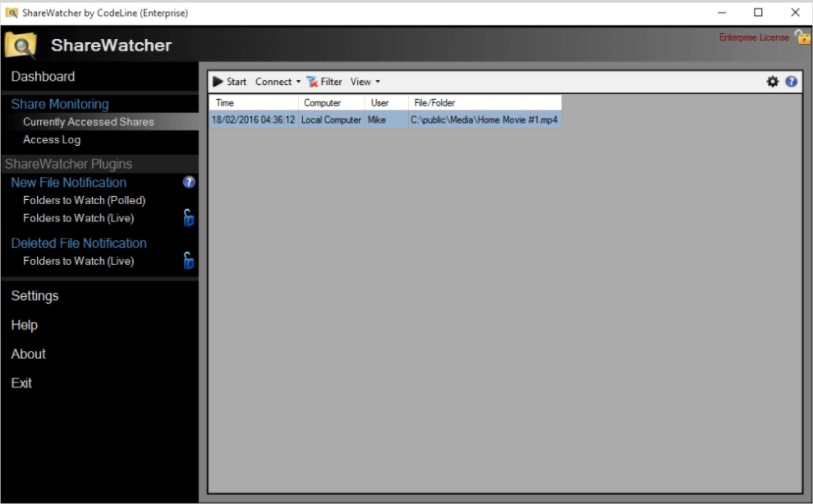
ShareWatcher can work with FTP folders and remote network shares. The program enables users to keep track of local and remote computer Windows File Shares. Due to this tool, you can easily find out who and when have accessed your file shares. This information will be saved in the lower half of the window.
By the way, you can also monitor when the files were deleted or added. Furthermore, the program allows you to move your new files by adding QuickMove Action to any monitored folder.
In this software, you can enable notifications and it will notify you via email, sounds, custom commands, and Windows event logs.
But what is the major goal of this tool?
ShareWatcher can work with FTP folders and remote network shares. The program enables users to keep track of local and remote computer Windows File Shares. Due to this tool, you can easily find out who and when have accessed your file shares. This information will be saved in the lower half of the window.
By the way, you can also monitor when the files were deleted or added. Furthermore, the program allows you to move your new files by adding QuickMove Action to any monitored folder.
In this software, you can enable notifications and it will notify you via email, sounds, custom commands, and Windows event logs.
 The program consists of two versions – free and paid. You can purchase the paid version at a quite accessible price and receive access to the advanced features.
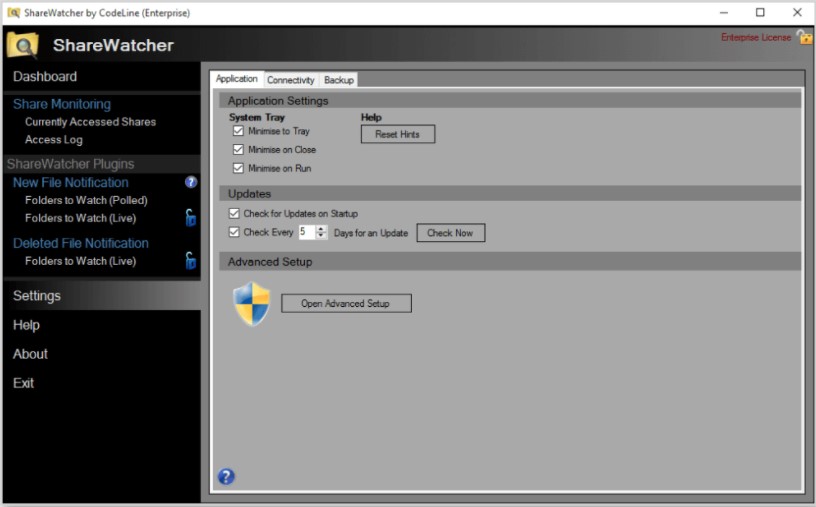
There is nothing complicated in this tool, as the developer offers a very straightforward interface. Thus, we can surely say that there is no need to be very tech-savvy to find out how all the functions work there.
If you have faced any difficulties while using this program, you can also contact very responsive customer support. The technical assistants will answer all your questions at any time!
And just like your PC, clean your smartphone from viruses with virus cleaner apps.
Summarizing all the points mentioned above, ShareWatcher is a top-grade utility for all kinds of users. We have not found any significant drawbacks of this program, so we believe it will fully suit you!
The program consists of two versions – free and paid. You can purchase the paid version at a quite accessible price and receive access to the advanced features.
There is nothing complicated in this tool, as the developer offers a very straightforward interface. Thus, we can surely say that there is no need to be very tech-savvy to find out how all the functions work there.
If you have faced any difficulties while using this program, you can also contact very responsive customer support. The technical assistants will answer all your questions at any time!
And just like your PC, clean your smartphone from viruses with virus cleaner apps.
Summarizing all the points mentioned above, ShareWatcher is a top-grade utility for all kinds of users. We have not found any significant drawbacks of this program, so we believe it will fully suit you!
List of reviewed apps:
Key Features
- Real-time monitoring of Windows File Shares, FTP folders, and remote network shares
- Access logs showing who accessed your files and when they were accessed
- Track file additions and deletions with detailed timestamps
- QuickMove Action to automatically organize new files in monitored folders
- Multi-channel notifications via email, sound alerts, custom commands, and Windows event logs
Pros and Cons
- Pros:
- Lightweight installation that won’t bog down your system
- Comprehensive monitoring of both local and remote file shares in one place
- Flexible notification options keep you informed your way
- Cons:
- Interface could be more intuitive for users unfamiliar with file share monitoring
- Limited customization options for advanced filtering of monitored activities
Bottom Line
ShareWatcher is perfect for IT administrators, small business owners, and anyone who needs to keep tabs on shared files across their network. If you’re tired of wondering who touched your files and when, this lightweight tool delivers the surveillance you need without the bloat.