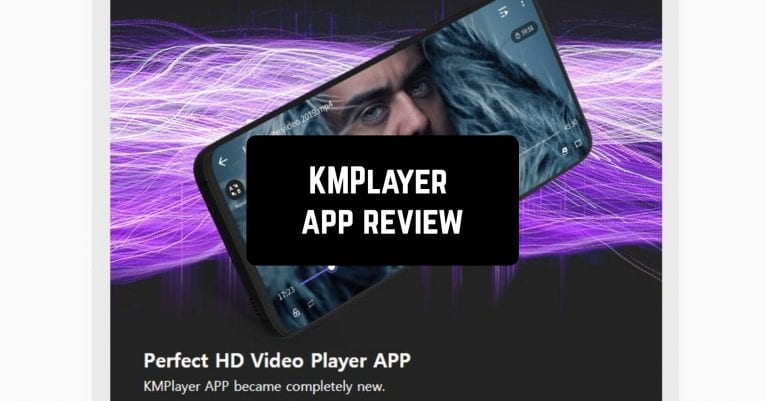
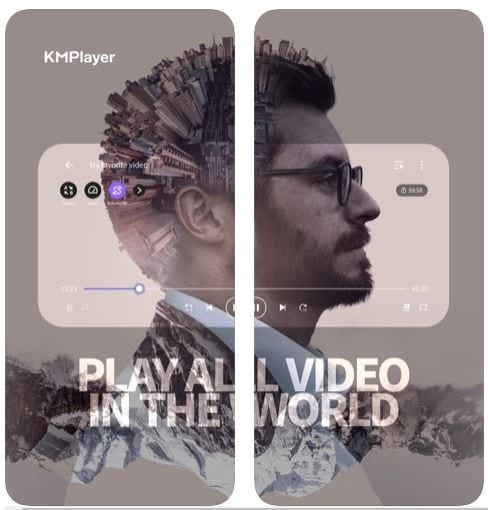
 For example, zoom the screen, use reversal (mirror) mode, control the playback speed up or down, adjust the location, color, and size of subtitles. KMPlayer automatically scans and reproduces any files on your device and SD card. You will always see your folders and the most recently added media files.
KMPlayer is not the only way to listen to your favorite music. You can also install an app that will allow you to play the songs from YouTube in the background.
MyList is the feature allowing you to create your own playlist. It plays all high-quality video including 4K, 8K, UHD, 60FP. The app has a streaming function besides playing your files. The URL can be entered and the video will be played from the website. Download videos such as YouTube, Instagram, Daily Motion!
For example, zoom the screen, use reversal (mirror) mode, control the playback speed up or down, adjust the location, color, and size of subtitles. KMPlayer automatically scans and reproduces any files on your device and SD card. You will always see your folders and the most recently added media files.
KMPlayer is not the only way to listen to your favorite music. You can also install an app that will allow you to play the songs from YouTube in the background.
MyList is the feature allowing you to create your own playlist. It plays all high-quality video including 4K, 8K, UHD, 60FP. The app has a streaming function besides playing your files. The URL can be entered and the video will be played from the website. Download videos such as YouTube, Instagram, Daily Motion!
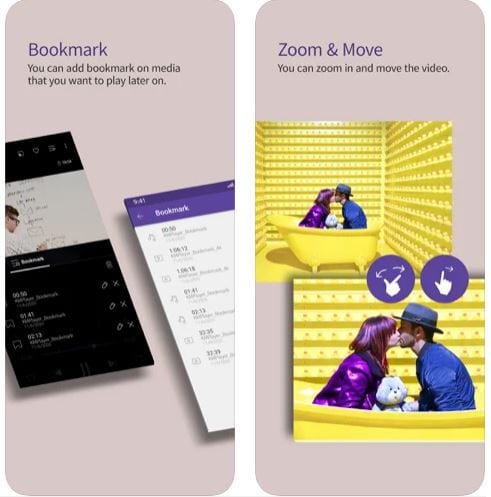 The app can re-play a video fragment, you only need to set the beginning and end. The feature that you will really enjoy is an equalizer to create a realistic atmosphere. The bookmarks option is available to you to view the file later.
It allows video playback in the background even when the screen is locked, in other words, it plays only sound. It also supports displaying video in a small window and showing it over other applications. Any video can be easily streamed to the TV thanks to the support of Chromecast!
Do you feel like there are not enough songs in your player? Use these apps to download videos from YouTube and then convert them into music.
You will definitely not regret downloading KMPlayer, because it has everything for fast and easy playback!
The app can re-play a video fragment, you only need to set the beginning and end. The feature that you will really enjoy is an equalizer to create a realistic atmosphere. The bookmarks option is available to you to view the file later.
It allows video playback in the background even when the screen is locked, in other words, it plays only sound. It also supports displaying video in a small window and showing it over other applications. Any video can be easily streamed to the TV thanks to the support of Chromecast!
Do you feel like there are not enough songs in your player? Use these apps to download videos from YouTube and then convert them into music.
You will definitely not regret downloading KMPlayer, because it has everything for fast and easy playback!

List of reviewed apps:
Key Features
- Universal codec support — plays virtually any video and audio format without needing additional codecs or plugins
- Advanced subtitle control — customize size, color, position, and font to your preference
- Gesture and button customization — create shortcuts and control schemes that work for you
- Smart file organization — auto-scans your device and SD card, displaying recently added media
- Playback controls — adjust speed, zoom, mirror mode, and other viewing options on the fly
Pros and Cons
- Pro: Handles virtually every file format without codec headaches
- Pro: Lightweight and runs smoothly even on budget devices
- Pro: Highly customizable interface and controls for power users
- Con: Learning all the customization options can feel overwhelming at first
- Con: Interface simplicity means fewer built-in streaming features compared to some competitors
Bottom Line
KMPlayer is the perfect download for anyone tired of fighting with unsupported file formats and finicky media players. Whether you’re a casual viewer or someone who demands complete control over every playback detail, this app delivers reliability and flexibility without the bloat.