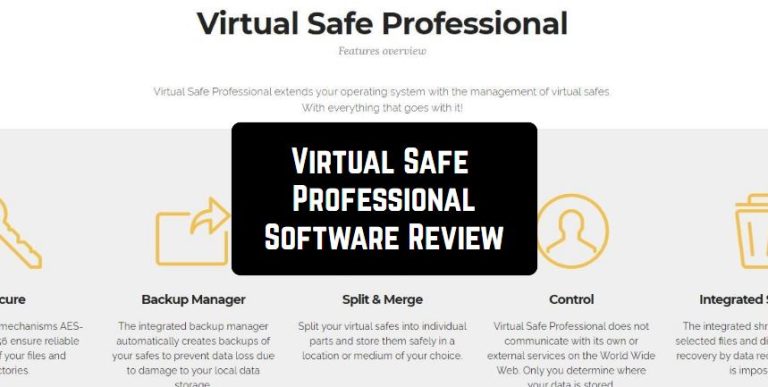
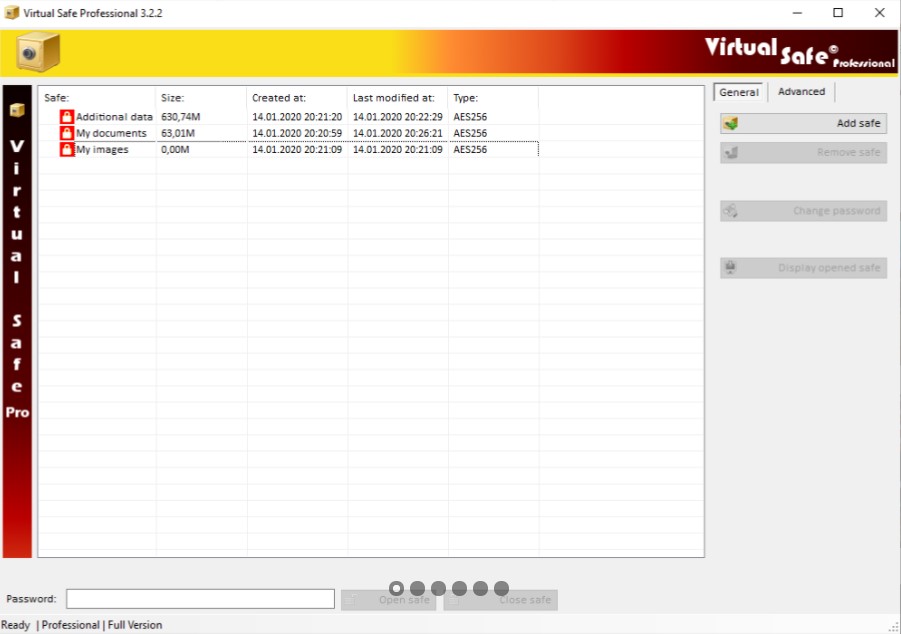
 Virtual Safe Professional has a clean and intuitive interface that is available for use, even for beginners without knowledge and skills.
The interface is divided into several sections. In the center, the user can see all created safes. In another section, you can open and close the safe, and the side control panel will allow access to additional functions such as secure merge and backups.
Virtual Safe Professional has a clean and intuitive interface that is available for use, even for beginners without knowledge and skills.
The interface is divided into several sections. In the center, the user can see all created safes. In another section, you can open and close the safe, and the side control panel will allow access to additional functions such as secure merge and backups.
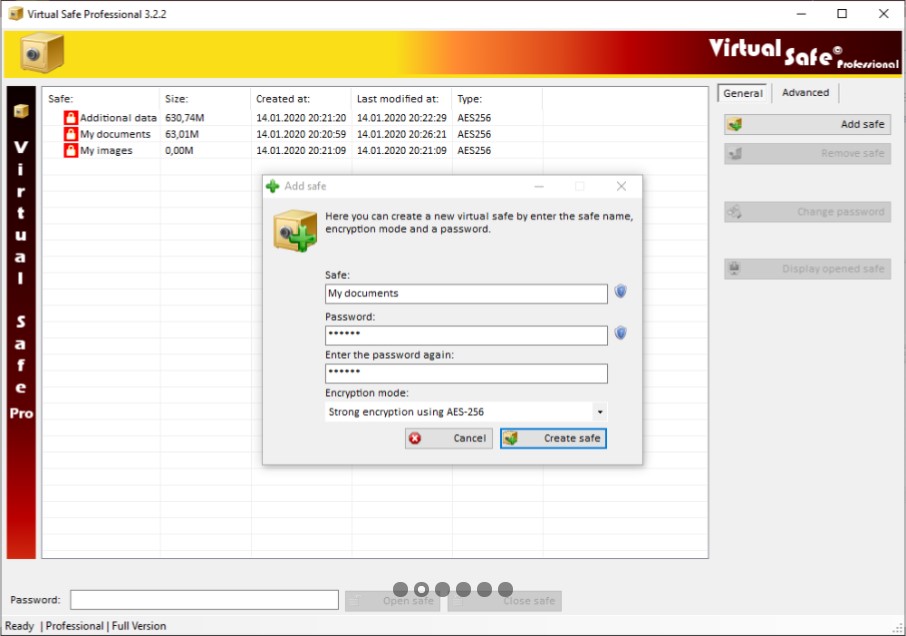 The essence of the program is to create a safe with a password, then fill this safe with documents and lock it. To gain access to your documents, you must enter a password.
Internet safety is important as well. While your kids explore the Internet, make sure they are safe by installing the porn blocker apps.
Overall, Virtual Safe Professional is a safe for your documents on your computer. You don’t have to worry about the security of your files, just install Virtual Safe Professional and a secure environment with a password for your data is ready.
The essence of the program is to create a safe with a password, then fill this safe with documents and lock it. To gain access to your documents, you must enter a password.
Internet safety is important as well. While your kids explore the Internet, make sure they are safe by installing the porn blocker apps.
Overall, Virtual Safe Professional is a safe for your documents on your computer. You don’t have to worry about the security of your files, just install Virtual Safe Professional and a secure environment with a password for your data is ready.
List of reviewed apps:
Key Features
- Create multiple password-protected safes to organize and categorize your sensitive documents
- Advanced encryption algorithms protect your data from unauthorized access
- Secure backup functionality ensures you don’t lose important files
- Intuitive interface that doesn’t require technical expertise to navigate
- Secure merge capability to combine safes and consolidate your protected documents
Pros and Cons
- Pros:
- Simple installation process with language options for international users
- Beginner-friendly design makes password-protected document storage accessible to everyone
- Strong encryption provides genuine peace of mind for sensitive file protection
- Cons:
- Desktop-only application with no mobile app option for on-the-go access
- Limited customization options compared to some competing password management solutions
Bottom Line
Virtual Safe Professional is ideal for users who need straightforward, no-nonsense document encryption without learning complicated security software. If you’ve got important files you want locked away safely on your PC and don’t need fancy bells and whistles, this app delivers solid protection at a practical level.