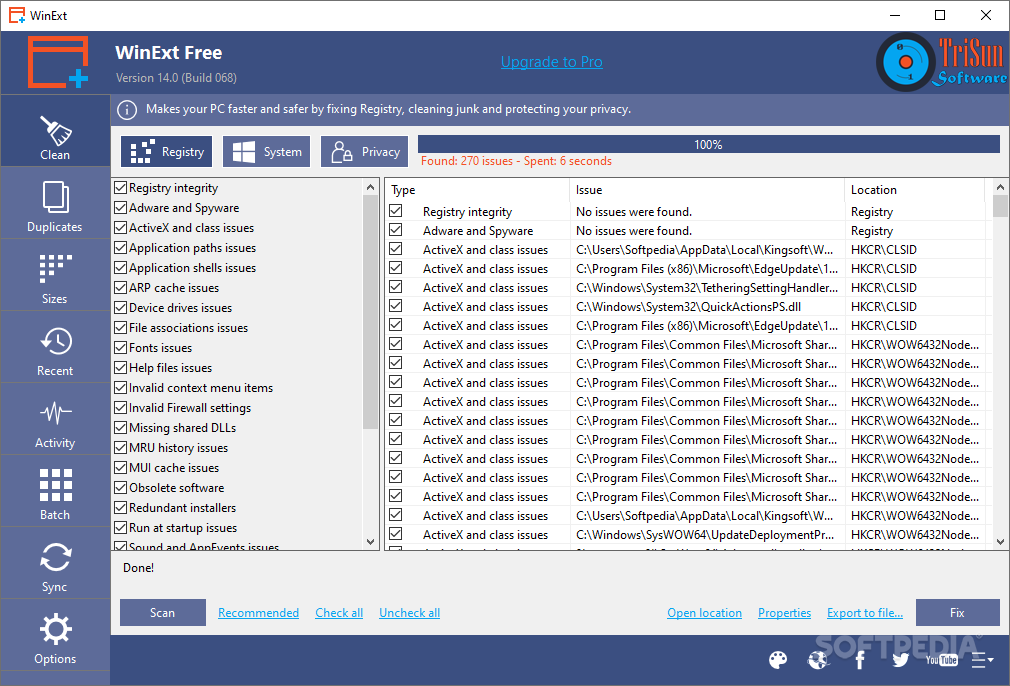
 To find out the sizes of all disks, directories, and files, you need to go to the sizes section. The application analyzes all the files, displays the largest of them on the screen, and allows the user to think about whether they need to be stored.
The application has an area filled with information related to the last available files, including the name, full root, size, access time, type, and date of the last modification. However, the main function of the application is to improve system performance, speed and stability by optimizing the settings.
To find out the sizes of all disks, directories, and files, you need to go to the sizes section. The application analyzes all the files, displays the largest of them on the screen, and allows the user to think about whether they need to be stored.
The application has an area filled with information related to the last available files, including the name, full root, size, access time, type, and date of the last modification. However, the main function of the application is to improve system performance, speed and stability by optimizing the settings.
 An interesting feature is the ability to check the activity of Windows. You can track where which files are created, edited, or deleted. Some types of operations can be performed in batch mode. For example, you can send items to the Recycle Bin, permanently delete them from the computer and copy them.
By the way, you can get organized not only on your PC but also Android device. Lock your folders on Android from other curious people using folder lock apps.
The synchronization function is convenient for moving files between two folders until the contents of the folder are identical. This action can be done once (manually) or repeated (automatically, after a certain period).
An interesting feature is the ability to check the activity of Windows. You can track where which files are created, edited, or deleted. Some types of operations can be performed in batch mode. For example, you can send items to the Recycle Bin, permanently delete them from the computer and copy them.
By the way, you can get organized not only on your PC but also Android device. Lock your folders on Android from other curious people using folder lock apps.
The synchronization function is convenient for moving files between two folders until the contents of the folder are identical. This action can be done once (manually) or repeated (automatically, after a certain period).
List of reviewed apps:
Key Features
- Scans your device to identify and locate duplicate files and folders quickly
- Displays disk, directory, and file sizes with detailed analysis of storage usage
- Offers advanced filtering options for precise and accurate duplicate searches
- Provides both Free (limited) and Pro (unrestricted) versions to suit different needs
- Highlights the largest files on your device to help you decide what’s worth keeping
Pros and Cons
- Pros:
- Fast scanning speed and deep directory analysis make it efficient for large storage cleanup
- Simple and convenient interface means you don’t need a tech degree to use it
- Free version available, so you can test it before paying for Pro features
- Cons:
- Free version comes with functionality restrictions that limit what you can do
- Pro upgrade requires a paid subscription to unlock the full feature set
Bottom Line
If your device is drowning in duplicate files and mystery storage hogs, WinExt is worth downloading. It’s particularly useful for anyone who wants a more specialized tool than general cleaners like CCleaner, offering a straightforward way to reclaim disk space and organize your files.