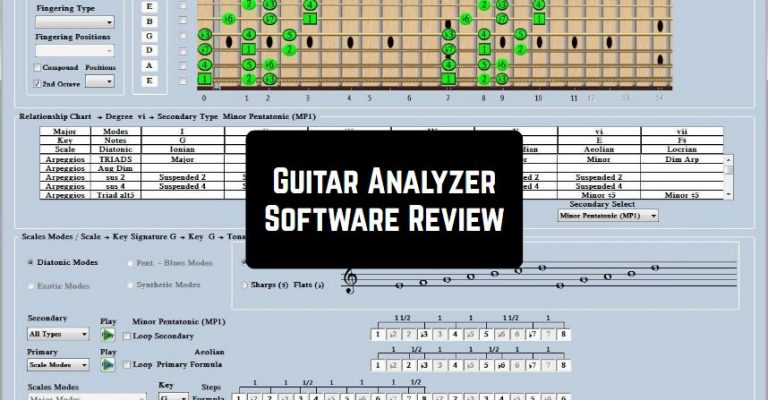
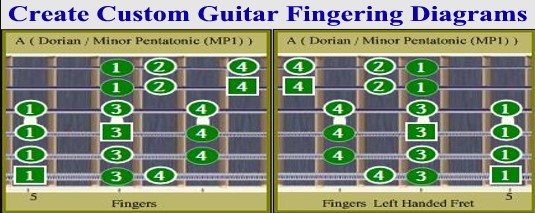
 Moving on, if you are a left-handed guitar player, the software allows you to easily flip all the diagrams.
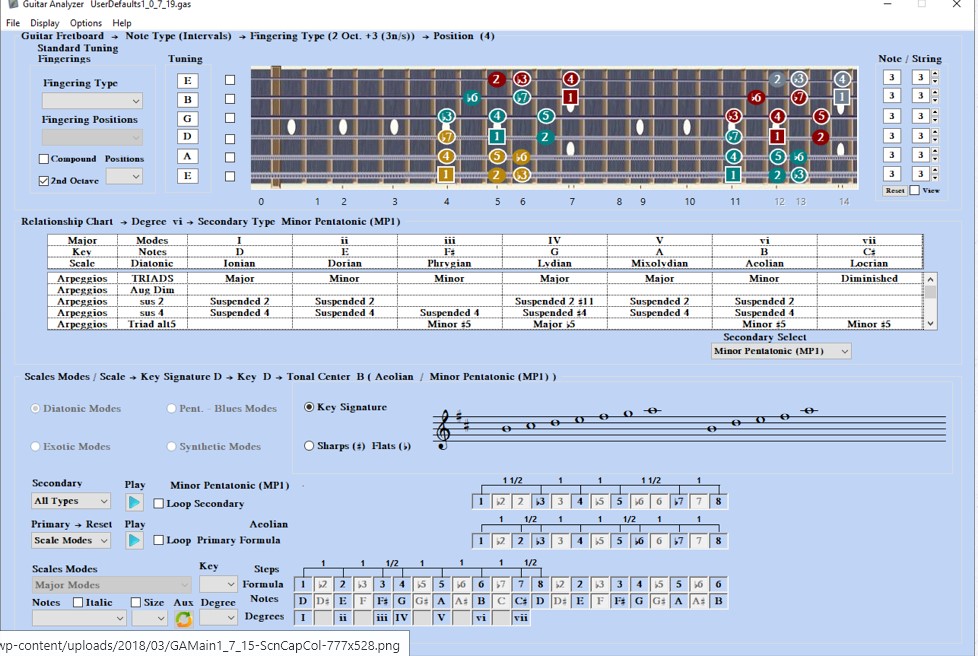
As for the program’s interface, it is very simple to manage. So, we can surely say that you will quickly find out how all the functions work there.
In case, you have faced any difficulties, the developer offers a wide range of instructions and guides. Moreover, on the official website, you can also find various guitar lessons. This is certainly a great bonus!
Moving on, if you are a left-handed guitar player, the software allows you to easily flip all the diagrams.
As for the program’s interface, it is very simple to manage. So, we can surely say that you will quickly find out how all the functions work there.
In case, you have faced any difficulties, the developer offers a wide range of instructions and guides. Moreover, on the official website, you can also find various guitar lessons. This is certainly a great bonus!
 The program offers 30 days free trial. However, you can purchase the full version at a quite accessible price.
Maybe you also want to learn to play Ukulele? In this article, you will find the apps that will help you to do that in no time!
Due to this tool, you will certainly better understand scales, tones, or chords. Therefore, hurry up to download it – we believe you will not regret!
The program offers 30 days free trial. However, you can purchase the full version at a quite accessible price.
Maybe you also want to learn to play Ukulele? In this article, you will find the apps that will help you to do that in no time!
Due to this tool, you will certainly better understand scales, tones, or chords. Therefore, hurry up to download it – we believe you will not regret!
List of reviewed apps:
Key Features
- Interactive guitar fretboard with chord and score diagrams
- Multiple analysis tools including scale modes, key signatures, and tonal centers
- Support for both electric and acoustic guitar configurations
- Left-handed mode with easy diagram flipping for southpaw players
- Comprehensive library of guitar lessons and instructional guides
Pros and Cons
- Pros: Intuitive interface that’s easy to navigate, extensive learning resources included, flexible for different guitar types and playing styles
- Cons: Requires commitment beyond the trial period for full access, may feel overwhelming for absolute beginners with so many analysis tools
Bottom Line
Guitar Analyzer Software is perfect for players ready to deepen their understanding of music theory and take their playing to the next level. Whether you’re looking to master chord progressions, explore different scales, or finally write that song you’ve been imagining, this app gives you the tools and guidance to make it happen—especially if you’ve got 30 days to test drive it first.