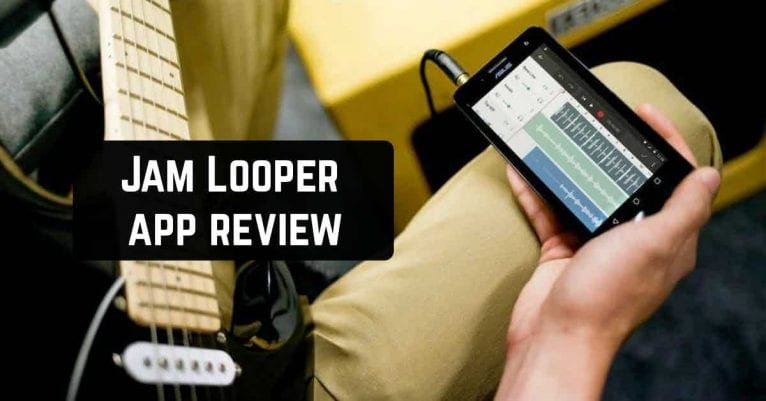
 Jam Looper is a great music app for musicians that lets you loop the best parts of your favorite songs, slow them down and play along.
Selected segments of a music track can be combined into one song. This free app is very easy to use and will definitely appeal to all fans of music and its creation.
Jam Looper is a great music app for musicians that lets you loop the best parts of your favorite songs, slow them down and play along.
Selected segments of a music track can be combined into one song. This free app is very easy to use and will definitely appeal to all fans of music and its creation.
List of reviewed apps:
Features
The features of this app are fun and incredibly easy to use. Select part of the song using two markers A and B. Press play and the app will loop that part until you stop it. Save parts of the song in slots by holding slot buttons until message shows. To recall part from a slot just press the slot button. You can change the tempo and pitch of the music in the settings. You will need this option to customize the music to your liking. Selecting part that will loop nicely is sometimes hard. Select snap to beat in settings and markers will stick to detected beats. A fairly new feature is the metronome. It allows you to set the right tempo for your music and save the exact time when playing a song.Interface and usage
This application has a stylish design. The developers have given preference to dark colors. When creating your tracks, all the necessary buttons are located at the bottom of the screen. It is very convenient because nothing interferes and everything necessary is gathered in one place. The soundtrack is made in green and red colors. Here the red zone is what you have chosen for further editing. In this application, there is a library where you can find the tracks you like or download your own. The download is fast enough and without any problems. You can give each slot its own name. You can choose separate settings for each slot. After you have done all the necessary actions, you can save the created track. The saving process is also very fast and does not cause any problems.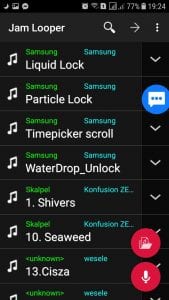

Key Features
- Loop any segment of a song by setting markers A and B, then play it on repeat
- Adjust tempo and pitch to match your skill level or musical preferences
- Save favorite loops in slots for quick recall during practice sessions
- Built-in metronome to help you keep time and lock in your performance
- Snap-to-beat technology that automatically aligns markers with detected beats
Pros and Cons
- Pros: Incredibly intuitive interface makes it easy for beginners; flexible looping lets you focus on mastering tricky sections; free app with no paywall for core features
- Cons: Selecting the perfect loop point can require some trial and error; limited customization options for advanced musicians
Bottom Line
If you’re a musician looking to practice difficult passages or learn songs faster, Jam Looper is a must-download. Whether you’re picking up a guitar for the first time or refining your technique, this free app removes the friction from slow-motion practice sessions and makes learning feel more like jamming with friends.