 Similarly, many users who wanted to set a favorite song on the call, from a certain point, first cut it off on your computer using extra software. Z Ringtones will save you from all these difficulties.
Simply go to this application and select the desired song. The desired song will open in the editor, displaying a waveform graph of audio data, scroll, play/pause buttons, and temporary data fields.
You can customize the details of the audio waveform graphic. Clicking on the “save” button will prompt you to change the song title and select what the ringtone will be used for. Like an incoming ringtone, message, alarm or just save as a music file.
Similarly, many users who wanted to set a favorite song on the call, from a certain point, first cut it off on your computer using extra software. Z Ringtones will save you from all these difficulties.
Simply go to this application and select the desired song. The desired song will open in the editor, displaying a waveform graph of audio data, scroll, play/pause buttons, and temporary data fields.
You can customize the details of the audio waveform graphic. Clicking on the “save” button will prompt you to change the song title and select what the ringtone will be used for. Like an incoming ringtone, message, alarm or just save as a music file.
List of reviewed apps:
Ringtones
Ringtones in this application are divided into thematic groups. For example, you can open your Christmas folder and listen to your favorite Christmas songs. You will then be given the opportunity to select one of them and set them as a ringtone. There is also the music of different genres. Such as hip-hop, classical, electronic, dance, jazz, country, and even animal sounds. All ringtones are absolutely free and available in unlimited quantities and for an unlimited period of time. They are also absolutely modern, which will surely please fans of novelties in the music industry.Design
The program is equipped with a rather “ascetic”, but quite functional interface, made in light, pleasant colors. The main application window contains a list of sections with the amount of content contained in them. Choosing any content you like, the user proceeds to the form in which more detailed information is displayed. Here you can find a detailed description and information about the content, check it, or share it with friends. The program contains tools for previewing images and listening to sound. And it happens automatically when you select an object in one of the categories. If a user likes what he has seen or heard, he can set the selected music to the ringtone.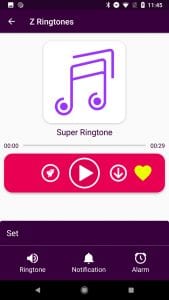
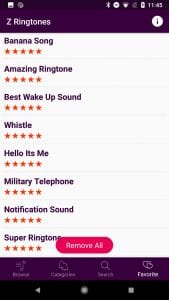 In general, the Z Ringtones app can be described as an extra tool to improve the quality of your Android-based smartphone. It has a rich collection of different audio tracks that can be installed on your mobile phone as a ringtone. Here you can choose exactly what you like.
(No longer available on the App Store)
You may also like: 15 Free calling apps 2020 for Android & iOS
In general, the Z Ringtones app can be described as an extra tool to improve the quality of your Android-based smartphone. It has a rich collection of different audio tracks that can be installed on your mobile phone as a ringtone. Here you can choose exactly what you like.
(No longer available on the App Store)
You may also like: 15 Free calling apps 2020 for Android & iOS
Key Features
- Audio waveform editor with visual timeline for precise ringtone trimming
- Create custom ringtones from any song on your device
- Assign ringtones to different contact types (calls, messages, alarms)
- Browse pre-organized thematic ringtone collections and categories
- Play and preview audio clips before saving
Pros and Cons
- Pros: Eliminates the need for desktop software to edit audio files; intuitive waveform interface makes trimming easy; multiple assignment options for different notification types
- Cons: May require some learning curve for users unfamiliar with audio editing; pre-loaded ringtone library quality varies by category
Bottom Line
Z Ringtones is perfect for anyone tired of boring default ringtones and unwilling to wrestle with complicated desktop software. If you’ve ever wanted to use your favorite song snippet as a notification sound without the technical headache, this app delivers exactly what you need in a straightforward package.