A timestamp camera does one deceptively useful thing: it burns the date, time, GPS location, and sometimes a short note straight onto your photo as you take it. That turns an ordinary picture into a small piece of evidence, which is why these apps are a staple for tradespeople, inspectors, delivery drivers, and anyone who has ever needed to prove when and where a shot was taken.
We rounded up six free options and put them through the same paces: how fast they stamp, how readable the result is, how accurate the GPS reads, and how much the free version actually gives you before it asks for money. Most of these run on both Android and iOS, and one is an iPhone and iPad app only, so there is something here whichever phone is in your pocket.
Whether you are documenting a job site or just want a dependable date on your snapshots, one of these should fit. If you also clean up those photos in batches afterward, it is worth a look at our roundup of the 9 Free Batch Photo Editors for Android & iOS.
Timestamp Camera
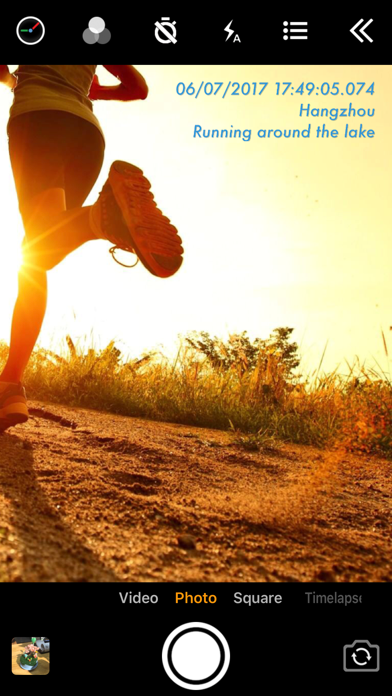
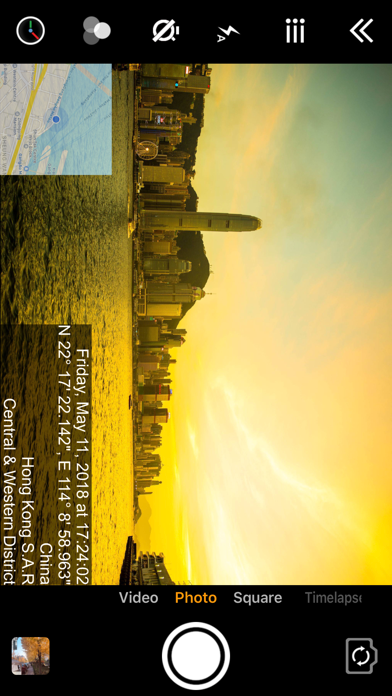
Timestamp Camera is the app most people picture when they think about putting the date on a photo. It writes the current time, date, and location right onto the frame as you shoot, so the stamp lives in the pixels instead of hidden metadata that a screenshot would strip away. The free Basic version covers the everyday jobs: proof you finished a delivery, a photo of a meter reading, or a quick record of a rental’s condition before you move in.
In testing it was refreshingly quick to set up. You pick from dozens of date and time formats, drag the stamp to any corner, and nudge the font size until it is readable without smothering the subject. Point it at a moving car and the timestamp ticks to the exact second, which is the whole point when someone later asks when a shot was taken.
Main features:
- Live date, time, and location stamped onto photos and videos as you shoot
- Dozens of timestamp formats with custom font size, color, and position
- Address and GPS coordinates pulled from your current location
- Works on new photos and while you record video
- Plain, no-frills interface that is ready to shoot in seconds
The catch is that the free Basic tier keeps the fancier formats and custom backgrounds behind the paid Pro upgrade, so heavy users will bump into a ceiling.


PhotoStamp Camera

PhotoStamp Camera leans toward people who want control over exactly what gets written on the image. Beyond the usual date and time, it can add signature text, a company logo, GPS coordinates, and a custom note, which makes it a favorite for tradespeople documenting a job site. It is an Android app, and a genuinely popular one at that.
What won us over in testing was the styling. You get a big library of fonts plus bold, italic, and outlined options, and you can drop a shadow or a colored background behind the stamp so it stays legible against a bright wall or a dark floor. We marked up a photo of a leaky pipe with the address, time, and a short ‘kitchen, under sink’ note, and everything sat neatly in one corner.
What it does well:
- Stamp date, time, GPS location, signature text, and a logo onto photos
- Over 800 fonts with bold, italic, outline, and underline styles
- Shadows and colored backgrounds to keep stamps readable
- Custom notes with adjustable stamp position and size
- Stamp existing gallery photos, not just fresh captures
The free version runs ads, and it is Android-only, so iPhone owners will need to look elsewhere on this list.
Auto Stamper
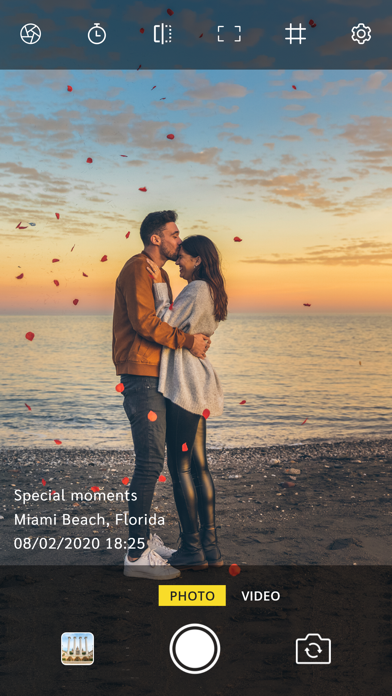
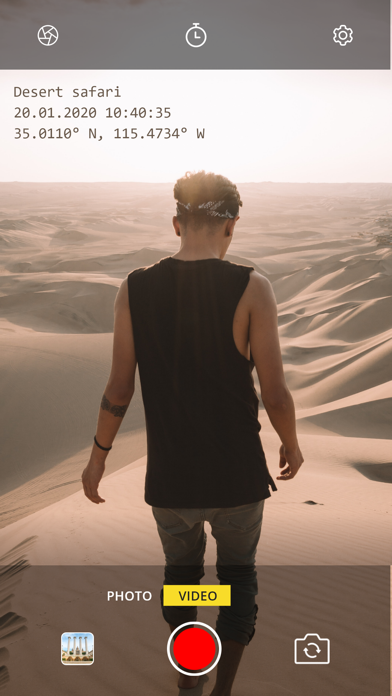
Auto Stamper earns its name by doing the work without you thinking about it. Once it is set up, every photo you take through the app gets stamped automatically with the date, time, and whatever extras you switch on, which is exactly what you want when you are photographing forty items in a warehouse and cannot pause to fiddle with settings.
It splits its tools into five stamp types, and in testing the sequential number stamp was the sleeper hit. Shoot a run of inspection photos and each one gets an incrementing number, so nothing goes missing or gets duplicated in the report later. The GPS and signature stamps stack on top when you need a location and a name on the same shot.
Key tools:
- Automatic date and time stamps on every photo you capture
- GPS location and address stamps for proof of place
- Custom signature and logo watermark stamps
- Sequential number stamps for ordered inspection sets
- Adjustable stamp color, format, size, and position
A couple of the better stamps, like GPS and the custom signature, sit behind the paid upgrade, so the fully free experience is a bit thinner than the feature list suggests.
GPS Map Camera
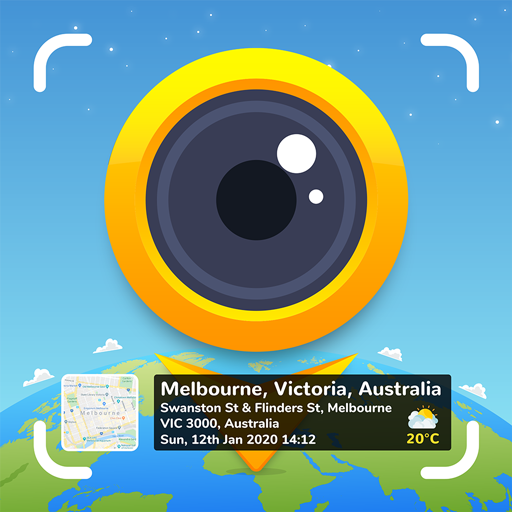
GPS Map Camera is the pick when location is the star and the date is the supporting act. Instead of a plain coordinate string, it stamps a little map thumbnail into the corner of your photo along with the full address, latitude and longitude, and the time, so anyone looking at the image can see at a glance where it was shot.
We took it to a parking lot to test the geotag accuracy and it nailed the address on the first try, dropping a mini-map and coordinates that matched the real spot. It is built for the report-and-proof crowd: site visits, field work, insurance photos, and anything where ‘I was actually here’ matters as much as what you photographed.
Why it earns a spot:
- Map thumbnail, full address, and coordinates stamped onto each photo
- Latitude, longitude, altitude, and compass direction
- Date and time stamp alongside the location block
- A choice of stamp layouts and map styles
- Enhance existing gallery photos with location data
On the free tier it slips a small app watermark onto your shots until you upgrade, and the busiest layouts can crowd a photo if you are not careful.
You may also like: Free Daily Checklist Apps.
Timemark
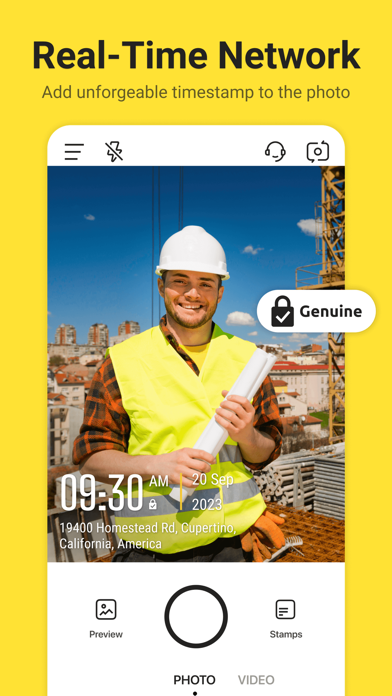
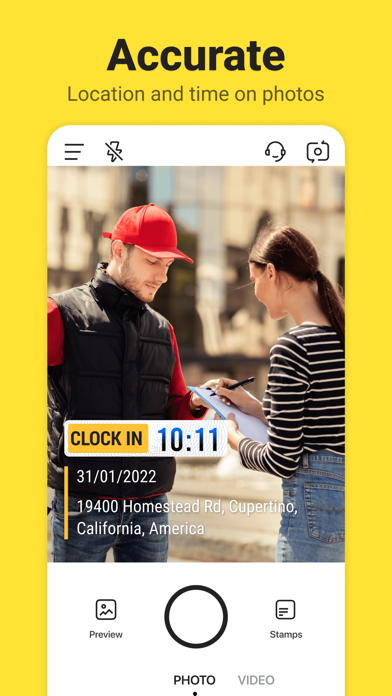
Timemark aims squarely at work you might have to defend later. It stamps the date, time, GPS coordinates, and address onto each photo, and its whole pitch is that the time and location are hard to fake, which is why field teams and inspectors gravitate to it for reports.
During testing the template system stood out. Rather than one fixed stamp, you choose a layout that suits the job and the app fills in the location and weather automatically, so a single tap produces a tidy, consistent-looking record. It feels professional without making you read a manual first.
What stood out in our testing:
- Date, time, GPS, and address stamped at the moment of capture
- Ready-made templates tuned for work and inspection reports
- Automatic weather, temperature, and coordinate details
- Photo and video support with a clean, business-style layout
- Save and share stamped shots straight into your reports
You are nudged to create an account, and the slickest templates and higher-volume use are reserved for the premium tier.
GPS Camera 55
GPS Camera 55 comes from the field-survey world, and it shows in the best way. It stamps location, date, address, and custom notes onto the photo, then lets you scribble hand-drawn annotations right on the image, which is handy when you need to circle the crack in a wall or point an arrow at the exact bolt.
In testing, the organization was the standout. Shots drop into collections you can search and filter by title, note, or address, and you can export a whole set as a KMZ file that opens in Google Earth with the photos pinned to their spots. It is more of a survey tool than a casual stamper, and that focus pays off for real fieldwork.
What you get:
- Location, date, address, and custom notes stamped on each photo
- Hand-drawn annotations and markups directly on the image
- Collections you can search and filter by title, note, or address
- KMZ export to Google Earth with photos, notes, and annotations
- PIN and biometric lock to protect sensitive field data
It is an iPhone and iPad app with no Android version, and a Pro Pack unlocks custom watermarks and extra photo collections.
For most people, Timestamp Camera handles the everyday job of putting a clear date on a shot without any fuss. If your work needs proof of place, GPS Map Camera and Timemark stamp the location and address in a way that holds up in a report, while Auto Stamper is the one to grab when you are shooting dozens of items and want numbers and stamps applied automatically. PhotoStamp Camera is a strong Android-only choice for logo and signature control, and GPS Camera 55 is worth the download if you run serious field surveys on an iPhone or iPad.