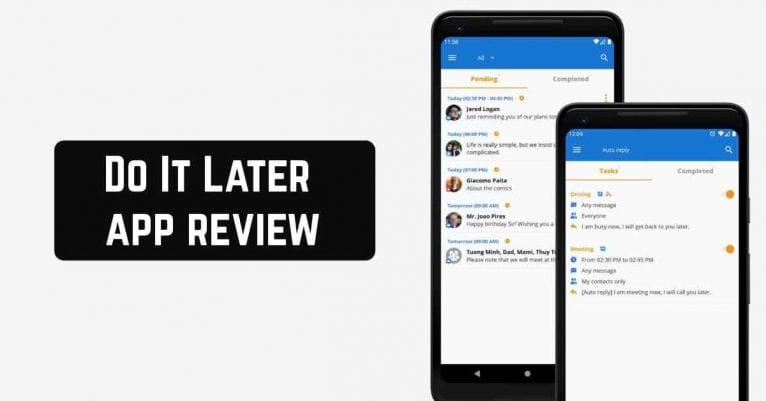
 Do It Later is a message automation application. It helps you plan to send messages through a variety of services, including email and social networking.
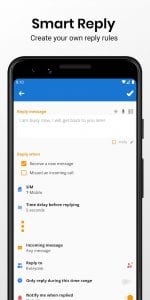
The automatic answer to calls and incoming messages, tweet updates, task reminders, and more are also available.
Do It Later is a message automation application. It helps you plan to send messages through a variety of services, including email and social networking.
The automatic answer to calls and incoming messages, tweet updates, task reminders, and more are also available.
List of reviewed apps:
Functions
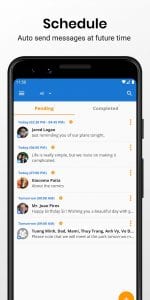
Set the exact time to send important messages. You can also send them within a time interval of your choice. You can send messages on a regular basis. For example, you can send messages hourly, daily, weekly, monthly, or annually. After the app completes the delayed delivery of messages, you will receive a notification about the Sent and Delivered statuses. You can also send messages to many recipients. You can also prepare the text yourself in advance. The application remembers it and does the mailing. Besides, an unusual feature is the ability to enter messages using the speech recognition feature. This also speeds up the process of creating delayed messages.Schedule a message
To schedule a message is simple. Open the app and, from the main window (Figure A), follow these steps:- Tap +.
- Tap Message (Figure B).
- if prompted, OK the permissions.
- Type the recipient and the name.
 With Do It Later, you can save time on sending important messages and make sure that all recipients will receive all your messages accurately.
You may also like: 11 Best apps to change message background (Android & iOS)
With Do It Later, you can save time on sending important messages and make sure that all recipients will receive all your messages accurately.
You may also like: 11 Best apps to change message background (Android & iOS)
Key Features
- Schedule messages to send at exact times or within custom intervals
- Set up recurring messages (hourly, daily, weekly, monthly, or yearly)
- Auto-reply to calls and incoming messages automatically
- Voice-to-text message composition using speech recognition
- Batch send messages to multiple recipients at once
Pros and Cons
- Pros:
- Voice input makes creating messages faster and easier
- Flexible scheduling options give you complete control over timing
- Delivery notifications let you confirm when messages actually went through
- Cons:
- Setting up automation requires multiple steps and permission approvals
- Limited information available about supported messaging services and platforms
Bottom Line
Do It Later is perfect for anyone who wants to schedule messages in advance without having to manually send them at the right moment. Whether you’re automating reminders, managing social media updates, or setting up auto-replies, this app takes the guesswork out of timely communication.