 Video quality development is available thanks to the trueTheater function, and for audio files – due to the presence of multichannel RStereo, Dolby, and DTS support.
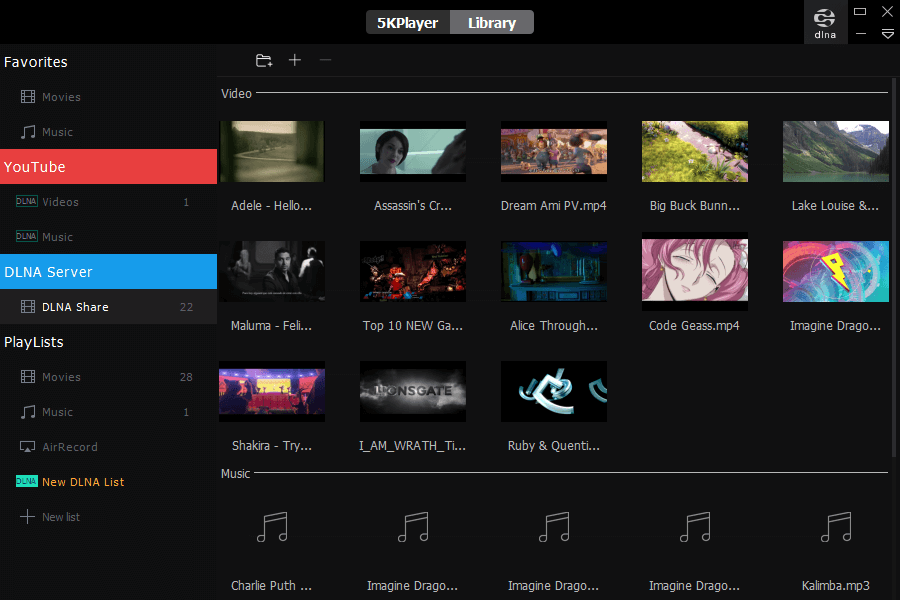
This player combines not only playback of local files on your device, but also online playback with the ability to download and save files for later viewing without an Internet connection.
Now you can watch all your favorite TV shows using the 5k Player – enjoy the highest quality!
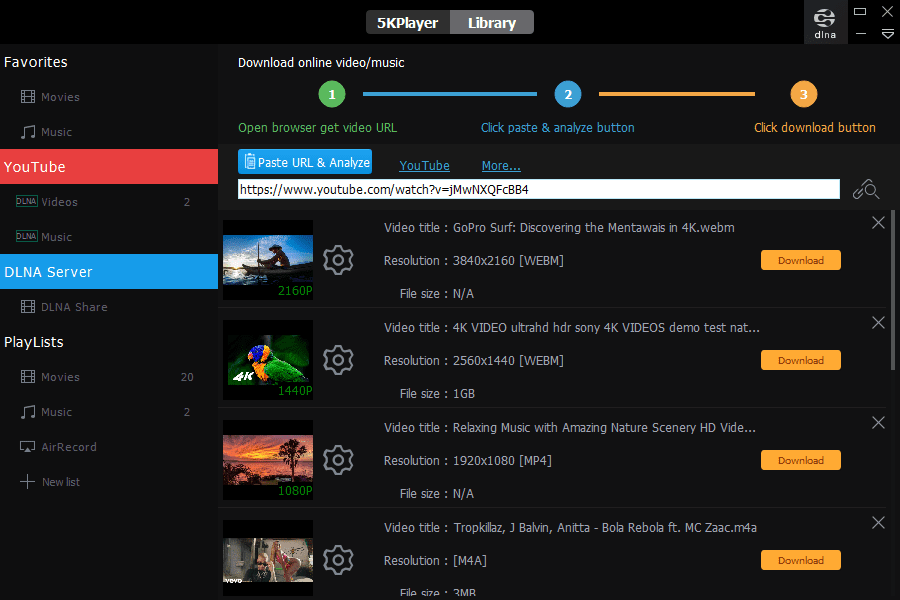
All you need to do is paste the link into the desired menu item and you can download videos from 300 services, including Vimeo, Facebook, Dailymotion, YouTube, etc. The app supports various subtitle formats. You can build your personal multimedia library.
Video quality development is available thanks to the trueTheater function, and for audio files – due to the presence of multichannel RStereo, Dolby, and DTS support.
This player combines not only playback of local files on your device, but also online playback with the ability to download and save files for later viewing without an Internet connection.
Now you can watch all your favorite TV shows using the 5k Player – enjoy the highest quality!
All you need to do is paste the link into the desired menu item and you can download videos from 300 services, including Vimeo, Facebook, Dailymotion, YouTube, etc. The app supports various subtitle formats. You can build your personal multimedia library.
 The program also includes support of AirPlay and DLNA, due to which you can stream files to a computer from an Android and iOS smartphone, or from PC to your device. You can record video from the screen while streaming through the app. Also, it has a built-in radio player.
The app has extensive customization to provide you with maximum usability. You can select the resolution and format of downloaded files, define the folder for snapshots. You can control 5KPlayer with both a mouse and a keyboard. The video can be rotated; subtitles, speed, audio channels, and even an equalizer can be adjusted. Drag’n’drop is supported too.
Using the 5kPlayer you can even play the videos from IPTV – you can find tons of interesting vids there.
The program also includes support of AirPlay and DLNA, due to which you can stream files to a computer from an Android and iOS smartphone, or from PC to your device. You can record video from the screen while streaming through the app. Also, it has a built-in radio player.
The app has extensive customization to provide you with maximum usability. You can select the resolution and format of downloaded files, define the folder for snapshots. You can control 5KPlayer with both a mouse and a keyboard. The video can be rotated; subtitles, speed, audio channels, and even an equalizer can be adjusted. Drag’n’drop is supported too.
Using the 5kPlayer you can even play the videos from IPTV – you can find tons of interesting vids there.
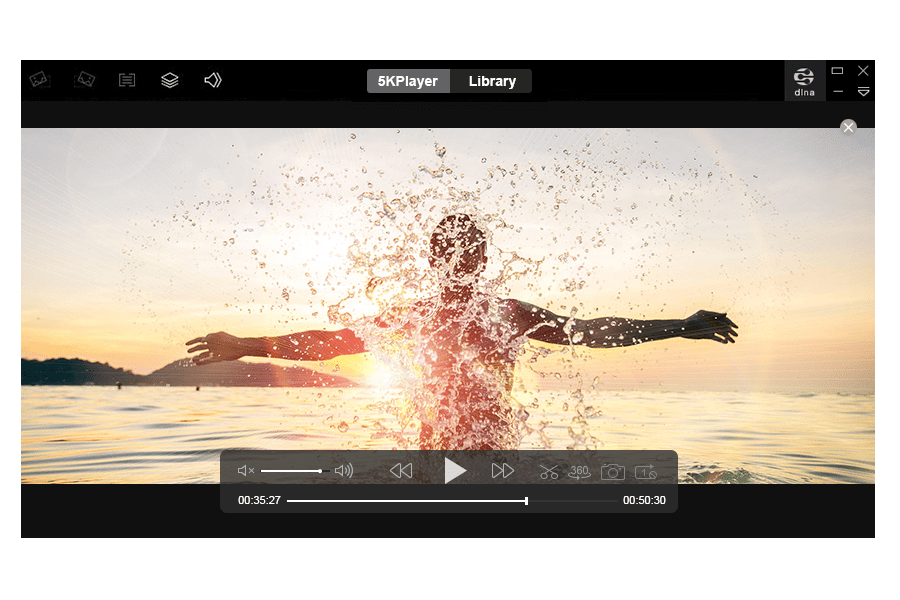 Working with the app leaves a pleasant impression. Everything is done aesthetically beautifully and without technical glitches. 5KPlayer definitely deserves a place at the top of the best media players!
Download 5K Player
Working with the app leaves a pleasant impression. Everything is done aesthetically beautifully and without technical glitches. 5KPlayer definitely deserves a place at the top of the best media players!
Download 5K Player
List of reviewed apps:
Key Features
- All-in-one media hub — video player, audio player, downloader, and streaming tool combined
- Supports up to 8K resolution and 360-degree videos with hardware acceleration
- Download videos from 300+ services for offline viewing
- Advanced audio enhancement with Dolby, DTS, and multichannel stereo support
- Cast videos directly to smart TVs like Hisense and other compatible devices
Pros and Cons
- Pros:
- Handles virtually any media format and codec you throw at it
- Free to download and use with no hidden paywalls
- Combines multiple tools so you don’t need a Swiss Army knife of separate apps
- Cons:
- Desktop-only (Windows and Mac) — no mobile app version available
- Feature-rich interface might feel overwhelming for users who just want basic playback
Bottom Line
If you’re a Windows or Mac user who wants a single powerhouse app for everything from local video playback to downloading content from the web, 5KPlayer is a no-brainer. It’s especially great for anyone who loves high-quality video and audio without paying subscription fees. Just don’t expect to use it on your phone.