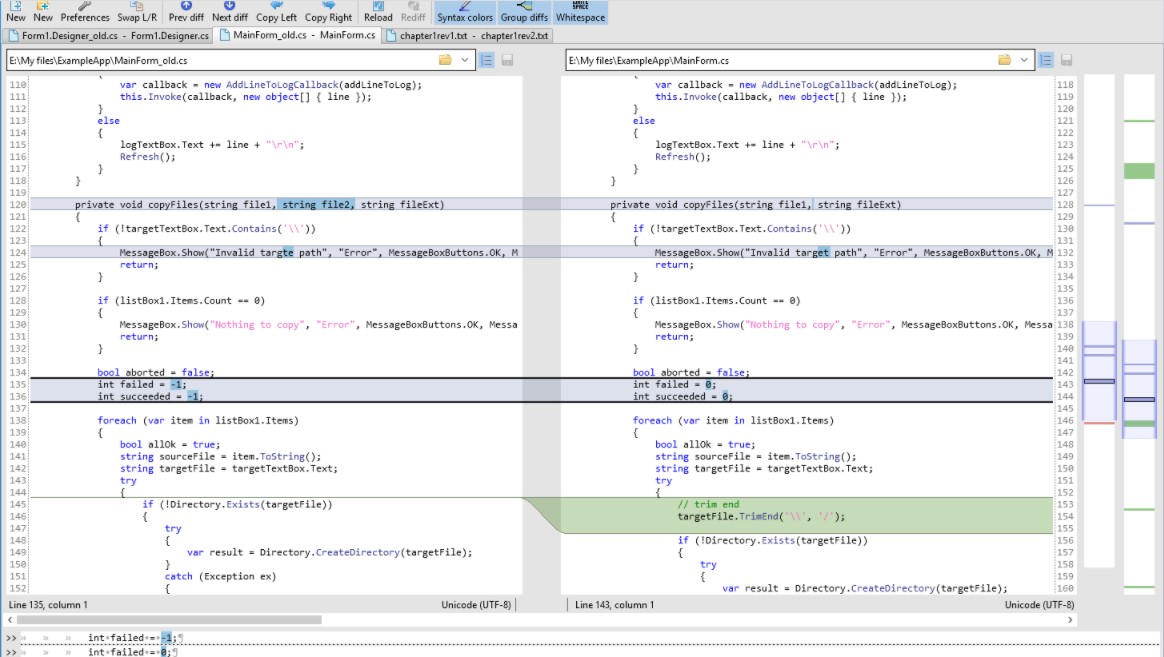
 Due to this tool, you can carry out a wide range of tasks: detect the differences between the source code files, make necessary edits and merge the files. If you want, you can easily add, change, and remove the lines. Moreover, you can check the changes and monitor all your actions. Another useful feature there – the program supports Unicode and encoding autodetection. In case of an encoding mismatch, it will warn you.
What is more, Diffinity comes with an adjustable interface that is very simple to manage. Moreover, you can carry out a great number of various operations on the code lines. On the top of the screen, you will find several sections: File, Edit, View, Search, Help. Below, there is also a wide range of useful tools. The main window is divided into two parts to display the source codes.
Due to this tool, you can carry out a wide range of tasks: detect the differences between the source code files, make necessary edits and merge the files. If you want, you can easily add, change, and remove the lines. Moreover, you can check the changes and monitor all your actions. Another useful feature there – the program supports Unicode and encoding autodetection. In case of an encoding mismatch, it will warn you.
What is more, Diffinity comes with an adjustable interface that is very simple to manage. Moreover, you can carry out a great number of various operations on the code lines. On the top of the screen, you will find several sections: File, Edit, View, Search, Help. Below, there is also a wide range of useful tools. The main window is divided into two parts to display the source codes.
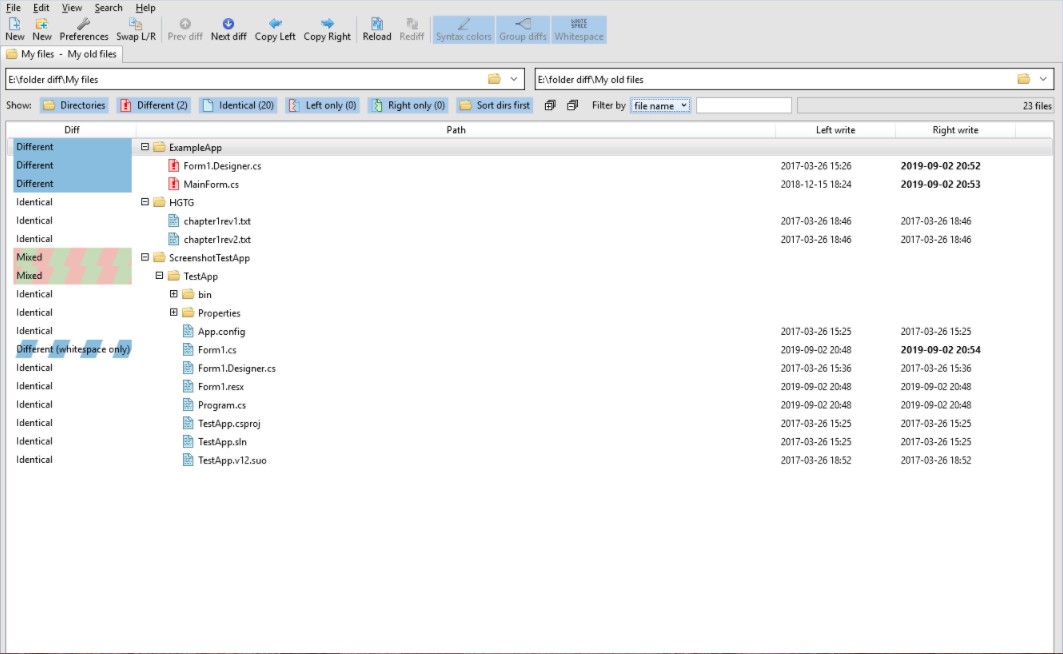 As for the additional options, the app allows users to use a text editor, a compare option, adjust the colors, syntax highlighting, and so many other useful things!
Apart from tracking the source codes, you also might want to keep track on your phone.
If you want to reset the settings, click on the button on the lower-left corner of the preferences window. Summarizing all the points mentioned above, Diffinity is a top-quality software developed for programmers. We have not found any significant disadvantages of this tool. Highly recommended!
As for the additional options, the app allows users to use a text editor, a compare option, adjust the colors, syntax highlighting, and so many other useful things!
Apart from tracking the source codes, you also might want to keep track on your phone.
If you want to reset the settings, click on the button on the lower-left corner of the preferences window. Summarizing all the points mentioned above, Diffinity is a top-quality software developed for programmers. We have not found any significant disadvantages of this tool. Highly recommended!
List of reviewed apps:
Key Features
- Side-by-side comparison of source code files with line-by-line difference highlighting
- Automatic encoding detection with Unicode support to prevent compatibility issues
- File merging capabilities to combine multiple code versions seamlessly
- Edit, add, remove, and modify code lines directly within the application
- Change history tracking so you can monitor and review all your edits
Pros and Cons
- Pro: Free tool that handles complex code comparison tasks without breaking the bank
- Pro: Simple, adjustable interface makes it accessible even if you’re not a command-line ninja
- Pro: Smart encoding detection prevents those annoying “character soup” moments
- Con: Primarily designed for developers—casual users may find limited use cases
- Con: Best suited for smaller files; performance with massive codebases may vary
Bottom Line
If you’re a developer, programmer, or code maintainer who regularly works with multiple source file versions, Diffinity is a no-brainer download. It transforms what could be a tedious manual comparison job into a quick, automated process that catches every difference and keeps your code organized.