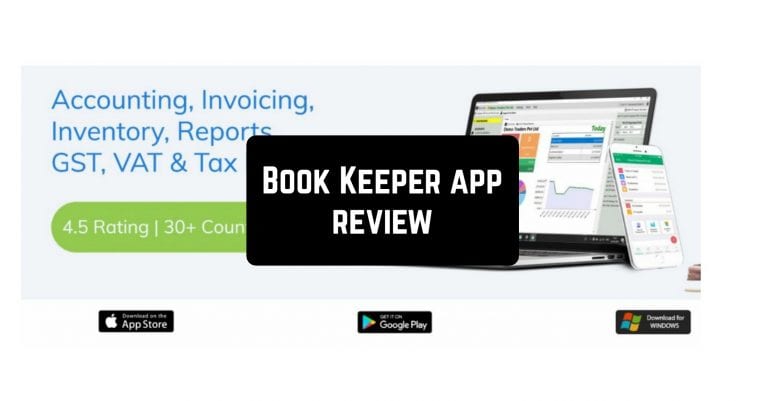
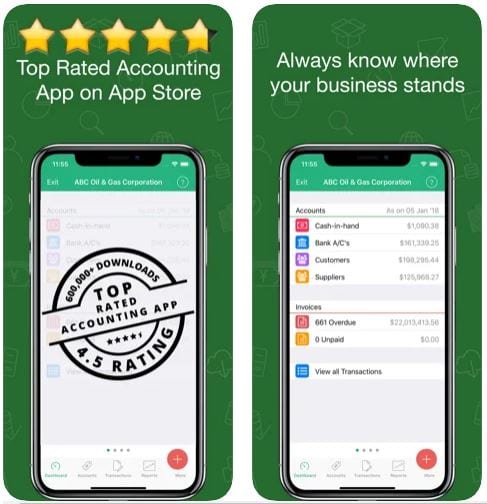
 Check your invoices with a help of a graph, take prints, and save PDF format as well. If you want, you can even make a backup company data. Book Keeper App offers an Expense section to keep track of your expenses. The app enables you to monitor your sales and purchase accounting.
Customize purchase orders, estimation, income, and time tracking. Easily check your taxes, which includes two sections: Tax accounts and Tax groups. Opt for the necessary taxation – GST or VAT. Plus, the integrated inventory management function makes it easy to monitor the left units at your warehouse.
Did you know you can earn money by clicking on the links on the Internet? Check out the auto-clicker apps that will do everything for you.
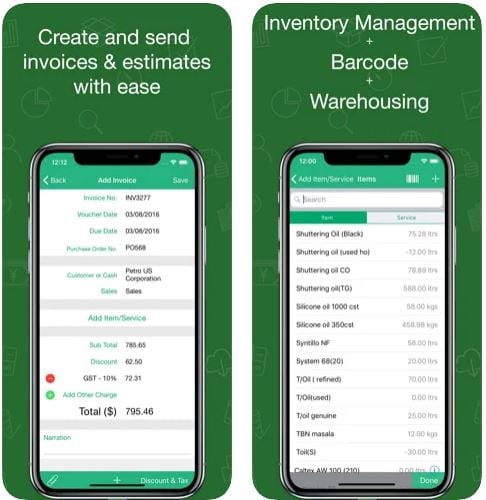
If you need it, you can add service information and choose a proper unit – kilogram, number, meter, and others. In addition to accounting and inventory management options, you can sync all the entered data on other devices – tablets and mobile phones. No need to have an internet connection all the time, you can use the app in offline mode.
Check your invoices with a help of a graph, take prints, and save PDF format as well. If you want, you can even make a backup company data. Book Keeper App offers an Expense section to keep track of your expenses. The app enables you to monitor your sales and purchase accounting.
Customize purchase orders, estimation, income, and time tracking. Easily check your taxes, which includes two sections: Tax accounts and Tax groups. Opt for the necessary taxation – GST or VAT. Plus, the integrated inventory management function makes it easy to monitor the left units at your warehouse.
Did you know you can earn money by clicking on the links on the Internet? Check out the auto-clicker apps that will do everything for you.
If you need it, you can add service information and choose a proper unit – kilogram, number, meter, and others. In addition to accounting and inventory management options, you can sync all the entered data on other devices – tablets and mobile phones. No need to have an internet connection all the time, you can use the app in offline mode.
 The app offers trustworthy technical support. In case you have some difficulties, you can easily chat or call a customer assistance specialist. The manufacturer also provides video tutorials on the Youtube and FAQ portal – it can help you as well.
What is more, Book Keeper App presents you with a financial detailed analysis of your company – invoice/ expense, client/payment, tax, and accounting reports.
Nowadays there are lots of experts online that have blogs about money. You can use these apps to find their social media.
Book Keeper App provides a free trial for 30 days. After that, you can purchase a monthly or yearly subscription at a rather accessible price. Its conventional design compliments a user-friendly interface. Certainly, try this multifunctional app and make your work process as convenient as possible!
The app offers trustworthy technical support. In case you have some difficulties, you can easily chat or call a customer assistance specialist. The manufacturer also provides video tutorials on the Youtube and FAQ portal – it can help you as well.
What is more, Book Keeper App presents you with a financial detailed analysis of your company – invoice/ expense, client/payment, tax, and accounting reports.
Nowadays there are lots of experts online that have blogs about money. You can use these apps to find their social media.
Book Keeper App provides a free trial for 30 days. After that, you can purchase a monthly or yearly subscription at a rather accessible price. Its conventional design compliments a user-friendly interface. Certainly, try this multifunctional app and make your work process as convenient as possible!


List of reviewed apps:
Key Features
- Multi-company management with unlimited invoices, accounts, and inventory items
- Comprehensive expense tracking and financial reporting tools
- Invoice creation with email delivery and PDF export capabilities
- Visual financial data analysis through graphs and charts
- Cloud backup functionality to protect your business data
Pros and Cons
- Pros:
- Intuitive interface makes accounting less painful for non-experts
- All-in-one solution covers invoicing, expenses, and financial reporting
- Flexible setup allows you to configure details later if you’re in a hurry
- Cons:
- May feel overwhelming for solo freelancers who only need basic invoicing
- Requires some initial data entry to set up your company profile and categories
Bottom Line
If you’re running a small to medium-sized business and tired of juggling spreadsheets and scattered financial records, Book Keeper App is worth downloading. It brings organization to your business finances without requiring an accounting degree, making it perfect for entrepreneurs who want professional financial management in their pocket.