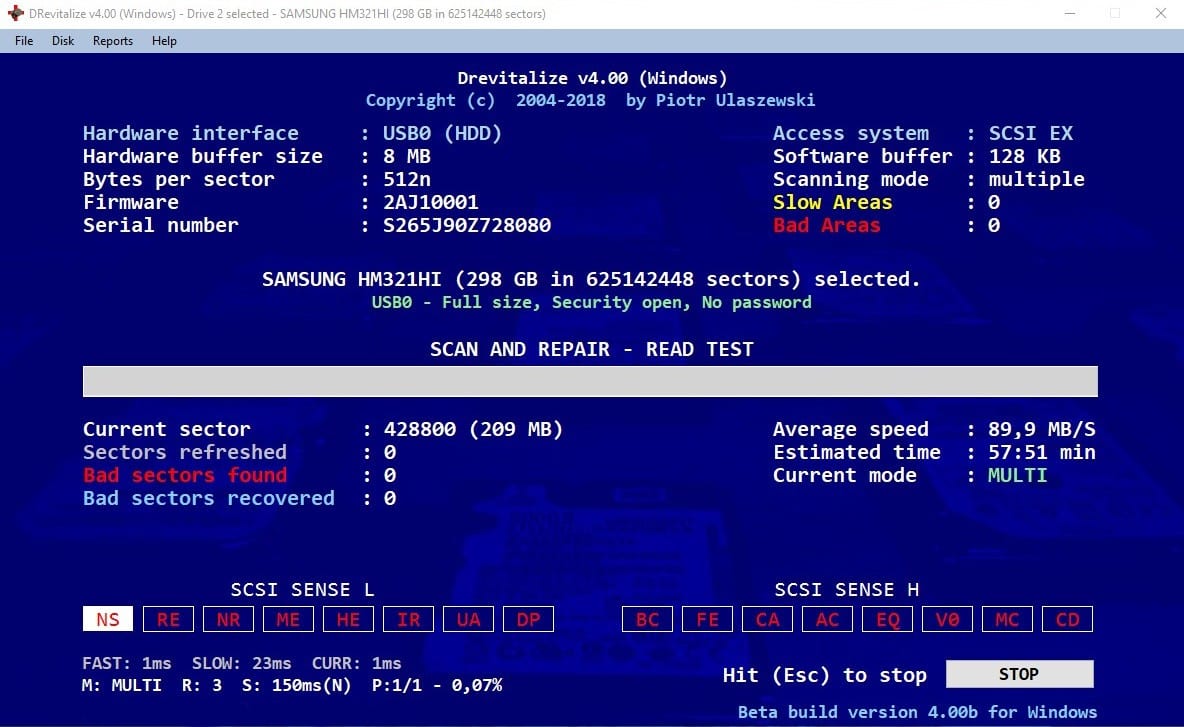
 Do not worry. There is a solution. It appears on stage under the name DRevitalize.
This program is designed to repair bad sectors (physical defects) on hard drives. It is something like the forced launch of a built-in flaw detector internal function. One way or another, it really fulfills its functions.
Here is another lifehack on how to play YouTube in the background – you can install these apps and it will be possible!
The disk recovering process is quite simple with this utility, but if you have not encountered such software before, here is a simple instruction:
Do not worry. There is a solution. It appears on stage under the name DRevitalize.
This program is designed to repair bad sectors (physical defects) on hard drives. It is something like the forced launch of a built-in flaw detector internal function. One way or another, it really fulfills its functions.
Here is another lifehack on how to play YouTube in the background – you can install these apps and it will be possible!
The disk recovering process is quite simple with this utility, but if you have not encountered such software before, here is a simple instruction:
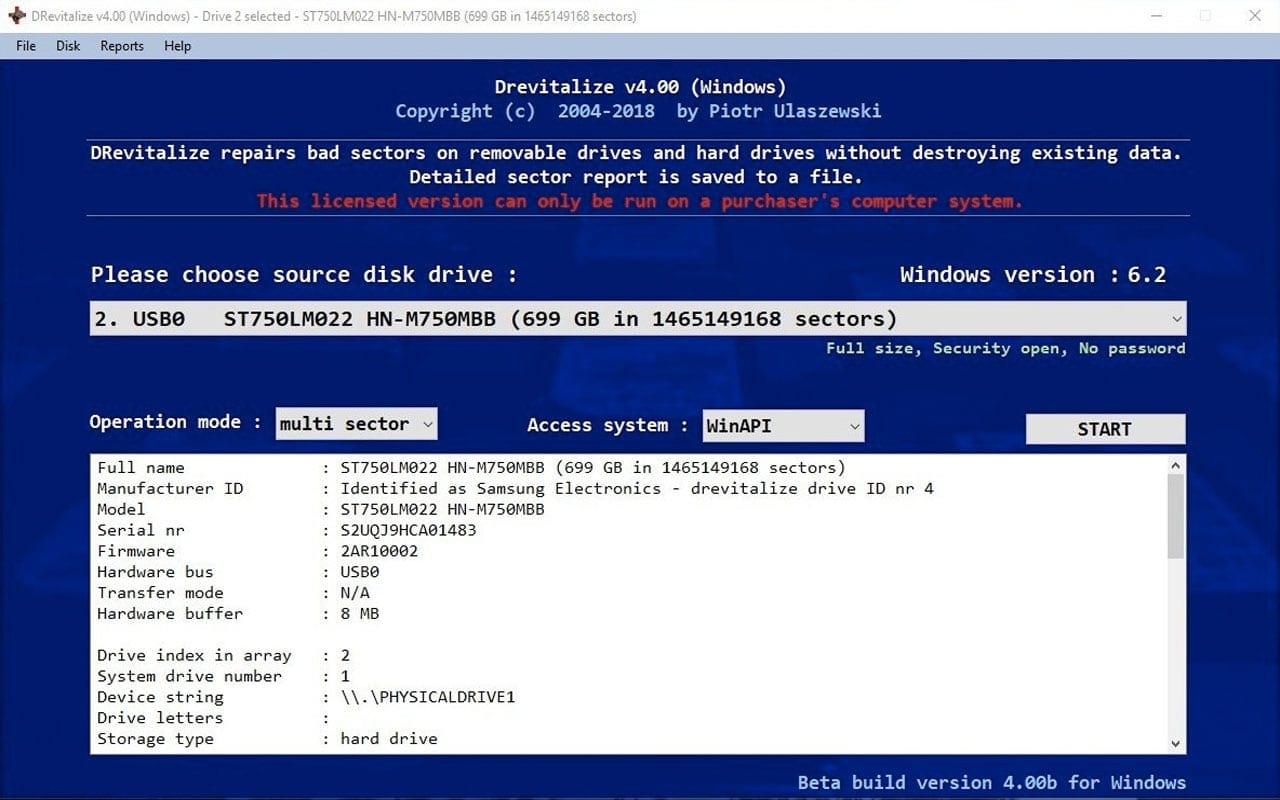
- Select the hard drive and press START
- Then select Scan and Repair – read test
- Write YES in the Refresh Slow Sectors field and press START
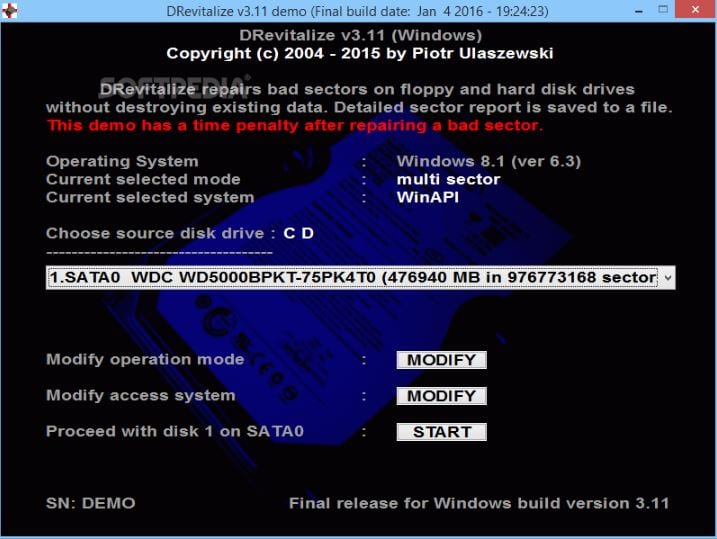 The process of diagnosing and correcting defective sectors is launched, and in the end, the result is available to us. We see how many bad sectors were found, how many have been recovered, and other statistics. If the number of recovered sectors is approximately equal to that of the bad ones, then the recovery process was successful.
After that, for your peace of mind, you can check the HDD with standard software and make sure that DRevitalize has done its job properly.
The process of diagnosing and correcting defective sectors is launched, and in the end, the result is available to us. We see how many bad sectors were found, how many have been recovered, and other statistics. If the number of recovered sectors is approximately equal to that of the bad ones, then the recovery process was successful.
After that, for your peace of mind, you can check the HDD with standard software and make sure that DRevitalize has done its job properly.
 The surface of almost any drive can be repaired using this utility (even hard drives that have been subjected to physical shock or strong electromagnetic field).
You can fix not only hard drives but also floppy disks with this.
We also recommend checking out the list of the best apps to find people’s social media – hack the reality and find the profiles of people without asking them!
Undoubtedly, the advent of DRevitalize is good news for everyone who cares about their hard drive safety.
The surface of almost any drive can be repaired using this utility (even hard drives that have been subjected to physical shock or strong electromagnetic field).
You can fix not only hard drives but also floppy disks with this.
We also recommend checking out the list of the best apps to find people’s social media – hack the reality and find the profiles of people without asking them!
Undoubtedly, the advent of DRevitalize is good news for everyone who cares about their hard drive safety.
List of reviewed apps:
Key Features
- Scans hard drives for bad sectors and physical defects
- Attempts to repair damaged sectors through forced diagnostics
- Works with traditional HDD drives (not optimized for SSDs)
- Leverages built-in hard drive self-diagnosis functionality
- Provides sector reassignment to replace defective areas
Pros and Cons
- Pros: Tackles a real problem that many HDDs face; uses the drive’s own repair mechanisms; straightforward approach to sector recovery
- Cons: Limited effectiveness since even built-in diagnostics don’t always work; physical defects aren’t always fixable by software alone
Bottom Line
If you’re clinging to an aging hard drive and starting to see warning signs of sector failure, DRevitalize is worth trying before you resign yourself to data loss or a replacement drive. It won’t perform miracles on severely damaged hardware, but it might just buy you some extra time—and potentially save your files.