 Without knowing how the application works, they can still interact with it. Besides, the API is a great way to make life easier for ordinary users who do not have special knowledge but want to take advantage of certain services’ capabilities.
Let’s see what the possibilities are in the case of Spire.PDF for .NET.
With the .NET PDF library, you can do a lot to create PDF files.
Without knowing how the application works, they can still interact with it. Besides, the API is a great way to make life easier for ordinary users who do not have special knowledge but want to take advantage of certain services’ capabilities.
Let’s see what the possibilities are in the case of Spire.PDF for .NET.
With the .NET PDF library, you can do a lot to create PDF files.
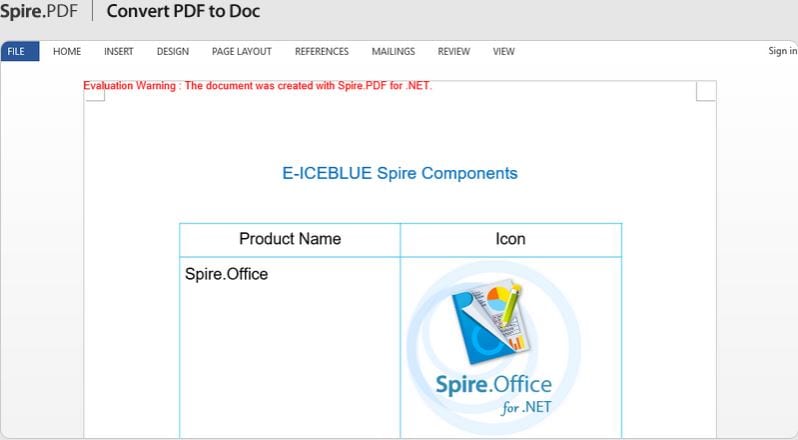 Create them from scratch, edit, process, convert and burn files like a pro. Everything you need is here. You do not need to install any program for reading or working with PDF or anything else external.
You can edit those PDF files which were scanned. And when you’re not busy with your paperwork you can also have fun and use the naked scanner apps – better at the party with your friends!
The interesting thing is the ability to combine and separate PDF documents and document overlays. The form fill function will help you read values from fields. That is great for maintaining databases, and in many other cases too. The library provides opportunities for booklets formation, stamps, import, etc.
Create them from scratch, edit, process, convert and burn files like a pro. Everything you need is here. You do not need to install any program for reading or working with PDF or anything else external.
You can edit those PDF files which were scanned. And when you’re not busy with your paperwork you can also have fun and use the naked scanner apps – better at the party with your friends!
The interesting thing is the ability to combine and separate PDF documents and document overlays. The form fill function will help you read values from fields. That is great for maintaining databases, and in many other cases too. The library provides opportunities for booklets formation, stamps, import, etc.
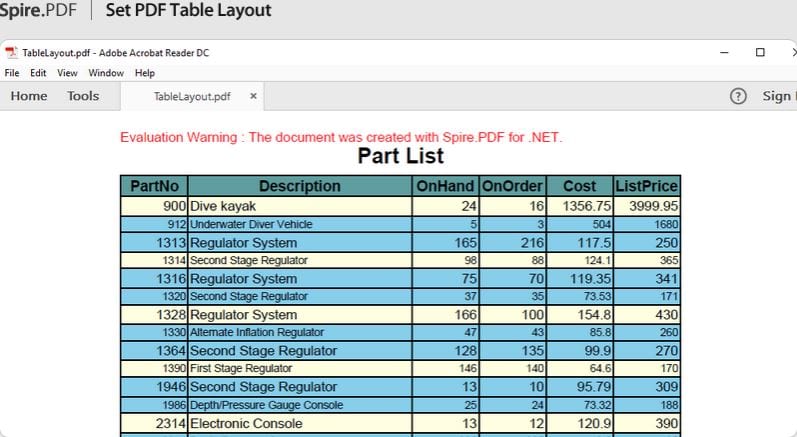 The main functionality of Spire.PDF for .NET:
- Convert PDF to about a dozen formats, including Word, Excel, and so on
- Convert text and images to PDF, including HTML, XPS, and other formats
- Security is provided by passwords for the author and users of documents
- Ability to use a digital signature indicating the time of signing
- High accuracy of document conversion, as well as information extraction
List of reviewed apps:
Key Features
- Create PDF documents from scratch with full programmatic control
- Edit existing PDF files including text, images, and page layouts
- Convert between PDF and other file formats seamlessly
- Add digital signatures, watermarks, and security features to documents
- Process batch operations for handling multiple files automatically
Pros and Cons
- Pro: Powerful .NET integration makes it ideal for developers building PDF functionality into their applications
- Pro: Comprehensive feature set handles nearly every PDF manipulation task you could need
- Pro: Saves developers significant time by eliminating the need to build PDF handling from scratch
- Con: Requires programming knowledge—not for casual users who just want a simple PDF editor
- Con: Learning curve can be steep for developers unfamiliar with .NET frameworks
Bottom Line
Spire.PDF for .NET is perfect for .NET developers and businesses that need to automate PDF operations within their applications. If you’re building software that requires robust PDF creation, editing, or conversion capabilities, this API will save you months of development headaches.