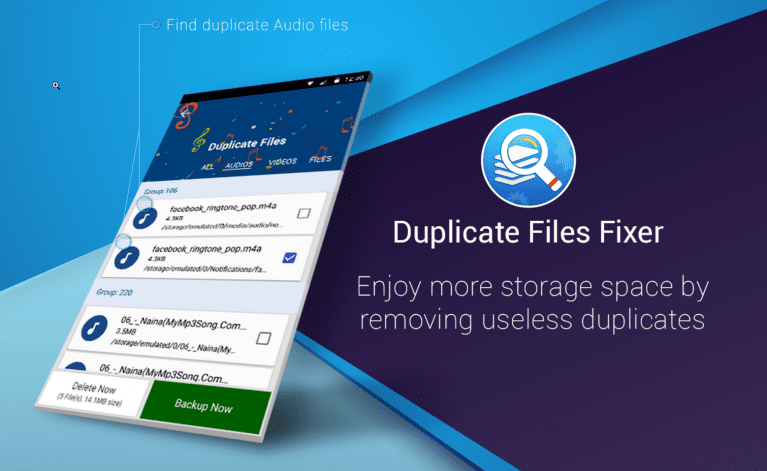
 Scan Results: It displays results in groups in auto-mark format, where it marks all last file (s) of the group to be deleted. You can select the “Mark All except last” option if you wish to mark the first files of the group to delete. Another option called “Unmark All”, allow you to mark files manually. Once marked, next is to press Delete Now button to remove all unnecessary data from your device. You can also click on the Backup Now button to take a backup of files on cloud servers.
Unmark Shortest File Location: This option is available under the scan results menu. Using this option, you can retain those files which exist at the shortest file location of your device storage. It means you can quickly access those files, reducing your file’s search time.
Settings:
Ignore list: You can use this option to exclude any file from the scanning process. You can Add or Remove any file to the Ignore List to exclude it from the scanning process. It can help you retain your important data untouched.
Scan filters: App offers few useful scan filters to manage your files in a much better way. Using this feature you can set parameters to scan and find similar or exact looking files on your device. It offers filters like the same name, same size, and same content. In other options, you can add 0-byte files and hidden files to the scanning process.
Language: App offers multiple language options to select from. You can select the language of your choice to perform tasks on this app. It offers all major language options to help users around the world.
Themes: App offers multiple user-friendly and intuitive user-interface themes to help users perform numerous tasks. You can select from Classic or Material themes to work on this app.
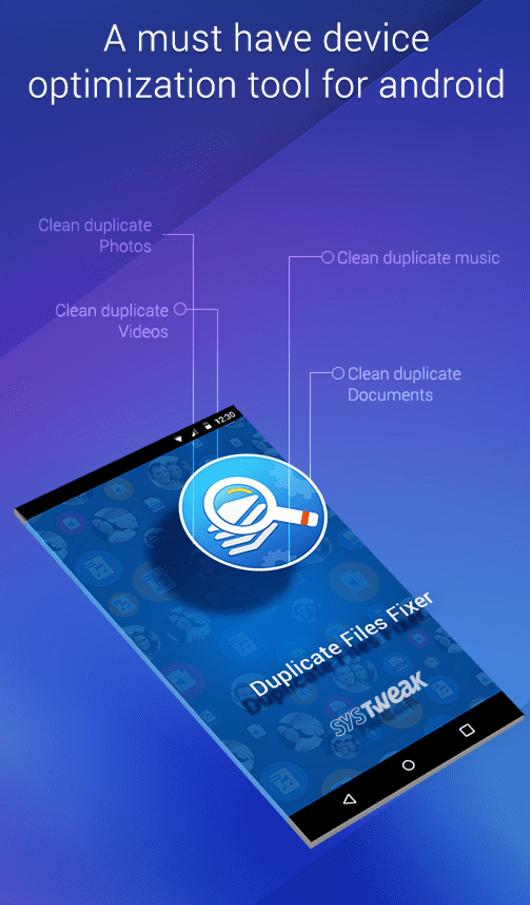
This app is considered to be a complete package to fix all your duplicate files related issues. It can find and remove duplicate files from your different folders like audio, pictures, video, and documents. This nifty tool can help you de-duplicate and organize your storage space in a much better way.
Scan Results: It displays results in groups in auto-mark format, where it marks all last file (s) of the group to be deleted. You can select the “Mark All except last” option if you wish to mark the first files of the group to delete. Another option called “Unmark All”, allow you to mark files manually. Once marked, next is to press Delete Now button to remove all unnecessary data from your device. You can also click on the Backup Now button to take a backup of files on cloud servers.
Unmark Shortest File Location: This option is available under the scan results menu. Using this option, you can retain those files which exist at the shortest file location of your device storage. It means you can quickly access those files, reducing your file’s search time.
Settings:
Ignore list: You can use this option to exclude any file from the scanning process. You can Add or Remove any file to the Ignore List to exclude it from the scanning process. It can help you retain your important data untouched.
Scan filters: App offers few useful scan filters to manage your files in a much better way. Using this feature you can set parameters to scan and find similar or exact looking files on your device. It offers filters like the same name, same size, and same content. In other options, you can add 0-byte files and hidden files to the scanning process.
Language: App offers multiple language options to select from. You can select the language of your choice to perform tasks on this app. It offers all major language options to help users around the world.
Themes: App offers multiple user-friendly and intuitive user-interface themes to help users perform numerous tasks. You can select from Classic or Material themes to work on this app.
This app is considered to be a complete package to fix all your duplicate files related issues. It can find and remove duplicate files from your different folders like audio, pictures, video, and documents. This nifty tool can help you de-duplicate and organize your storage space in a much better way.

List of reviewed apps:
Key Features
- Advanced duplicate detection algorithm scans your entire device storage and SD cards
- Flexible scanning options including full device scan or specific folder selection
- Auto-mark functionality to automatically identify duplicate files for easy removal
- Swift scanning process optimized to minimize impact on device performance
- Helps free up storage space and improve overall device speed
Pros and Cons
- Pros: Automated duplicate detection saves time and effort compared to manual searching; Full scan option covers your entire device including SD cards; Clear results display helps you understand what’s taking up space
- Cons: Full device scans can take considerable time on devices with large storage; Limited information provided about customization options for advanced users
Bottom Line
If your Android device is running slow and you’ve noticed your storage mysteriously filling up, Duplicate Files Fixer is worth a try. It’s ideal for users who want a straightforward, automated solution to clean up redundant files without the headache of manually hunting through folders. Perfect for anyone looking to reclaim storage space and give their device a performance boost.