

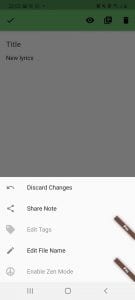
 In order to use the app, you don’t even need to create your account (well, it’s still recommended if you’re going to use the app often). One of the advantages of GitJournal is that it is so easy to use – you just open the app and can put in the notes right away – isn’t it what you are looking for when you want to take a note?
You can also group your notes into the folders and tie them to a specific date – in other words, create something like a diary in the app. If you look at the upper left corner of the screen you will see the main menu sign.
In order to use the app, you don’t even need to create your account (well, it’s still recommended if you’re going to use the app often). One of the advantages of GitJournal is that it is so easy to use – you just open the app and can put in the notes right away – isn’t it what you are looking for when you want to take a note?
You can also group your notes into the folders and tie them to a specific date – in other words, create something like a diary in the app. If you look at the upper left corner of the screen you will see the main menu sign.

 The menu includes pretty much the common features of any notes app, however, there is a specific one where you can choose your Git Host. You will be able to choose among GitHub, GitLab, and custom your own. You can also make this process automatic or manual. The app can also be integrated with other Git tools.
What is more, if you want to protect your phone from intruders and make sure all your apps are safe you can check out this article about the software that helps hide apps on your device.
Another cool thing about GitJournal is this app has absolutely no ads. It happens quite often in similar apps, so this is a huge plus for users. By the way, all the notes you put into the app will always be available offline as well. The app always stores the notes in the Markdown + YAML header format.
The menu includes pretty much the common features of any notes app, however, there is a specific one where you can choose your Git Host. You will be able to choose among GitHub, GitLab, and custom your own. You can also make this process automatic or manual. The app can also be integrated with other Git tools.
What is more, if you want to protect your phone from intruders and make sure all your apps are safe you can check out this article about the software that helps hide apps on your device.
Another cool thing about GitJournal is this app has absolutely no ads. It happens quite often in similar apps, so this is a huge plus for users. By the way, all the notes you put into the app will always be available offline as well. The app always stores the notes in the Markdown + YAML header format.
 Summarizing all the points, GitJournal is a nice app to use for regular users who are looking for a new notepad app – since it is simple and lightweight.
Did you actually know there are also apps that can help you play YouTube videos in the background? If you check out this article it will definitely make your life easier.
However, if you want to explore all the possibilities that GitJournal is able to bring as open-source software, you have to have some knowledge in this field, otherwise, the user will seem complicated for you. So that’s fair enough to say that in this sense, GitJournal has a specific target audience.
Summarizing all the points, GitJournal is a nice app to use for regular users who are looking for a new notepad app – since it is simple and lightweight.
Did you actually know there are also apps that can help you play YouTube videos in the background? If you check out this article it will definitely make your life easier.
However, if you want to explore all the possibilities that GitJournal is able to bring as open-source software, you have to have some knowledge in this field, otherwise, the user will seem complicated for you. So that’s fair enough to say that in this sense, GitJournal has a specific target audience.


List of reviewed apps:
Key Features
- Git-based storage — Your notes are backed up to a Git repository, giving you version control and the ability to sync across devices
- Markdown support — Write in Markdown format for flexible formatting without getting bogged down in menus
- Offline-first functionality — Access and edit your notes even when you don’t have an internet connection
- Customizable organization — Create folders and tags to organize your thoughts however you see fit
- Encryption options — Protect sensitive entries with built-in encryption for extra peace of mind
Pros and Cons
- Pro: Open-source means you can audit the code yourself and community contributions keep improving the app
- Pro: No mandatory account creation removes barriers to getting started quickly
- Pro: Git integration appeals to developers and tech-savvy users who want their notes under version control
- Con: The Git-based approach has a steeper learning curve than traditional note apps
- Con: Fewer bells and whistles compared to feature-heavy alternatives like Evernote or Notion
Bottom Line
GitJournal is perfect for developers, writers, and privacy-conscious users who want a straightforward note-taking app with serious security credentials. If you appreciate open-source software and don’t mind embracing Git for your personal notes, this app delivers simplicity, security, and sync capabilities without the corporate data-harvesting baggage.