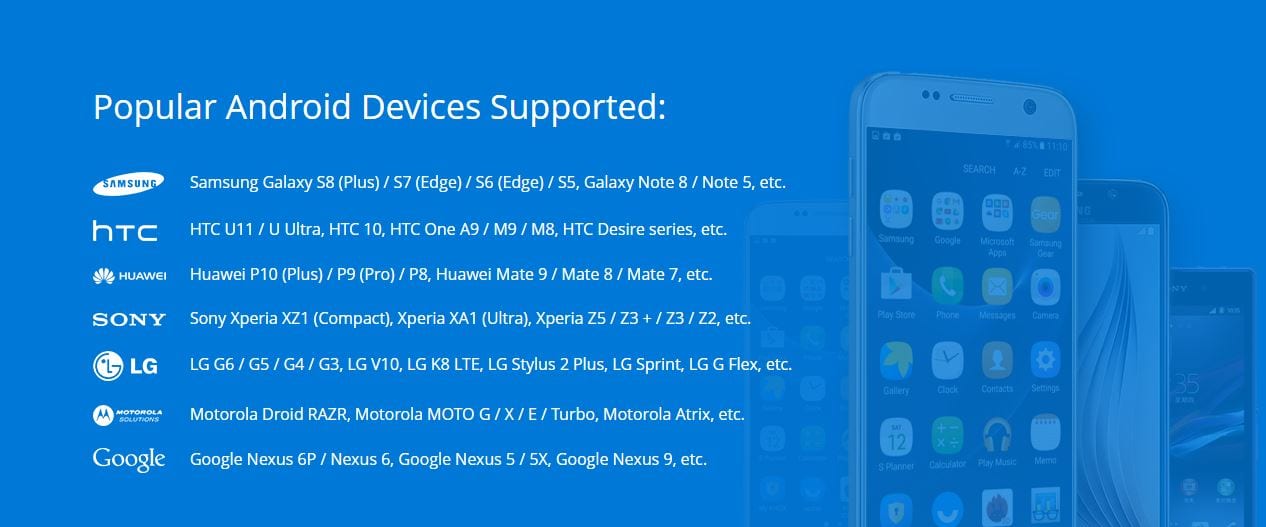
 The program works with the majority of Android devices, including the latest models of Samsung, HTC, SONY, Huawei, OnePlus, LG, and Motorola. Besides, it is compatible with both Windows and Mac.
We have to admit that we have not faced any issues while using this program, as it does not freeze. iReparo is a unique program that stands out among its competitors. It is verified by Norton and McAfee that ensure 100% safety.
And if you’re looking for more ways to secure the data in your phone you can check out these apps that will help you to hide any app on your mobile device.
In addition to it, the manufacturer claims that iReparo does not steal your personal data, and only you have access to it. In case of any technical issues, you can contact customer support. The specialists are ready to help you with any questions.
The program works with the majority of Android devices, including the latest models of Samsung, HTC, SONY, Huawei, OnePlus, LG, and Motorola. Besides, it is compatible with both Windows and Mac.
We have to admit that we have not faced any issues while using this program, as it does not freeze. iReparo is a unique program that stands out among its competitors. It is verified by Norton and McAfee that ensure 100% safety.
And if you’re looking for more ways to secure the data in your phone you can check out these apps that will help you to hide any app on your mobile device.
In addition to it, the manufacturer claims that iReparo does not steal your personal data, and only you have access to it. In case of any technical issues, you can contact customer support. The specialists are ready to help you with any questions.
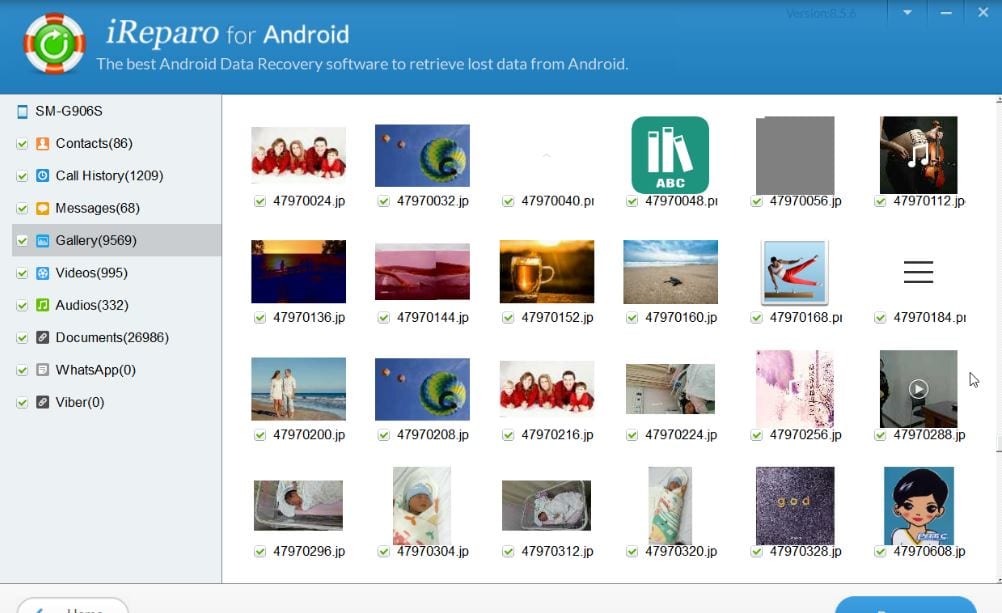
 The program comes with two versions – a free trial and a paid one. Both of them enables users to scan data and preview it from the Android device. But if you want to recover the lost data to your PC, you should purchase a paid version. No need to worry – the price is quite accessible.
iReparo is a must-have assistant, if you suffer from such problems as accidental file deletion, reset settings, ROM flash, broken device, and so on.
As a bonus, you can check out the best apps to find people’s social media – it will also boost your productivity.
Summarizing all the points, iReparo is full of necessary functions. We have not found any flaws in this program, so we believe it will fully suit you.
The program comes with two versions – a free trial and a paid one. Both of them enables users to scan data and preview it from the Android device. But if you want to recover the lost data to your PC, you should purchase a paid version. No need to worry – the price is quite accessible.
iReparo is a must-have assistant, if you suffer from such problems as accidental file deletion, reset settings, ROM flash, broken device, and so on.
As a bonus, you can check out the best apps to find people’s social media – it will also boost your productivity.
Summarizing all the points, iReparo is full of necessary functions. We have not found any flaws in this program, so we believe it will fully suit you.
List of reviewed apps:
Key Features
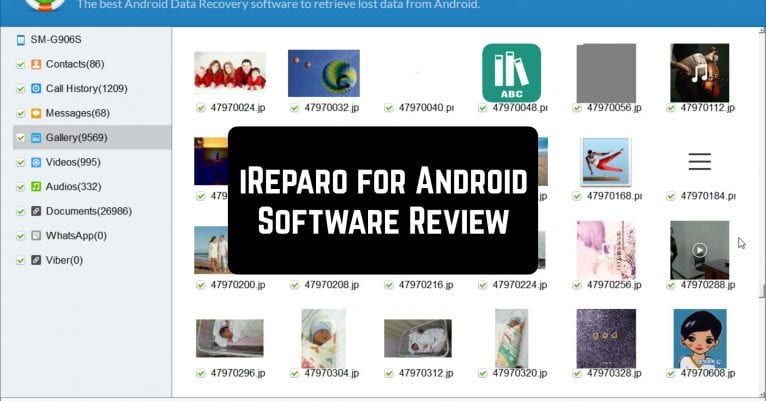
- Backup and recover photos, videos, contacts, audio files, documents, and SMS messages from Android devices
- Direct recovery of messages from popular messaging apps like WhatsApp and Viber
- Simple one-click scanning process to detect deleted and lost data
- Compatible with major Android manufacturers including Samsung, HTC, Sony, Huawei, OnePlus, LG, and Motorola
- Works seamlessly on both Windows and Mac operating systems
Pros and Cons
- Pros:
- Intuitive interface makes data recovery accessible even for non-technical users
- Supports recovery from a wide variety of file types and messaging platforms
- Reliable performance with no freezing or stability issues reported
- Cons:
- Requires connecting your Android device to a computer, which isn’t convenient for all users
- Recovery success depends on how much time has passed since data deletion and device usage patterns
Bottom Line
iReparo is ideal for Android users who’ve accidentally deleted important files and need a straightforward way to recover them. If you’ve ever panic-deleted a photo or lost contact information, this app is worth downloading as a reliable backup solution for your device’s precious data.