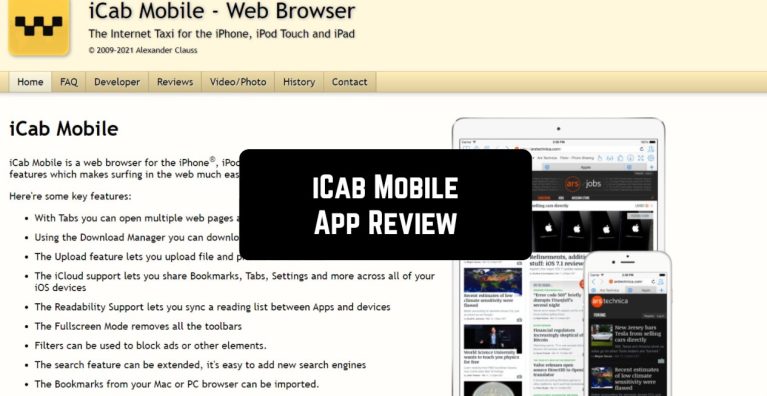
iCab Mobile is a handy web browser for iPhone, iPod Touch, iPad, and even for the Apple watch.
The iCab Mobile is an application that is made not for those who enjoy the regular boring browsers. Yes, it will take some time to set everything up, but in the end, you will be greeted with your personalized Internet.

Nevertheless, the main idea remains similar to the normal browsers. You will still be able to use several tabs, add bookmarks (to organize links in folders), download.
iCab Mobile contains a rich set of unique and useful features. For example, the absence of the need to pay twice and private mode (without saving cookies, history, and other things). One more nice addition is the dark mode.

Especially for the iPad Kiosk Mode was added. In this mode, the user cannot use the browser functions and address bar. There is only a Forward-backward and Home button. This mode is suitable for terminals, where the user can only navigate to the site specified by the owner of the terminal.
Inside the app, some adjustable filters can be used to block the resources, ads, banners, and other unwanted features.
The developers are convincing users that all saved data can be passworded and therefore protected by third-party managers.

Key Features
- Multi-tab browsing with customizable bookmarks organized into folders
- Private mode that blocks cookies, history, and tracking data
- Built-in ad and content filters to block unwanted resources and banners
- Dark mode for comfortable browsing in low-light conditions
- iPad Kiosk Mode for restricted browsing on shared devices or public terminals
Pros and Cons
- Pro: Highly customizable with extensive settings to personalize your browsing experience
- Pro: Robust privacy features and ad-blocking capabilities built right in
- Pro: Unique Kiosk Mode makes it ideal for business and educational use cases
- Con: Steep learning curve—setup and configuration take time before you get the most out of it
- Con: Not ideal if you prefer a bare-bones, no-frills browser experience
Bottom Line
If you’re tired of standard browsers and want granular control over your privacy and browsing environment, iCab Mobile is worth the setup effort. Power users, privacy-conscious folks, and anyone managing shared devices will appreciate the depth of customization and built-in protection features.