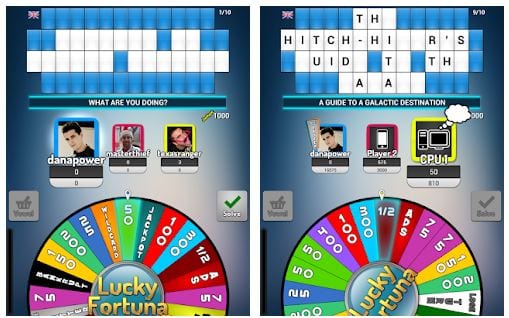
 You can download the Lucky Fortuna app and use it completely free. Registration is also optional.
Perfectly, you can play Lucky Fortuna offline, even if there is no internet connection. Please note that you will not be able to play with your contacts if you sign in offline.
Launching the app, you can choose the mode to log in: whether to play offline or log in with your email.
By the way, you should also check out the best apps on how to catch a cheater – they won’t get lucky, trust us!
The main screen of the application is quite minimalistic. There you will see a big blue ‘New Game’ button (you can also do this by tapping the small blue icon in the upper right corner). There is also a Settings button at the top of the app. There, you can change the general settings of the application (such as the sound and vibration) as well as contact the developers, rate Lucky Fortuna in the Google Play Market, and log out.
To start playing, tap the ‘New game’ icon on the main screen. Then, you can choose the language (English, Espanol or Polski) and one or many categories preferred to play in: sports, literature, video games and much more.
You can download the Lucky Fortuna app and use it completely free. Registration is also optional.
Perfectly, you can play Lucky Fortuna offline, even if there is no internet connection. Please note that you will not be able to play with your contacts if you sign in offline.
Launching the app, you can choose the mode to log in: whether to play offline or log in with your email.
By the way, you should also check out the best apps on how to catch a cheater – they won’t get lucky, trust us!
The main screen of the application is quite minimalistic. There you will see a big blue ‘New Game’ button (you can also do this by tapping the small blue icon in the upper right corner). There is also a Settings button at the top of the app. There, you can change the general settings of the application (such as the sound and vibration) as well as contact the developers, rate Lucky Fortuna in the Google Play Market, and log out.
To start playing, tap the ‘New game’ icon on the main screen. Then, you can choose the language (English, Espanol or Polski) and one or many categories preferred to play in: sports, literature, video games and much more.
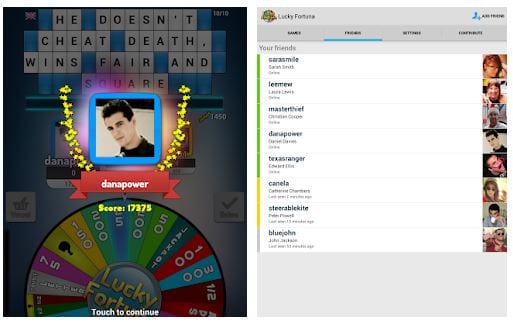 To play, you have to choose one or two opponents. If you decided to play Lucky Fortuna with your online friend, you have to log out from offline mode and log in with your account.
Besides, you can choose from two more options: Pass & Play friend (using your smartphone for both of you) or CPU. You can have two opponents maximum. Tap the ‘Start’ button in the middle of the screen to start playing.
Another cool set of apps that we would recommend for any party are the best apps to see through clothes.
Lucky Fortuna’s interface is straightforward and intuitive. Even a beginner won’t get confused about the app. To sum up, if you want to have fun alone or with friends, Lucky Fortuna is what you need!
To play, you have to choose one or two opponents. If you decided to play Lucky Fortuna with your online friend, you have to log out from offline mode and log in with your account.
Besides, you can choose from two more options: Pass & Play friend (using your smartphone for both of you) or CPU. You can have two opponents maximum. Tap the ‘Start’ button in the middle of the screen to start playing.
Another cool set of apps that we would recommend for any party are the best apps to see through clothes.
Lucky Fortuna’s interface is straightforward and intuitive. Even a beginner won’t get confused about the app. To sum up, if you want to have fun alone or with friends, Lucky Fortuna is what you need!

List of reviewed apps:
Key Features
- Spin the wheel to reveal letters and solve word puzzles
- Choose between consonants or purchase vowels for in-game currency
- Play completely offline without needing an internet connection
- Optional registration — jump right in as a guest player
- Multiplayer mode available when you’re logged in with contacts
Pros and Cons
- Pros: Free to download and play, works offline, simple and familiar gameplay that’s easy to pick up
- Cons: No multiplayer features when playing offline, multiplayer requires email registration and internet connection
Bottom Line
Lucky Fortuna is perfect for word puzzle fans and trivia enthusiasts who want a casual game they can play anytime, anywhere—even on the subway with zero signal. If you grew up watching the classic wheel-spinning game show and miss that nostalgic thrill of solving word puzzles under pressure, this app delivers exactly that experience right on your phone.