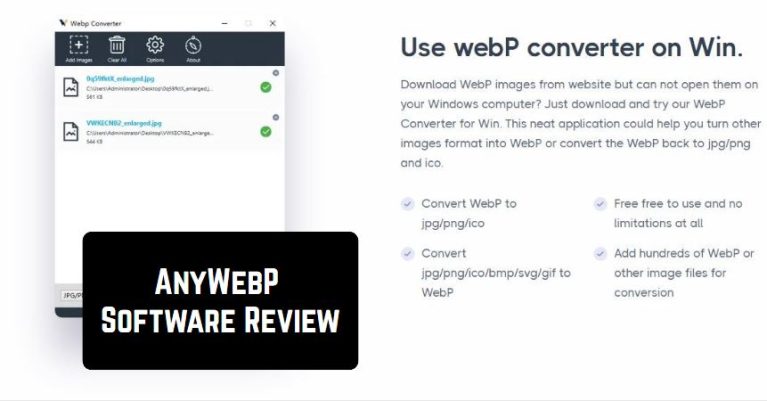
- Compatible with Mac and Windows
- Allows to convert WebP images to various formats – jpg/jpeg/png/gif
- Convert jpg/png/ico/bmp/svg/gif to WebP
- Provides very quick conversion process
- Supports advanced VUE and JS technology
- Free access
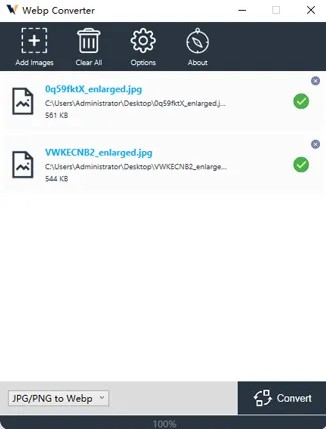 One of the best parts of this program – you can convert hundreds of pictures at once. This means that you can convert each file in a second! Many users will certainly like the fact that everyone can convert all the WebP images on the official website. Thus, there is no need to download the program!
For this, the only thing you will have to do – drop or install WebP photos on the website. After that, choose the necessary output, size, and quality. When everything is ready, click on the Convert All WebP button. But if you want to delete the pictures, tap on the Remove All files button nearby.
One of the best parts of this program – you can convert hundreds of pictures at once. This means that you can convert each file in a second! Many users will certainly like the fact that everyone can convert all the WebP images on the official website. Thus, there is no need to download the program!
For this, the only thing you will have to do – drop or install WebP photos on the website. After that, choose the necessary output, size, and quality. When everything is ready, click on the Convert All WebP button. But if you want to delete the pictures, tap on the Remove All files button nearby.
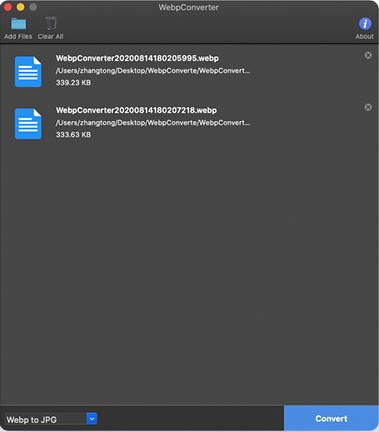 Moving on, AnyWebP comes with a very straightforward interface. So, there is no need to be very tech-savvy to understand how all the functions work there. Additionally, the developer offers 24/7 customer service. So, customer assistants will do everything to solve all your problems!
If you want, you can also check a great number of tutorials on the official website. No doubt, this is a great bonus! As a whole, all the users are fully satisfied with this program, as we have not found any negative comments about it.
You can also check out the best apps to convert videos into Mp3 files.
Summarizing all the points mentioned above, AnyWebP is truly worth trying. The software comes with an extended number of useful functions. Highly recommended!
Moving on, AnyWebP comes with a very straightforward interface. So, there is no need to be very tech-savvy to understand how all the functions work there. Additionally, the developer offers 24/7 customer service. So, customer assistants will do everything to solve all your problems!
If you want, you can also check a great number of tutorials on the official website. No doubt, this is a great bonus! As a whole, all the users are fully satisfied with this program, as we have not found any negative comments about it.
You can also check out the best apps to convert videos into Mp3 files.
Summarizing all the points mentioned above, AnyWebP is truly worth trying. The software comes with an extended number of useful functions. Highly recommended!
List of reviewed apps:
Key Features
- Batch conversion of multiple WebP images simultaneously for efficient workflow
- Support for multiple output formats including JPG, PNG, GIF, and BMP
- Bi-directional conversion capabilities (WebP to other formats and vice versa)
- Web-based converter option requiring no software installation
- Customizable output settings including size and quality adjustments
Pros and Cons
- Pros:
- Completely free with no hidden costs or premium features
- Fast batch processing saves time when converting large image collections
- Works on both Mac and Windows platforms for wider accessibility
- Cons:
- Web-based version may have file size or quantity limitations during conversion
- Limited customer support information or documentation available
Bottom Line
AnyWebP is ideal for anyone who frequently works with WebP images and needs a quick, hassle-free conversion solution without spending a dime. Whether you prefer a downloadable program or a browser-based tool, AnyWebP covers both bases and handles bulk conversions like a champ—perfect for photographers, designers, and anyone tired of incompatible image formats.