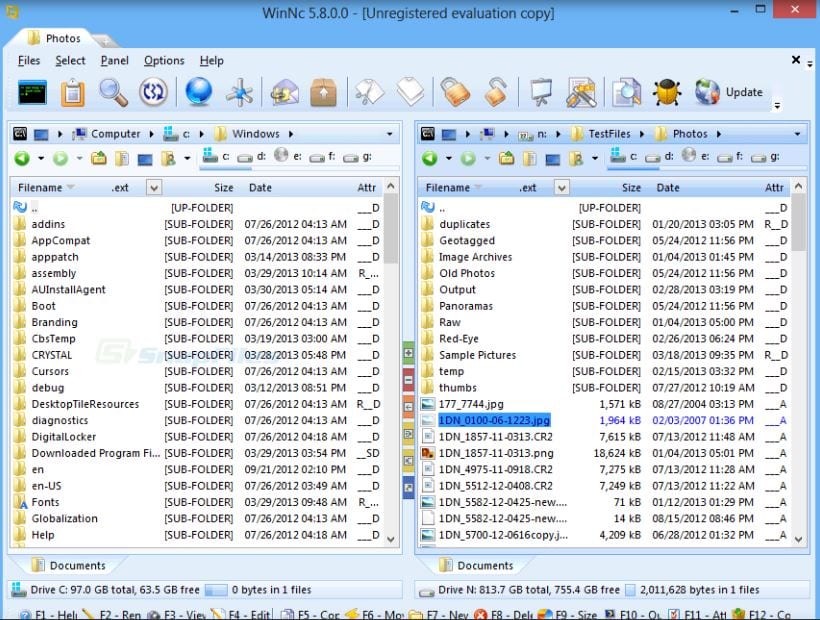
 Among all the functions of WinNc, the ability to edit documents and work with popular archive formats is worth mentioning separately. The audio file conversion from WAW to the more common MP3 one; and the image and video viewing capability are also noteworthy.
By the way, if you don’t want to use your mp3 files and just want to listen to music from YouTube – you can check out this article to play YouTube videos in the background.
Plus, you can write files to discs and so on. In addition, there is a built-in FTP client that will open access to remote servers. You can connect to any server and freely download and upload the files you need.
It is also interesting that the program is available in a dozen languages and has low system requirements.
Among all the functions of WinNc, the ability to edit documents and work with popular archive formats is worth mentioning separately. The audio file conversion from WAW to the more common MP3 one; and the image and video viewing capability are also noteworthy.
By the way, if you don’t want to use your mp3 files and just want to listen to music from YouTube – you can check out this article to play YouTube videos in the background.
Plus, you can write files to discs and so on. In addition, there is a built-in FTP client that will open access to remote servers. You can connect to any server and freely download and upload the files you need.
It is also interesting that the program is available in a dozen languages and has low system requirements.
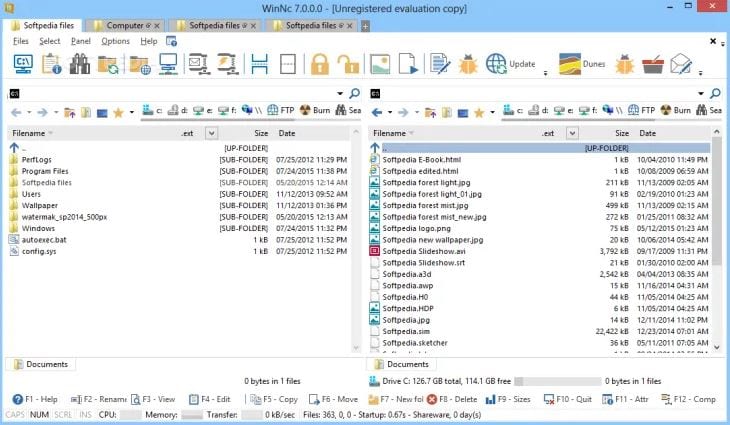 Features of the program:
- Working with all popular formats
- Data compression
- Tab style changing
- CD / DVD burning
- Visual themes and schemes WinNc selection
- Graphic file viewer
- Multiple program instances running
- Drawing panels style changing
- Built-in FTP client
- File copying and moving speed display
- Clips and MP3 files playing
- WAV files to MP3 converting
- Display of system information
List of reviewed apps:
Key Features
- Dual-pane file manager interface for side-by-side file operations
- Archive support with ability to work with popular compression formats
- Built-in image and video viewer for quick media preview
- Audio file conversion capabilities (WAV to MP3 and other formats)
- FTP server access alongside local hard drive management
Pros and Cons
- Pros:
- Clean, intuitive two-window interface that’s easier on the eyes than standard file explorers
- Comprehensive toolset eliminates need for multiple specialized applications
- Works seamlessly alongside Windows Explorer or replaces it entirely
- Cons:
- Learning curve for users unfamiliar with dual-pane file managers
- Feature-rich interface may feel overwhelming for users who only need basic file management
Bottom Line
WinNc is ideal for power users and tech-savvy Windows enthusiasts who want a more capable alternative to the standard file explorer. If you regularly work with archives, FTP servers, or need to convert media files, this multifunctional manager could become your new go-to desktop companion.