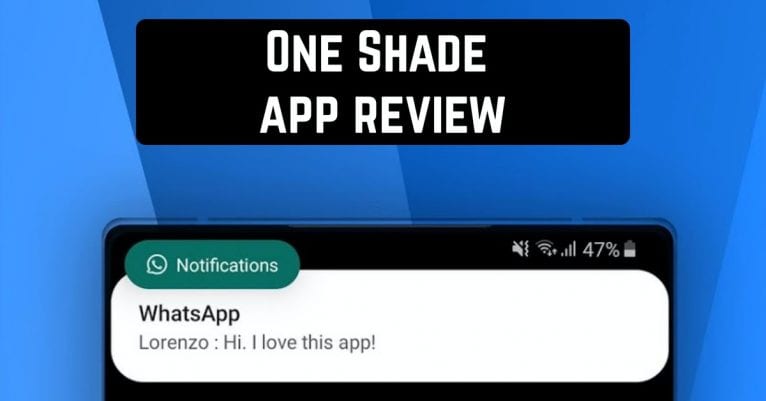
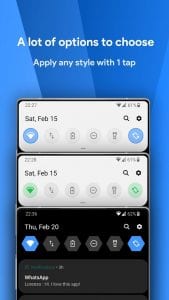
 It’s the One Shade app. It was designed to give you the ability to customize the Android notification curtain and menu of quick settings to your liking.
Once One Shade is installed and launched for the first time, you will be taken to its presets. There you will see that on the main screen of the app, at the top of the app there is a switch with which you can turn it on and off. You will also be prompted to provide the permissions that are required to run it.
Once you have provided the necessary permissions, you will be taken to the application’s Home screen. Here you can turn One Shade on/off, and configure its appearance and behavior.
As for the settings, they are optional, and you do not have to touch them at all. But if you want to keep things under control, there are four sections for you: Trigger, Colors, Layout, and Extras.
It’s the One Shade app. It was designed to give you the ability to customize the Android notification curtain and menu of quick settings to your liking.
Once One Shade is installed and launched for the first time, you will be taken to its presets. There you will see that on the main screen of the app, at the top of the app there is a switch with which you can turn it on and off. You will also be prompted to provide the permissions that are required to run it.
Once you have provided the necessary permissions, you will be taken to the application’s Home screen. Here you can turn One Shade on/off, and configure its appearance and behavior.
As for the settings, they are optional, and you do not have to touch them at all. But if you want to keep things under control, there are four sections for you: Trigger, Colors, Layout, and Extras.
List of reviewed apps:
Trigger
In the Trigger menu you can enable/disable the option to pull the curtain from any place on the Use Trigger screen. Set the size of this place to “Size”, its position “Position” and color “Color”. You can also turn on the “Vibrate” in this mode.Colors
In the Colors menu you can change the “Notification theme”, “Shade background-color” and “Shade foreground color” notification curtain icons, “Notifications background-color” quick menu, “Brightness slider color”, “Enable transparency” mode and adjust its level.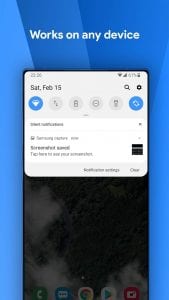
Layout
The Layout menu allows you to control the type of tiles in the quick setup menu (the “Small corners” switch). You also can turn on/off the display of status bars in the curtain (“Show status items”), set the grid size: “Grid rows” and “Grid Columns”. You can also set the number of tiles that are visible in the curtain after the first gesture of lowering it: “Numbers of header tiles”.Extras
The Extras menu allows you to set the “Custom background image”, change the “Choose Profile Picture”, control the “Auto expand notifications” mode, set any “Custom carrier name” for a mobile operator, disable the application in full-screen mode “Remove in fullscreen” and in lock screen “Remove on lock screen”, disable the display of notifications in lock screen “Hide notification content on lock screen” and switch to Google Sans font.Notifications
With this application, notifications on your phone will be even more convenient. You can answer them as soon as you see a message or call notification. This feature is available for all Android devices. You can also do other things. For example, reject a notification, postpone, or just read it.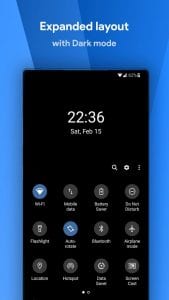
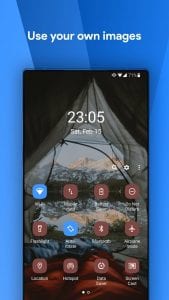 One Shade is a great app for those who love unusual designs and want to decorate their smartphone screen. It also gives you access to extra features to enhance and even speed up your work with your smartphone.
You may also like: 15 Free Android apps for notification tones and ringtones
One Shade is a great app for those who love unusual designs and want to decorate their smartphone screen. It also gives you access to extra features to enhance and even speed up your work with your smartphone.
You may also like: 15 Free Android apps for notification tones and ringtones
Key Features
- Customize your notification shade and quick settings menu with personalized layouts
- Enable gesture-based triggers to pull down the notification curtain from any screen location
- Adjust colors and visual appearance to match your personal style preferences
- Fine-tune behavior settings including trigger size and sensitivity options
- Toggle the app on and off easily from the home screen switch
Pros and Cons
- Pro: Gives you granular control over Android’s notification and quick settings interface
- Pro: Optional settings mean you can use it straight out of the box without tinkering
- Pro: Gesture-based triggers add convenience for accessing notifications quickly
- Con: Requires multiple permissions that some users may be hesitant to grant
- Con: The settings menu can feel overwhelming for casual users who just want basic customization
Bottom Line
One Shade is perfect for Android power users who want complete control over their device’s notification and quick settings appearance. If you enjoy customizing every aspect of your phone and don’t mind diving into settings menus, this app deserves a spot on your home screen.