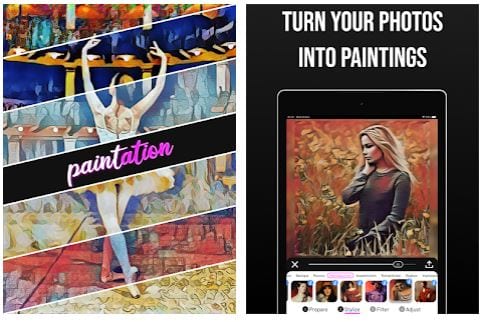
 Next, take a photo, or load the image that you want to edit from the gallery into the application and start processing. You do this using the tools located in the bottom panel.
This app will help you to turn any of your photos into a painting. You can also check out the list of the best apps to turn photos into sketches.
First of all, prepare your picture. You can flip it, rotate it, crop it, resize the frame, and change the focus. Adjust brightness, contrast, softness, saturation, and hue. And also a number of other options, only about a dozen and a half. You make changes with clear icons and sliders.
Next, take a photo, or load the image that you want to edit from the gallery into the application and start processing. You do this using the tools located in the bottom panel.
This app will help you to turn any of your photos into a painting. You can also check out the list of the best apps to turn photos into sketches.
First of all, prepare your picture. You can flip it, rotate it, crop it, resize the frame, and change the focus. Adjust brightness, contrast, softness, saturation, and hue. And also a number of other options, only about a dozen and a half. You make changes with clear icons and sliders.
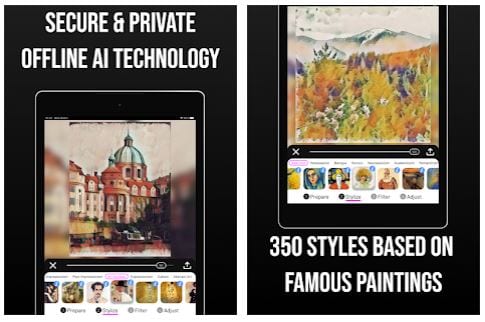 Then comes the time for styling. You can modify the picture in the manner of forty famous works of art. The choice is facilitated as they are grouped by style: Renaissance, Baroco, Rococo, and Neoclassicism.
Now apply one of over twenty filters. Finish with the tools from the frame preparation menu.
Then comes the time for styling. You can modify the picture in the manner of forty famous works of art. The choice is facilitated as they are grouped by style: Renaissance, Baroco, Rococo, and Neoclassicism.
Now apply one of over twenty filters. Finish with the tools from the frame preparation menu.
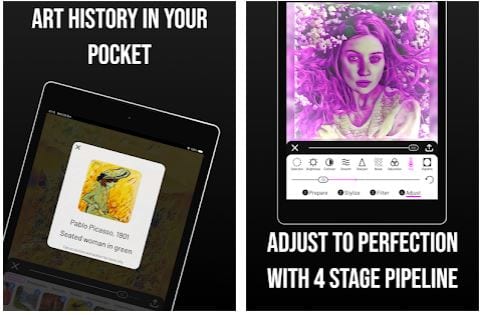 If the result suits you, save it to your smartphone’s memory or share it with your contacts. You can just leave the final frame, or you can set it in the form of a collage consisting of the original image and the resulting one. You can also add a work of art after that the styling has been made to your collage.
Plus, you can also cartoon yourself using special apps.
Even if you are new to photography and painting – with this application you can make your works look like masterpieces. The application has a very clear control, and technical support is always ready to help. Install Paintation and become the new Grand Master of Photography!
If the result suits you, save it to your smartphone’s memory or share it with your contacts. You can just leave the final frame, or you can set it in the form of a collage consisting of the original image and the resulting one. You can also add a work of art after that the styling has been made to your collage.
Plus, you can also cartoon yourself using special apps.
Even if you are new to photography and painting – with this application you can make your works look like masterpieces. The application has a very clear control, and technical support is always ready to help. Install Paintation and become the new Grand Master of Photography!


List of reviewed apps:
Key Features
- Transform photos into artistic paintings with various brush stroke and style effects
- Comprehensive image adjustment tools including brightness, contrast, saturation, hue, and focus control
- Basic editing capabilities like crop, rotate, flip, and resize to prep your images
- No registration required — jump straight into editing after granting media permissions
- Intuitive bottom panel interface with clear icons and sliders for easy adjustments
Pros and Cons
- Pros: Massive selection of filters and effects means endless creative possibilities; simple, no-fuss setup without mandatory account creation; excellent for turning ordinary photos into unique artwork
- Cons: With so many options available, beginners might feel overwhelmed deciding where to start; the sheer volume of features could mean a learning curve to master all tools
Bottom Line
Download Paintation if you want to breathe artistic life into your photo library without the complexity of professional editing software. Whether you’re a casual snapshotter or someone who genuinely knows their way around an image editor, this app delivers enough painting effects and adjustment tools to keep you experimenting for hours.