 The interface is well designed and intuitive. The taskbar provides quick access to layout, design, color scheme, and slide animation effects.
The program contains a wide range of ready-made shapes suitable for building organization charts and diagrams.
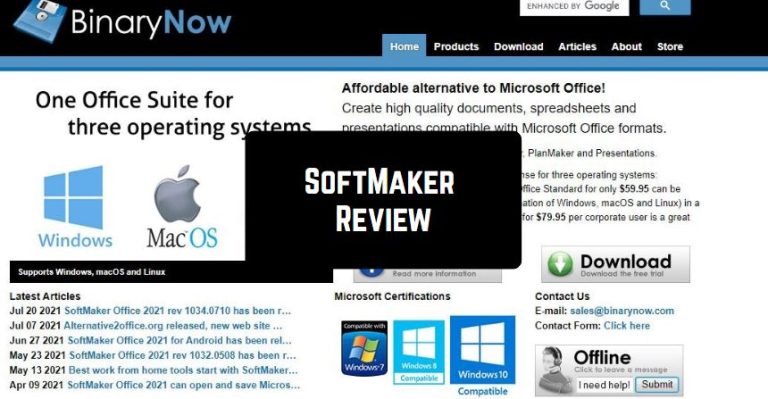
Popular Microsoft Office files including DOC, PPT, and XLS fully supported in SoftMaker FreeOffice.
What’s more, SoftMaker supports automatic spell checking in all three programs.
The developers created a compact package that provides maximum compatibility with widely used formats and is equipped with tools for automating routine operations.
The interface is well designed and intuitive. The taskbar provides quick access to layout, design, color scheme, and slide animation effects.
The program contains a wide range of ready-made shapes suitable for building organization charts and diagrams.
Popular Microsoft Office files including DOC, PPT, and XLS fully supported in SoftMaker FreeOffice.
What’s more, SoftMaker supports automatic spell checking in all three programs.
The developers created a compact package that provides maximum compatibility with widely used formats and is equipped with tools for automating routine operations.
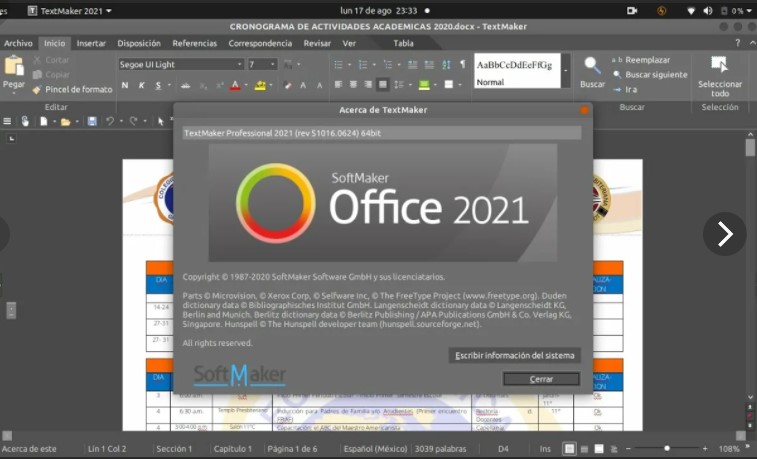 You can create a bulk mailing database right in TextMaker. The ability to automate work with documents is a significant argument in favor of choosing a particular product. TextMaker allows you to automate the creation of mailing lists for mass mailing.
The program for working with spreadsheets PlanMaker is supplemented with support for external links and a file import wizard that works with text (TXT, CSV) documents.
Additional tools for working with graphics, including for creating effects of reflection, glow, transparency, as well as various three-dimensional, which applied to any object – from drawings to diagrams.
By the way, if you want to view all kinds of documents on your phone anywhere and anytime, you can download a special viewing app.
It is also worth noting the possibility of data exchange via OLE and advanced export functions to PDF (in particular; it is possible to save vector graphics), management of import-export operations from special wizards.
You can create a bulk mailing database right in TextMaker. The ability to automate work with documents is a significant argument in favor of choosing a particular product. TextMaker allows you to automate the creation of mailing lists for mass mailing.
The program for working with spreadsheets PlanMaker is supplemented with support for external links and a file import wizard that works with text (TXT, CSV) documents.
Additional tools for working with graphics, including for creating effects of reflection, glow, transparency, as well as various three-dimensional, which applied to any object – from drawings to diagrams.
By the way, if you want to view all kinds of documents on your phone anywhere and anytime, you can download a special viewing app.
It is also worth noting the possibility of data exchange via OLE and advanced export functions to PDF (in particular; it is possible to save vector graphics), management of import-export operations from special wizards.
List of reviewed apps:
Key Features
- Create and edit documents, spreadsheets, and presentations with Microsoft Office compatibility
- Access to ready-made shapes, templates, and design elements for professional-looking content
- Automatic spell checking across all three applications in multiple languages
- Mail merge functionality to create bulk mailing databases directly in TextMaker
- Compact installation with broad file format support (DOC, PPT, XLS, and more)
Pros and Cons
- Pro: Works across Windows, Linux, and Mac—pick your platform, any platform
- Pro: Excellent Microsoft Office file compatibility means you won’t have conversion headaches
- Pro: Intuitive interface with quick-access taskbar makes learning the ropes painless
- Con: Mobile version may have limited functionality compared to desktop version
- Con: Less market presence than Microsoft Office means fewer online tutorials and community support
Bottom Line
SoftMaker Office 2021 is ideal for users who need a capable, affordable alternative to Microsoft Office without sacrificing compatibility or ease of use. Whether you’re a student, freelancer, or small business owner, this suite delivers the essential tools to handle documents, data, and presentations on your terms.