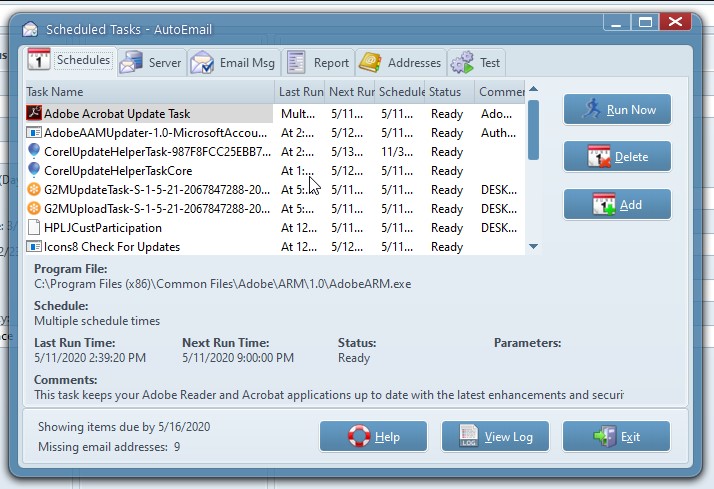
 It does not limit the program interface to system settings. Users can give a name to a specific field. Customize the user interface for yourself. Set a password to protect your data from third parties. The program supports data export in MS Word, Text, CSV or PDF formats.
A simple interface with calm control will allow you to focus on the workflow. It will not be difficult to understand the principles of working with the program. The convenient layout of the buttons will show you what to use.
It does not limit the program interface to system settings. Users can give a name to a specific field. Customize the user interface for yourself. Set a password to protect your data from third parties. The program supports data export in MS Word, Text, CSV or PDF formats.
A simple interface with calm control will allow you to focus on the workflow. It will not be difficult to understand the principles of working with the program. The convenient layout of the buttons will show you what to use.
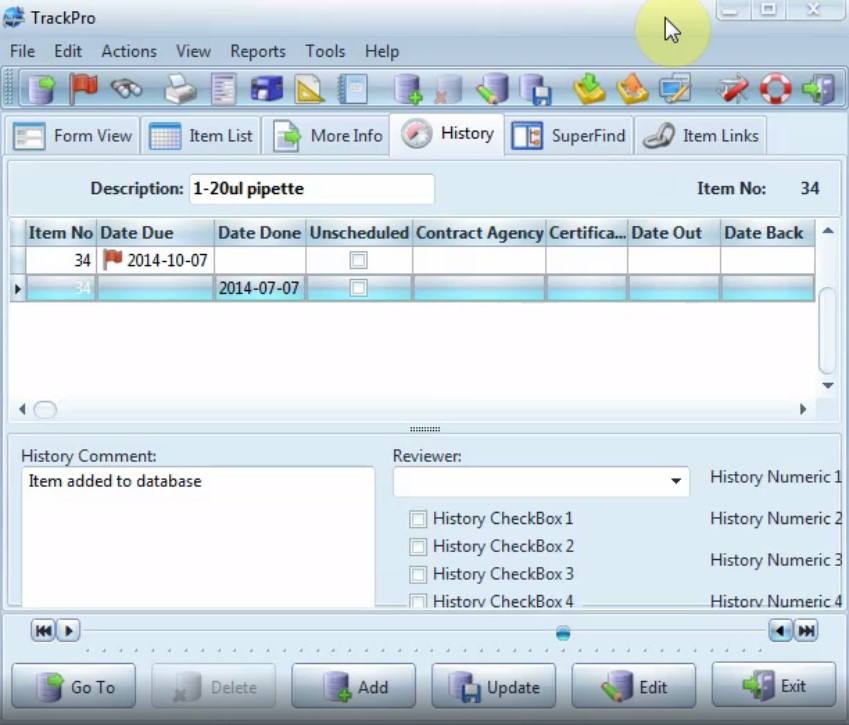 If you have questions or problems when using the software, TrackPro, you can always contact the support service. The reply from the support services always comes fast, so you don’t have to worry.
And for everyone who ordered something on the Internet and wants to track their order, we can advise reading the article about the best package tracking apps.
Another advantage of the app is the easy and consistent creation of item master records using a step-by-step wizard. Don’t worry about the safety of your data. TrackPro automatically copies your backup data.
If you have questions or problems when using the software, TrackPro, you can always contact the support service. The reply from the support services always comes fast, so you don’t have to worry.
And for everyone who ordered something on the Internet and wants to track their order, we can advise reading the article about the best package tracking apps.
Another advantage of the app is the easy and consistent creation of item master records using a step-by-step wizard. Don’t worry about the safety of your data. TrackPro automatically copies your backup data.
List of reviewed apps:
Key Features
- Activity tracking for calibrations, notifications, and repetitive tasks with customizable alerts
- Team management supporting up to 100 participants with role-based access controls
- Built-in report designer with 31 pre-made unified report and label formats
- Multi-format data export (MS Word, Text, CSV, PDF) for seamless integration with other tools
- Fully customizable interface with field naming, password protection, and audit logging
Pros and Cons
- Pro: Intuitive interface makes it easy to jump in without a steep learning curve
- Pro: Comprehensive reporting tools and 31 pre-built formats save setup time
- Pro: Flexible customization lets you tailor the app to your specific workflow needs
- Con: Limited to 100 participants, which may constrain larger enterprises
- Con: Documentation could be more thorough for advanced features
Bottom Line
TrackPro is ideal for small to mid-sized businesses and team leads who need to monitor repetitive activities without breaking a sweat. If you’re tired of spreadsheets and want a straightforward, customizable tracking solution with solid reporting capabilities, this app deserves a spot on your device.