 Video Resize & Scale – HD has a support system. Many users may have questions or problems. Compose your question and send it to the support specialists and they will definitely answer you. Developer’s website will allow users to get acquainted with more detailed information and principles of work.
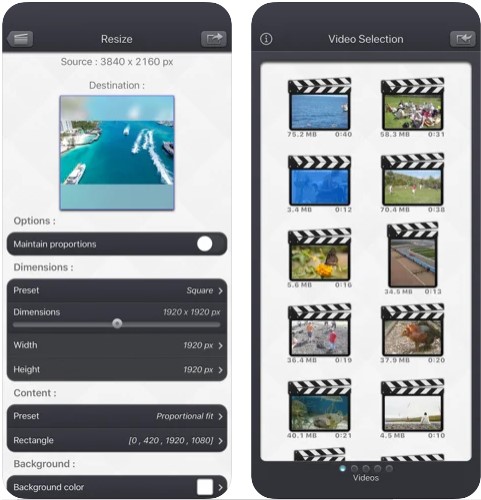
You can change the size of the video using the standard values that are available in the application. Animated background blur is great for hiding imperfections in the background of your video.
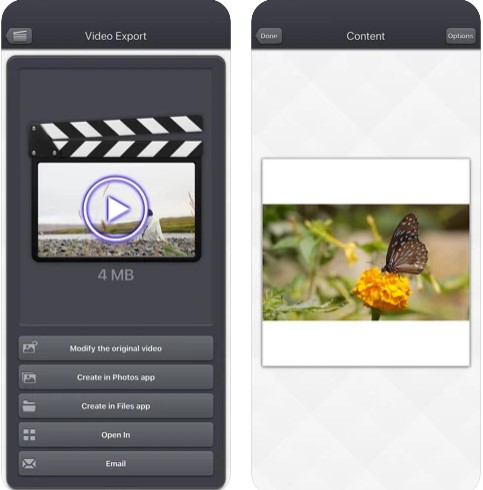
The user can always install and select the best options in the settings. For example, you can add interesting frames to your video, add blur and various effects that can transform your video without losing quality.
For enhancing video quality after the editing you can use these video apps.
Moreover, support for dark background mode will allow users to work with the application in the dark without straining their eyes.
Video Resize & Scale – HD has a support system. Many users may have questions or problems. Compose your question and send it to the support specialists and they will definitely answer you. Developer’s website will allow users to get acquainted with more detailed information and principles of work.
You can change the size of the video using the standard values that are available in the application. Animated background blur is great for hiding imperfections in the background of your video.
The user can always install and select the best options in the settings. For example, you can add interesting frames to your video, add blur and various effects that can transform your video without losing quality.
For enhancing video quality after the editing you can use these video apps.
Moreover, support for dark background mode will allow users to work with the application in the dark without straining their eyes.
List of reviewed apps:
Key Features
- Resize and scale videos to any dimension without quality loss
- Add animated backgrounds to your videos for creative flair
- Compress video files to reduce storage space and speed up sharing
- Resize images using the same intuitive tools
- Support for multiple video formats and resolutions
Pros and Cons
- Pros:
- User-friendly interface makes video editing accessible to beginners
- All-in-one solution for resizing, scaling, and file compression
- Maintains video quality while reducing file sizes
- Cons:
- May have limited advanced features compared to professional editing software
- Internet connection required to access some tutorials and support resources
Bottom Line
Video Resize Scale – HD is perfect for casual content creators, vloggers, and social media enthusiasts who need a straightforward way to resize and compress their videos. If you’re tired of struggling with oversized video files or need to quickly adapt your content for different platforms, this app delivers the essentials without the learning curve of professional editing software.