- Compatible with Windows and Mac
- Allows users to convert hundreds of HEIC pictures to JPG, PNG, and GIF
- No quality loss
- Preserve all EXIF data if necessary
- Works both online and offline
- Supports Js and VUE technology
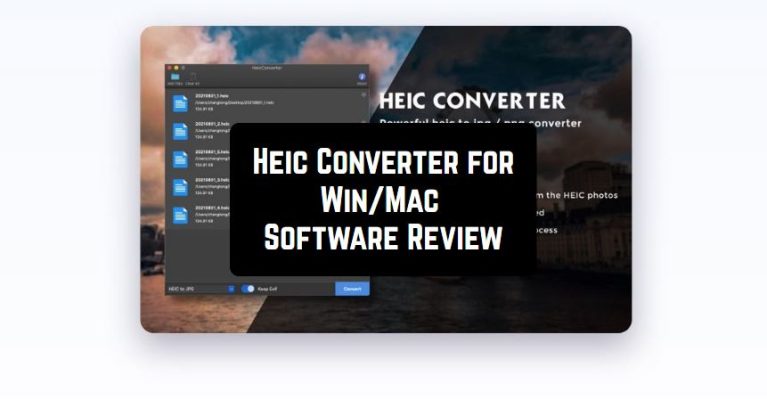
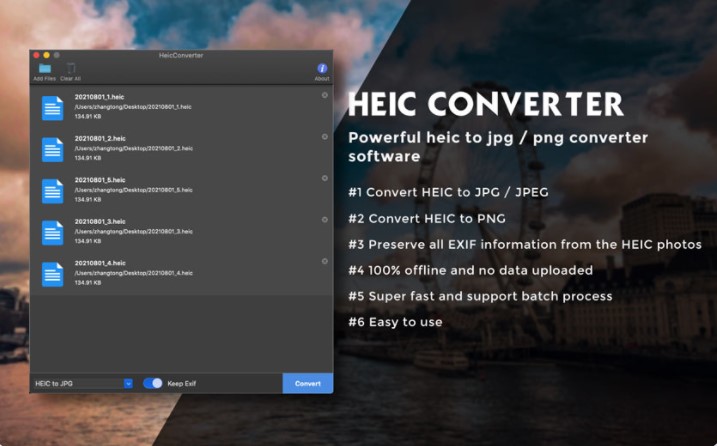 In addition to the above-mentioned points, the developer allows users to use this service online. All you need to do – just install or drag your HEIC file to the official website. After that, select the desired output format and the quality. When everything is ready, tap on the Convert All the HEIC button.
If you want to download other HEIC files to the website, click on the Remove all files button. We would like to mention that Heic Converter works fast and steadily without any hangs. The developer guarantees ultimate safety, as all the HEIC files are not uploaded to the end-server.
In addition to the above-mentioned points, the developer allows users to use this service online. All you need to do – just install or drag your HEIC file to the official website. After that, select the desired output format and the quality. When everything is ready, tap on the Convert All the HEIC button.
If you want to download other HEIC files to the website, click on the Remove all files button. We would like to mention that Heic Converter works fast and steadily without any hangs. The developer guarantees ultimate safety, as all the HEIC files are not uploaded to the end-server.
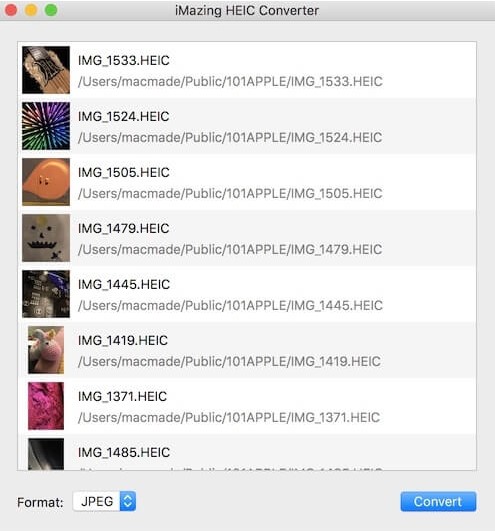 What is more, we were truly impressed by the well-developed program’s design that makes its interface very simple to manage. Therefore, there is no need to have any professional skills to understand how to use this tool.
By the way, the program comes with 24/7 customer service. The technical assistants are very responsive, so you can answer all the questions whenever you want! The majority of users have positive impressions about this program, that’s why we can surely say that Heic Converter is truly worth downloading.
What is more, we recommend you explore the apps that can help you increase the video quality as well.
Convenient interface, quick conversion, and an extended number of options – all these things are waiting for you in Heic Converter. So, hurry up to try it – you will not regret!
What is more, we were truly impressed by the well-developed program’s design that makes its interface very simple to manage. Therefore, there is no need to have any professional skills to understand how to use this tool.
By the way, the program comes with 24/7 customer service. The technical assistants are very responsive, so you can answer all the questions whenever you want! The majority of users have positive impressions about this program, that’s why we can surely say that Heic Converter is truly worth downloading.
What is more, we recommend you explore the apps that can help you increase the video quality as well.
Convenient interface, quick conversion, and an extended number of options – all these things are waiting for you in Heic Converter. So, hurry up to try it – you will not regret!
List of reviewed apps:
Key Features
- Batch conversion of multiple HEIC files simultaneously, saving you hours of manual work
- Multiple output format options including JPG, PNG, and GIF to suit any need
- EXIF data preservation for photographers who care about metadata
- Dual functionality with both desktop software and online converter for maximum flexibility
- Fast processing speed with a clean, intuitive interface that doesn’t require a PhD to operate
Pros and Cons
- Pros:
- Works on both Windows and Mac, so no one gets left out in the cold
- Converts files without quality loss, keeping your photos looking pristine
- Online option means you can convert files without installing anything
- Cons:
- Limited to HEIC conversion only, so it won’t help with other image format headaches
- Online version may require internet connection, which isn’t ideal for everyone
Bottom Line
If you’re drowning in HEIC files and need a quick, reliable way to convert them to more universal formats, Heic Converter is worth downloading. It’s perfect for Mac users who constantly battle with Apple’s proprietary photo format, or anyone who needs to share photos with friends and family without compatibility issues.