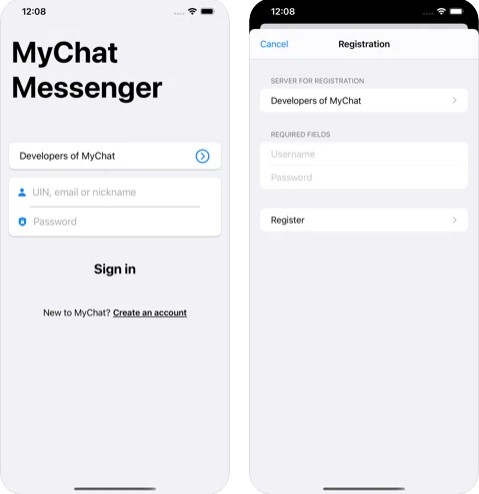
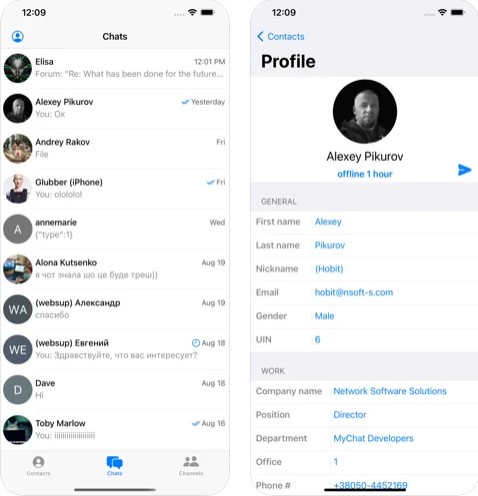
 The entire message history is stored on the server, therefore users can check it at any time using a browser. The software operates as a traditional messenger. There are also integrated statuses (“online”, “do not disturb”) and states (“writes”/ “does not write”). Despite a great variety of functions, the app’s interface is very simple to manage. Therefore, even novice users will quickly find out how everything works there.
 Moving on, MyChat supports the mechanism of bans to maintain order in the chats. Moreover, you can filter foul expressions on the server. As for the additional options, the program supports a plugin system, ignore lists, moderator mechanism, all kinds of blocking by IP addresses and MAC addresses, and so many other useful features. Besides, you can also integrate the app with Asterisk, MS Office, Active Directory, etc.
To sum up, MyChat is full of magnificent features. This is a must-have tool for all companies and organizations. So, we can surely say that this program will guarantee convenient and safe communication between coworkers. Highly recommended!
Moving on, MyChat supports the mechanism of bans to maintain order in the chats. Moreover, you can filter foul expressions on the server. As for the additional options, the program supports a plugin system, ignore lists, moderator mechanism, all kinds of blocking by IP addresses and MAC addresses, and so many other useful features. Besides, you can also integrate the app with Asterisk, MS Office, Active Directory, etc.
To sum up, MyChat is full of magnificent features. This is a must-have tool for all companies and organizations. So, we can surely say that this program will guarantee convenient and safe communication between coworkers. Highly recommended!


List of reviewed apps:
Key Features
- Instant messaging and file sharing across corporate networks and the internet
- Free audio and video calling with colleagues and team members
- Works offline with automatic syncing when connection is restored
- SSL encryption for secure communication and data protection
- Cross-platform compatibility: Windows, macOS, Linux, Android, and iOS
Pros and Cons
- Pros:
- Offline functionality means you’re never truly disconnected from your team
- Solid security features with SSL encryption built right in
- Intuitive interface that doesn’t require a learning curve
- Cons:
- Primarily designed for corporate use, so individual users might find it overkill
- Requires server setup for full functionality, which can be a barrier for small teams
Bottom Line
MyChat is perfect for businesses and organizations looking for a secure, reliable chat solution that doesn’t depend on third-party services. If your company needs a messenger that works offline and keeps everything under your control, MyChat is definitely worth exploring.