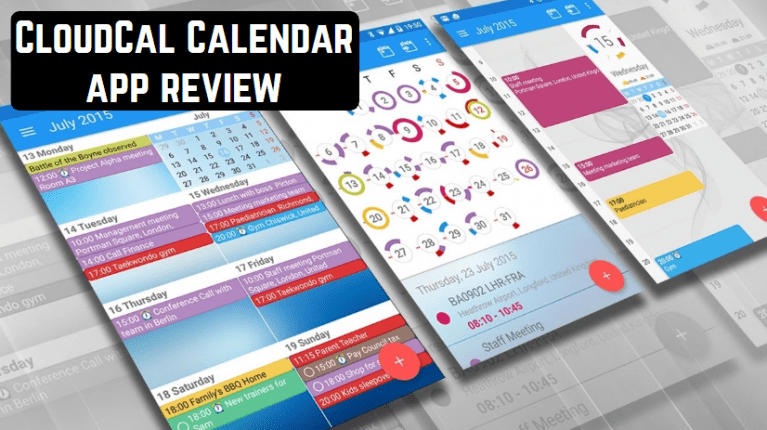

 If you specify the desired settings, then the application will be able to work on other devices. It is possible to set reminders of an important event. And control by gestures and the presence of several types of calendar put this application out of the competition. Also, using a gesture, you can send out an invitation to meet, attach a document to a file, etc.
Customize the background and the theme of the calendar to your taste, each event can be marked in different colors. You can manage the task list, customize the execution time.
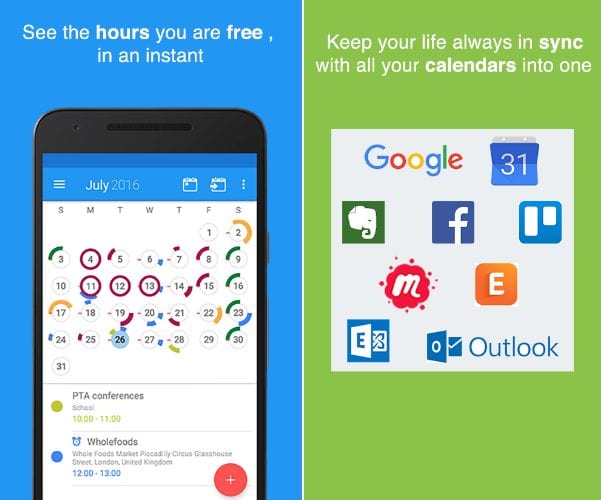
Buyers of the paid version can synchronize with CloudCal events from Trello, Outlook, Evernote and other services, and also attach snapshots and other attachments to the dates.
If you specify the desired settings, then the application will be able to work on other devices. It is possible to set reminders of an important event. And control by gestures and the presence of several types of calendar put this application out of the competition. Also, using a gesture, you can send out an invitation to meet, attach a document to a file, etc.
Customize the background and the theme of the calendar to your taste, each event can be marked in different colors. You can manage the task list, customize the execution time.
Buyers of the paid version can synchronize with CloudCal events from Trello, Outlook, Evernote and other services, and also attach snapshots and other attachments to the dates.
List of reviewed apps:
Features:
- Customizable menus.
- Sync with all device calendars.
- Flexible reminders.
- Convenient Widgets.
 (No longer available on Google Play)
Check also 12 Free calendar apps for Android
(No longer available on Google Play)
Check also 12 Free calendar apps for Android
Key Features
- Unified calendar view combining events from multiple sources and social networks
- Multi-platform synchronization with Google Calendar and Outlook accounts
- Visual workload indicators showing busy and free days at a glance
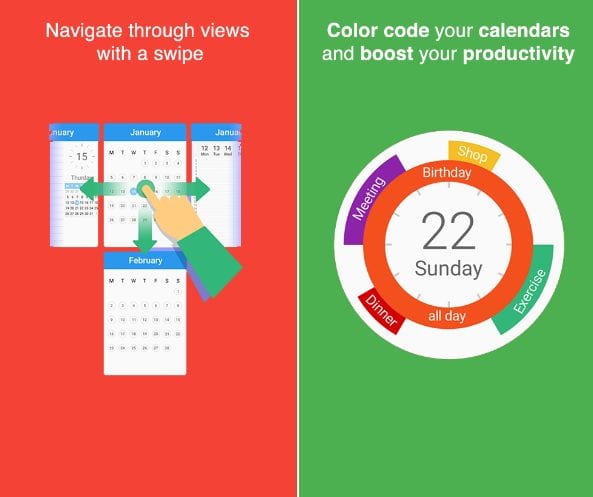
- Gesture-based controls for quick actions like sending meeting invites and attaching documents
- Customizable interface themes, backgrounds, and optional analog clock dial display
Pros and Cons
- Pros:
- Brings all your calendars together in one convenient place
- Smart visual scheduling helps prevent overbooking and plan more effectively
- Intuitive gesture controls make managing events quick and effortless
- Cons:
- Interface customization options might feel overwhelming for users who prefer simplicity
- Syncing across multiple calendar services can occasionally cause lag or duplicate entries
Bottom Line
CloudCal is perfect for busy professionals and social butterflies who juggle multiple calendars and need everything in one organized view. If you’re tired of bouncing between apps to check your schedule, this calendar consolidator deserves a spot on your Android device.