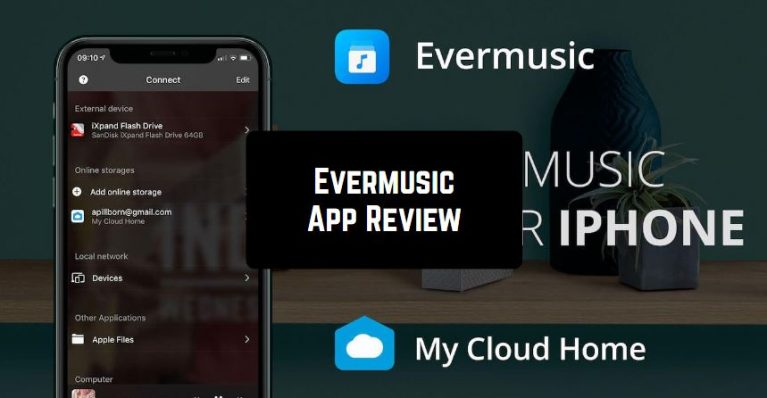
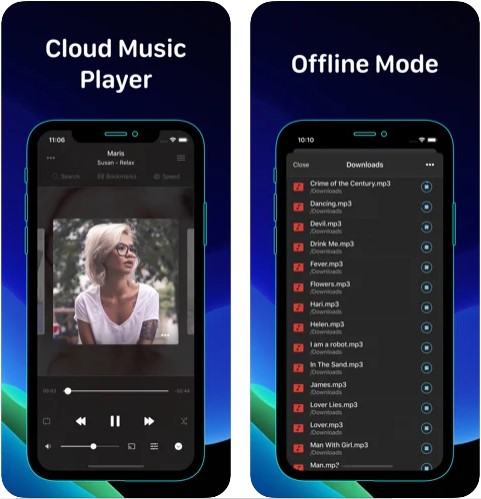
 Evermusic lets you move all of your songs to your preferred cloud service and listen to them right from the cloud. What’s more, it also equipped the music player with efficient buffering technologies that play a vital role in ensuring smooth playback.
With iTunes File Sharing and Wi-Fi file transfer support, Evermusic makes it easy to import audio files from your computer. Notably, it also works as a handy audiobook player thanks to features such as audio bookmarks, playback speed control, and media position saving.
There is a built-in equalizer with different presets for popular music genres. For a more personalized experience, you can even manually adjust the EQ and preamp gain.
Evermusic lets you move all of your songs to your preferred cloud service and listen to them right from the cloud. What’s more, it also equipped the music player with efficient buffering technologies that play a vital role in ensuring smooth playback.
With iTunes File Sharing and Wi-Fi file transfer support, Evermusic makes it easy to import audio files from your computer. Notably, it also works as a handy audiobook player thanks to features such as audio bookmarks, playback speed control, and media position saving.
There is a built-in equalizer with different presets for popular music genres. For a more personalized experience, you can even manually adjust the EQ and preamp gain.
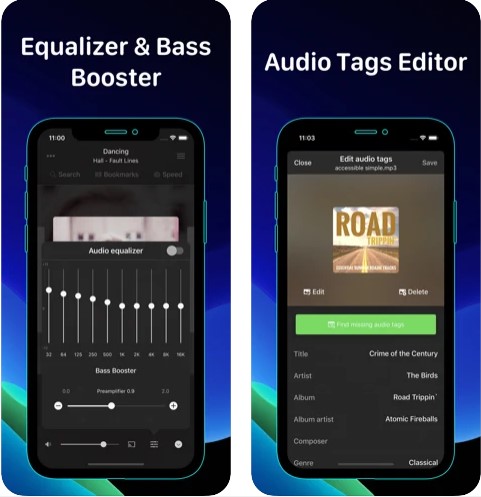 Evermusic has a simple and intuitive interface, supports downloading files and working with playlists (the Lite version limits the number of downloaded tracks to 30), can find independently the covers of popular albums, and is friends with popular cloud services
It is the best solution for accessing your favorite songs and your entire music library, hosted on the cloud or on your home computer.
Adjust the volume of your music quickly with the special volume and booster optimizing apps for Android and iOS.
Connect a cloud service or a home computer and listen to music directly with no problems with synchronization, while the device’s memory remains free. You can also download your favorite songs to listen to them offline, listen to music even if you do not have access to the Internet at the moment.
Evermusic has a simple and intuitive interface, supports downloading files and working with playlists (the Lite version limits the number of downloaded tracks to 30), can find independently the covers of popular albums, and is friends with popular cloud services
It is the best solution for accessing your favorite songs and your entire music library, hosted on the cloud or on your home computer.
Adjust the volume of your music quickly with the special volume and booster optimizing apps for Android and iOS.
Connect a cloud service or a home computer and listen to music directly with no problems with synchronization, while the device’s memory remains free. You can also download your favorite songs to listen to them offline, listen to music even if you do not have access to the Internet at the moment.
List of reviewed apps:
Key Features
- Cloud music streaming from 12+ storage services without taking up device storage
- Advanced playlist management tools to organize your music library exactly how you want it
- Multi-format audio support ensures compatibility with virtually any music file you throw at it
- Audiobook player functionality with bookmarks, speed control, and playback memory
- Wi-Fi and iTunes file transfer for easy imports from your computer
Pros and Cons
- Pro: Massive cloud service compatibility means your music follows you everywhere
- Pro: Clean interface makes navigating your library a breeze, even with thousands of songs
- Pro: Doubles as an audiobook player, so one app handles multiple audio needs
- Con: Requires cloud service accounts to access full functionality
- Con: Streaming quality depends on your internet connection speed and stability
Bottom Line
Evermusic is perfect for Apple users who store music across multiple cloud services and want a single app to manage it all. Whether you’re a playlist perfectionist, an audiobook enthusiast, or just tired of deleting songs to free up phone storage, this player delivers a streamlined solution without the clutter.