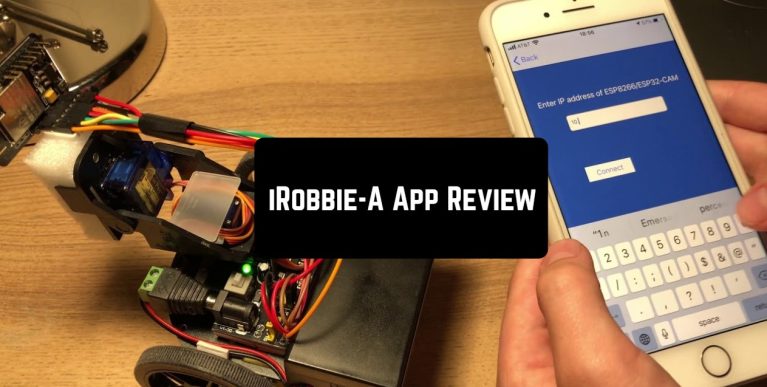
iRobbie-A is an innovative app that can bring smartphone power to robotic projects. The application is suitable for people who want to fill their technological life with progress and give their devices a certain range of additional features.
You may also like: 7 Best apps to share files & games with friends (Android & iOS)
Some of the capabilities of this app are the possibility to build a video surveillance car; object tracker; Ifinder, you will need to tell your iRobbie Robot what do you want to find (it can recognize over 60 objects); Voice control; Remote control; and Xylophone, the ability to play the music.

The interface of an app is simple in usage. When you enter the application, you will see a blue screen with several Bluetooth objects on it.
You will need to find your iRobbie robot name and press on it. After, a screen with such options will appear How to start, Remote Control, Object tracker, Ifinder, Voice Control, and Xylophone. In the Guide tab, you will find understandable explanations on how to use an app.
You may also like: 7 Best Apps to Share Reminders on Android & iOS
Depending on what type of robot you have, you will have a different list of possibilities. Thus, iRobbie on wheels will be able to actively move around the space, while iRobbie with built-in flashlights will be able to glow in different colors (starting from red and going up to purple).

You can also place your phone over a robot’s upper part; this will give your invention the ability to see where it is going and recognize objects on the go. One of the further cool features is the video recording through the small hidden cameras.
With the help of the application and your device, you will be able to make all the different ideas possible. For example, create a personal assistant who brings you a red apple or even a moving ghost with changeable eye color (if, for example, a white cloth is thrown over the design).
You may also like: 11 Free Shared Family Calendar Apps for Android & iOS

Key Features
- Build and control a video surveillance car remotely from your smartphone
- Object Recognition with iFinder — identify over 60 different objects automatically
- Voice Control — command your robot hands-free for convenient operation
- Remote Control — steer and manipulate your robot from anywhere via Bluetooth
- Built-in Xylophone — turn your robot into a musical performer
Pros and Cons
- Pros:
- Simple, intuitive interface makes it easy for beginners to get started
- Comprehensive Guide tab provides clear instructions for all features
- Versatile functionality supports multiple robot types and project ideas
- Cons:
- Requires compatible iRobbie hardware — the app alone won’t do much without the robot
- Limited to Bluetooth range, so you can’t control your robot from across town
Bottom Line
If you own an iRobbie robot and want to unlock its full potential, this app is a no-brainer download. It transforms your smartphone into a complete control center for creative robotics projects, whether you’re building a spy car or teaching your robot to play tunes.