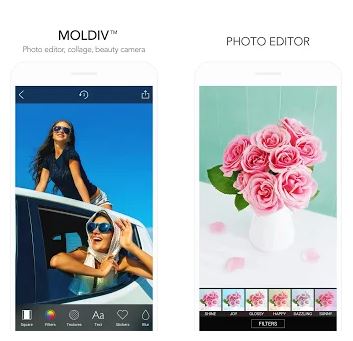
 A significant plus is the text and stickers. The number of fonts is simply amazing! There are a lot of very diverse variants of writing texts. Plus, you can add shadows and a contour of any color and size, and also make a background for the inscription. There are quite a lot of stickers, but some need to be purchased. But you can cut it apart from any other photo, or insert it as a whole.
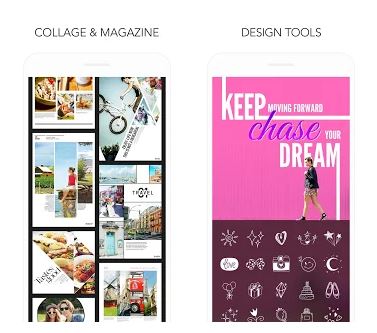
Functions such as crop, rotate, blur, adjust light, shadows, sharpness, and the like. All these features are easy to use, and they are free. We also recommend trying the “Square” and “Beautify” effects. In the second, you can enlarge your eyes, adjust the oval of the face, smoothness of the skin and add more filters:) By the way, in the application, you can create a collage or make a magazine page from your photos, thanks to the samples.
A significant plus is the text and stickers. The number of fonts is simply amazing! There are a lot of very diverse variants of writing texts. Plus, you can add shadows and a contour of any color and size, and also make a background for the inscription. There are quite a lot of stickers, but some need to be purchased. But you can cut it apart from any other photo, or insert it as a whole.
Functions such as crop, rotate, blur, adjust light, shadows, sharpness, and the like. All these features are easy to use, and they are free. We also recommend trying the “Square” and “Beautify” effects. In the second, you can enlarge your eyes, adjust the oval of the face, smoothness of the skin and add more filters:) By the way, in the application, you can create a collage or make a magazine page from your photos, thanks to the samples.
 So you photoshopped your picture so good it looks like a cover of a magazine? Go ahead and picture yourself like this! These apps will help you to edit your picture like it’s some magazine’s cover.
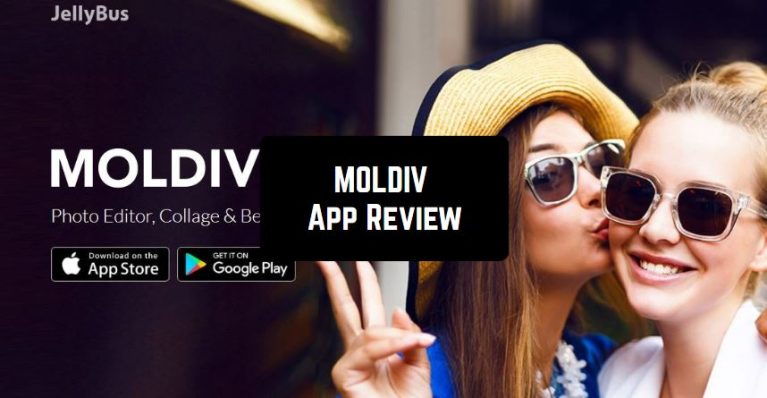
This way you can make the camera of your Android or iPhone much cooler! Now you don’t need to install several applications to make frames in one, apply filters in another, and write text in the third. All this is available in Moldiv!
So you photoshopped your picture so good it looks like a cover of a magazine? Go ahead and picture yourself like this! These apps will help you to edit your picture like it’s some magazine’s cover.
This way you can make the camera of your Android or iPhone much cooler! Now you don’t need to install several applications to make frames in one, apply filters in another, and write text in the third. All this is available in Moldiv!


List of reviewed apps:
Key Features
- Real-time photo editing with 22+ filters in the free version
- Extensive text and font options for adding captions and typography to images
- Sticker library, texture overlays, and blurring effects
- Advanced adjustment controls for light, shadows, color, sharpness, and more
- Built-in camera with live effect preview before you snap the shot
Pros and Cons
- Pro: Generous free version with plenty of filters and effects to get started
- Pro: Intuitive interface makes professional-looking edits accessible to beginners
- Pro: Amazing selection of fonts and stickers keeps your photos from looking generic
- Con: In-app purchases required to unlock additional filter packs and texture sets
- Con: No built-in clothing or outfit editing features if you need to fix wardrobe mishaps
Bottom Line
MOLDIV is perfect for anyone who wants to elevate their social media game without needing Photoshop skills. Whether you’re a casual photo-taker or someone who obsesses over Instagram aesthetics, this app delivers professional results right from your phone.