 My Virtual Assistant Julie is a mobile virtual assistant that’s hard not to fall in love with. With its help, you can solve almost any question you have.
It helps you open apps on your smartphone, send emails, or just have a nice conversation on any topic.
The app will also help you open different websites in your browser, schedule events for your calendar, set timers, perform math calculations, search for the information you need, and much more.
My Virtual Assistant Julie is a mobile virtual assistant that’s hard not to fall in love with. With its help, you can solve almost any question you have.
It helps you open apps on your smartphone, send emails, or just have a nice conversation on any topic.
The app will also help you open different websites in your browser, schedule events for your calendar, set timers, perform math calculations, search for the information you need, and much more.
List of reviewed apps:
Interface
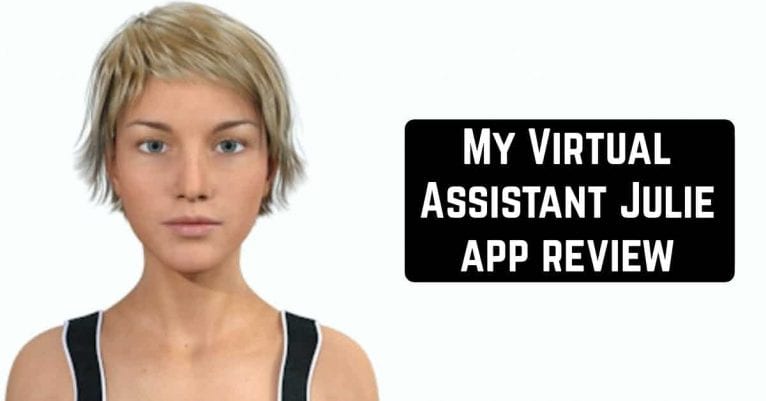
The first time you launch the app, your new Julie Virtual Girl appears right in front of you. You can start a chat or update with her right now. At the top of the screen, there’s a field for registering with the app. There you can also open a menu window that has sections such as about, my Julie, sign in/up, content rating. To start communicating with Julie, you must specify your date of birth and accept the terms of the app. Immediately after this, a dialog box will open in front of you, where you will see a picture of your Julie. It is very realistic and accompanied by animation. So you will definitely get the impression that you are communicating with a real person.Appearance
You can customize the appearance of the girl according to your preferences. You can choose the color of your eyes, hair, body shape, kneeling, hairstyle, and much more. You can also choose your character style. For example, Julie Sport, Julie Beach, Julie School Full, Julie Business, and more. Julie knows how to kiss, laugh, sleep, and much more. It knows how to feel. For example, you can make her laugh or make her angry. You can also teach her and make her more sociable and more like you so that she feels more comfortable. Teach her new answers through a fun conversation.
 My Virtual Assistant Julie is not just a pleasant conversation partner, but a real helper who will make it easier for you to use your smartphone.
You may also like: 9 Best home assistant apps for Android & iOS
My Virtual Assistant Julie is not just a pleasant conversation partner, but a real helper who will make it easier for you to use your smartphone.
You may also like: 9 Best home assistant apps for Android & iOS
Key Features
- Voice-activated app launcher — open any installed application with simple voice commands
- Email and messaging integration — compose and send emails hands-free
- Smart scheduling — add events to your calendar without lifting a finger
- Web browsing assistant — search the internet and open websites on command
- Utility functions — set timers, perform calculations, and get quick answers to questions
Pros and Cons
- Pros: Realistic avatar with animations makes interactions feel natural and engaging; hands-free functionality is genuinely useful for busy multitaskers; wide range of practical features packed into one assistant
- Cons: Requires personal information (date of birth) and account registration to get started; may feel gimmicky for users who prefer traditional voice assistants
Bottom Line
Download My Virtual Assistant Julie if you’re looking for a fun yet functional virtual assistant that actually does stuff. It’s perfect for anyone who appreciates a more personable interface and wants to streamline everyday tasks through voice commands — just don’t expect it to replace your smartphone’s default assistant entirely.