- Safely erase the left data with one click (irreversible wipe with overwrite methods);
- Perform a deep cleaning (removing all unnecessary on the device, which significantly frees up memory);
- Protect your privacy (no one can recover your data after you delete it); This program has good performance, many positive reviews, two versions (portable and full).
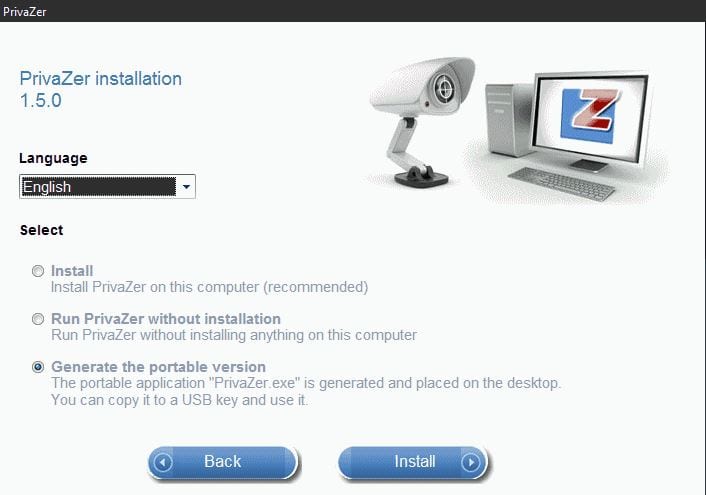 It is compatible with XP, Vista, Win7, Win8 / 8.1, Win10, 32-bit, and 64-bit, which is also a plus as they are the most common. This is simply a wonderful program created by the international Goversoft team, which cares about the safety and privacy of their clients. They have created training videos on their website so that users can get the most out of their products.
Special thanks to them for the “Support” section, where you can leave your comment or ask your question, and they will definitely answer you.
It is compatible with XP, Vista, Win7, Win8 / 8.1, Win10, 32-bit, and 64-bit, which is also a plus as they are the most common. This is simply a wonderful program created by the international Goversoft team, which cares about the safety and privacy of their clients. They have created training videos on their website so that users can get the most out of their products.
Special thanks to them for the “Support” section, where you can leave your comment or ask your question, and they will definitely answer you.
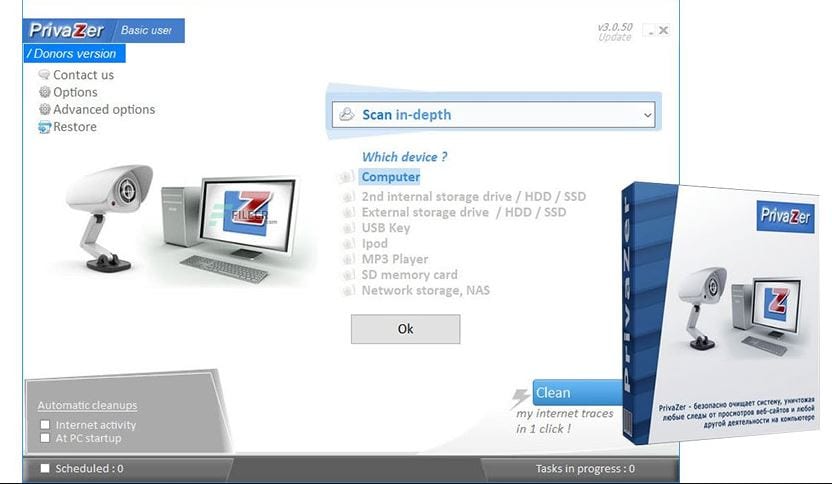 If we talk about the main functions of the program, then these are:
1) FIND AND DISPLAY
If we talk about the main functions of the program, then these are:
1) FIND AND DISPLAY
- PrivaZer scans your system and your external storage devices
- PrivaZer shows you its findings in easy-to-follow visualizations
- Disk usage Viewer
- Index.dat content Viewer
- Cleaning scheduling
- Live measurement of free space growth
- Management of priority execution PrivaZer.
- Indexing management
- Hibernation management
- Registry cleaning
- Registry recovery
- System Restore
 In conclusion, I want to say that the developers really tried. They made an excellent program with many of the most useful features and at the same time completely free. I believe that it is with this program that users will feel completely safe and will not worry about their data that they upload to a computer or the Internet.
List of reviewed apps:
Key Features
- One-click secure data erasure with overwrite methods that prevent recovery
- Deep system cleaning to remove unnecessary files and free up storage space
- Scans both internal drives and external storage devices for privacy risks
- Available in both portable and full installation versions
- Compatible with Windows XP through Windows 10 (32-bit and 64-bit)
Pros and Cons
- Pros:
- Completely free with no hidden costs
- Irreversible data wiping gives genuine peace of mind for sensitive files
- Responsive support team and helpful training videos available
- Cons:
- Interface could feel cluttered for users new to privacy software
- System scanning can take considerable time on larger hard drives
Bottom Line
PrivaZer is ideal for anyone serious about protecting their digital privacy and keeping their PC lean and clean. Whether you’re wiping sensitive documents or just reclaiming wasted disk space, this free tool from Goversoft does the job without asking for your credit card—or your data.