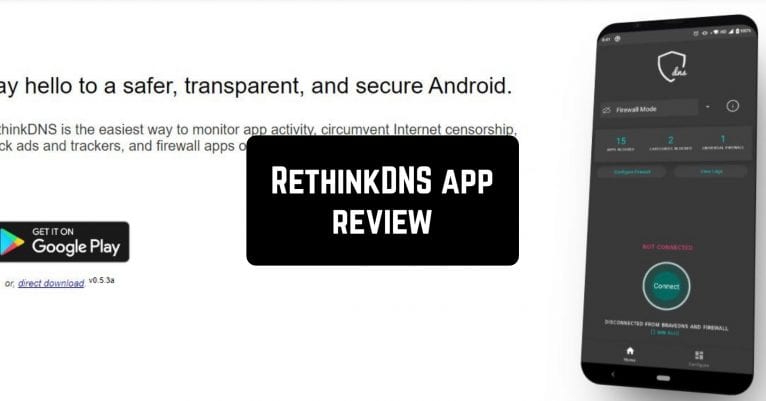
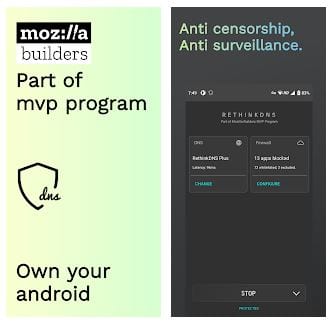
 The home screen opens next, and there are two large buttons of the DNS and Firewall modes. Below is the Start button. If you tap the Start, a window pops up asking you to set up a VPN connection that allows the app to monitor network traffic. You need to accept this request and tap OK to work with RethinkDNS. After that, you will see the little key icon at the top of your screen when VPN is active.
And now you improved your Internet connection, you can fully enjoy more elaborate online games – in the article about multiplayer games you can find interesting options to go for.
If you tap the big DNS button on the app’s home screen, you will get to the page where you can track your digital footprint, block apps, and IP addresses.
The home screen opens next, and there are two large buttons of the DNS and Firewall modes. Below is the Start button. If you tap the Start, a window pops up asking you to set up a VPN connection that allows the app to monitor network traffic. You need to accept this request and tap OK to work with RethinkDNS. After that, you will see the little key icon at the top of your screen when VPN is active.
And now you improved your Internet connection, you can fully enjoy more elaborate online games – in the article about multiplayer games you can find interesting options to go for.
If you tap the big DNS button on the app’s home screen, you will get to the page where you can track your digital footprint, block apps, and IP addresses.
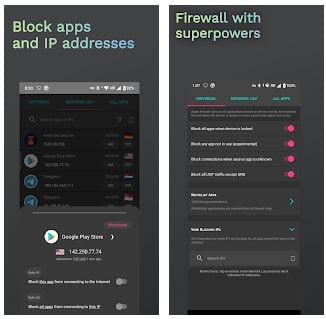 After tapping the big Firewall button, will find superpowers to ensure your safety and protect your device from unsafe apps, such as blocking all apps when the device is locked or blocking connection when the source app is unknown.
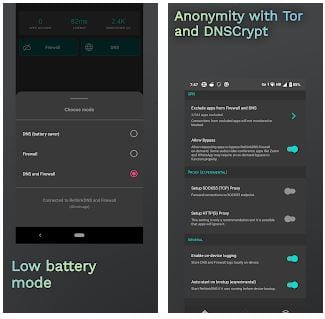
Another handy option: you can use Low battery mode and choose to turn on only the Firewall mode, the DNS mode, or both.
After tapping the big Firewall button, will find superpowers to ensure your safety and protect your device from unsafe apps, such as blocking all apps when the device is locked or blocking connection when the source app is unknown.
Another handy option: you can use Low battery mode and choose to turn on only the Firewall mode, the DNS mode, or both.
 All the necessary sections of the application are located at the bottom of the screen: Home (you are here), Settings (to adjust the protection details that suit you), and About (to know more about the app and connect to its team). In general, the app’s interface is as intuitive and minimalistic as possible, and the design is excellent.
And now that you are sure that there are no apps running in the background you can also try another interesting way to hide apps without fearing forgetting about them.
To sum up, the RethinkDNS app is a must-have for everyone who uses Android devices connected to the Internet. RethinkDNS’s features and functions combined with superb performance make RethinkDNS an APP FOR EVERYONE!
All the necessary sections of the application are located at the bottom of the screen: Home (you are here), Settings (to adjust the protection details that suit you), and About (to know more about the app and connect to its team). In general, the app’s interface is as intuitive and minimalistic as possible, and the design is excellent.
And now that you are sure that there are no apps running in the background you can also try another interesting way to hide apps without fearing forgetting about them.
To sum up, the RethinkDNS app is a must-have for everyone who uses Android devices connected to the Internet. RethinkDNS’s features and functions combined with superb performance make RethinkDNS an APP FOR EVERYONE!

List of reviewed apps:
Key Features
- DNS filtering to block malicious websites and ads at the network level
- Built-in firewall to monitor and control app permissions and network traffic
- No logs policy — your browsing activity remains private
- Free to use with no registration or account required
- Simple toggle activation with one-tap VPN setup
Pros and Cons
- Pros: Completely free, easy setup, no personal data collection, effective ad-blocking at DNS level
- Cons: Requires VPN permission which some users find intrusive, limited customization options for beginners
Bottom Line
RethinkDNS is ideal for anyone who wants privacy-focused internet protection without paying a dime or jumping through registration hoops. Download it if you’re tired of ads, concerned about your data security, and willing to let a tiny key icon live in your status bar in exchange for peace of mind.