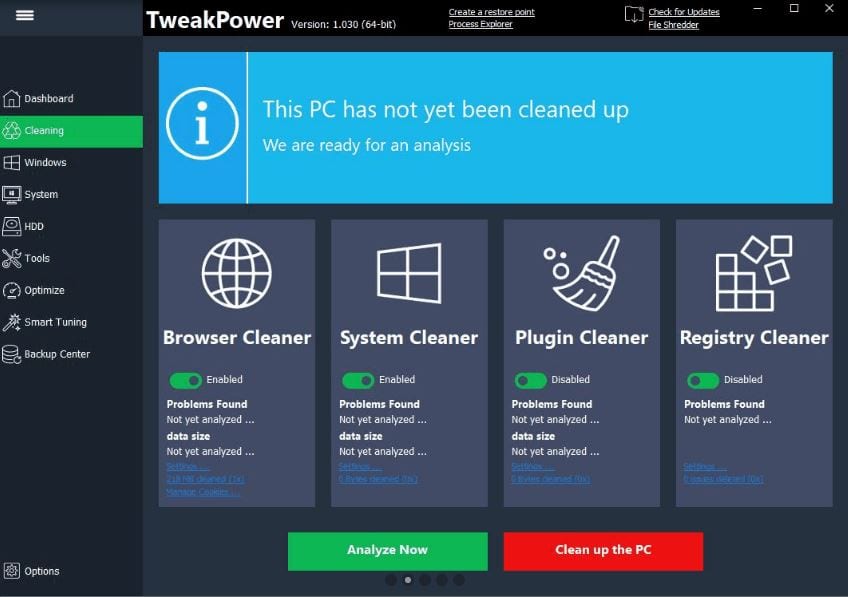
 The program has a Cleaner option that enables you to delete all the unnecessary files or those that you have not used for a long time. With one click, you can easily optimize your PC – renew the registry, delete internet traces, and so on.
Moving on, TweakPower provides advanced performance optimizers that guarantee a quicker installation of programs. Plus, your files or games will run much better.
The program has a Cleaner option that enables you to delete all the unnecessary files or those that you have not used for a long time. With one click, you can easily optimize your PC – renew the registry, delete internet traces, and so on.
Moving on, TweakPower provides advanced performance optimizers that guarantee a quicker installation of programs. Plus, your files or games will run much better.
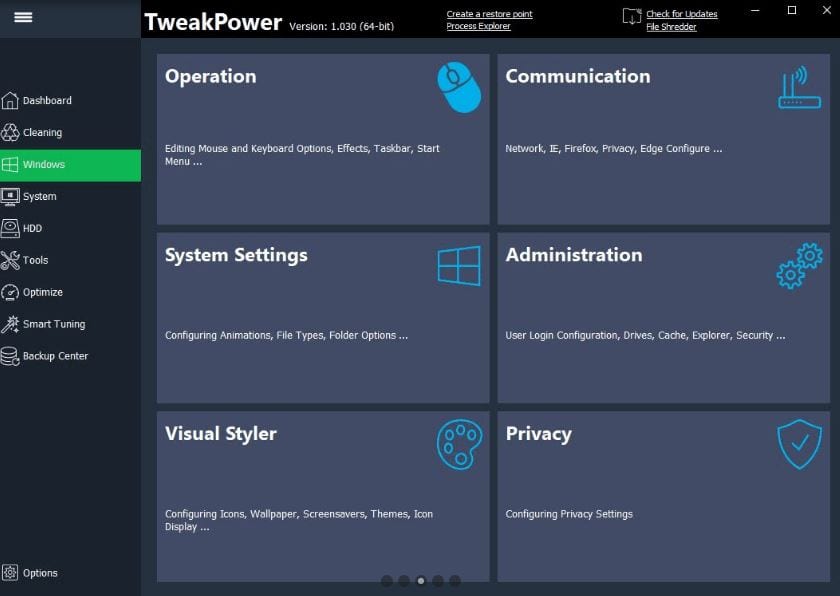
 The manufacturer ensures an excellent level of security. The program comes with AES encryption, so you can easily protect your private life. Encrypt files, delete the confidential data from the hard drive, and customize the settings the way you want!
Plus, another cool way to increase the security of your mobile device is to install the software that allows hiding apps. Keep your data private!
TweakPower lets you back up the data – restore the computer’s system files, registry, or settings.
The manufacturer ensures an excellent level of security. The program comes with AES encryption, so you can easily protect your private life. Encrypt files, delete the confidential data from the hard drive, and customize the settings the way you want!
Plus, another cool way to increase the security of your mobile device is to install the software that allows hiding apps. Keep your data private!
TweakPower lets you back up the data – restore the computer’s system files, registry, or settings.
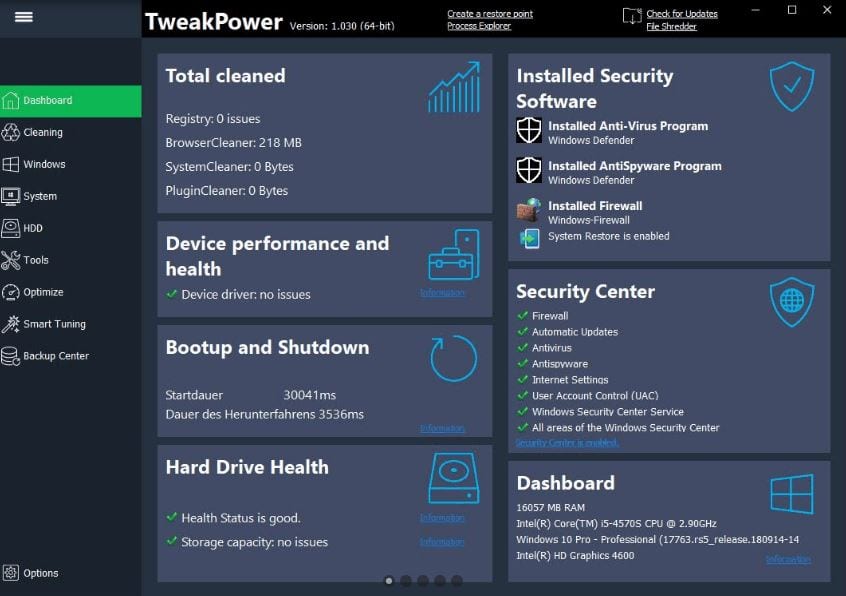
 What is more, in this program, you will find a detailed analysis of your hardware performance, system elements, and programming environment. On the dashboard, you can add changes or adjust the performance so that it will comply with your needs.
You can also explore our list of the best auto-clicker apps to see how you can automatize some processes in your work.
Overall, TweakPower is worth downloading. If you have to constantly use your PC, you should know that it can make an impact on its productivity. That is why we advise you to try TweakPower. This is certainly a must-have tool for everyone!
What is more, in this program, you will find a detailed analysis of your hardware performance, system elements, and programming environment. On the dashboard, you can add changes or adjust the performance so that it will comply with your needs.
You can also explore our list of the best auto-clicker apps to see how you can automatize some processes in your work.
Overall, TweakPower is worth downloading. If you have to constantly use your PC, you should know that it can make an impact on its productivity. That is why we advise you to try TweakPower. This is certainly a must-have tool for everyone!
List of reviewed apps:
Key Features
- Multiple operation modes (Economy, Standard, and Turbo) to match your performance needs
- System cleaner that removes junk files, temporary data, and internet traces
- Registry optimization to keep your PC running smoothly
- Performance booster that speeds up program installations and game performance
- Battery-saving mode for extended device usage on limited power
Pros and Cons
- Pros:
- Simple one-click optimization makes it easy for beginners to use
- Flexible modes let you choose between performance and battery life based on your needs
- Comprehensive cleaning features tackle multiple optimization tasks in one tool
- Cons:
- Like many optimization tools, results may vary depending on your system’s current state
- Aggressive cleaning features require caution to avoid removing files you might actually need
Bottom Line
If your PC has been feeling sluggish and you’re looking for a straightforward way to boost performance without diving into complicated settings, TweakPower is worth trying. It’s ideal for users who want quick optimization wins and don’t mind trading some control for convenience.