You find a great article at the worst possible moment: mid-meeting, in line for coffee, three minutes before your stop. Read-it-later apps are the fix. Tap save, and the piece lands in a clean, ad-free library you can open when you actually have time to read it, often offline, with the pop-ups and clutter stripped away.
We tested each of these by living with them for a couple of weeks: saving from browsers and social apps, reading on the couch and on the subway with no signal, and marking up the good parts with highlights. Most of the picks below run on both Android and iOS, one is iPhone and iPad only, and one is open-source for the self-hosting crowd. Every app here is free to start, though a few keep their best tricks behind a subscription.
Here are the six free read-it-later apps that survived our testing, each with a genuinely different personality. If your reading list leans more toward books than blog posts, our roundup of E-Book Reader Apps is a natural next stop.
Instapaper
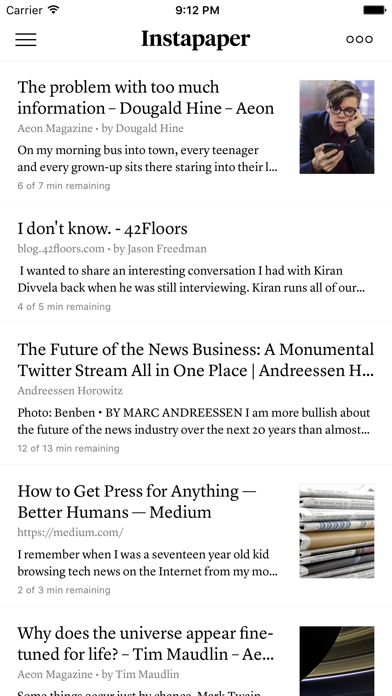
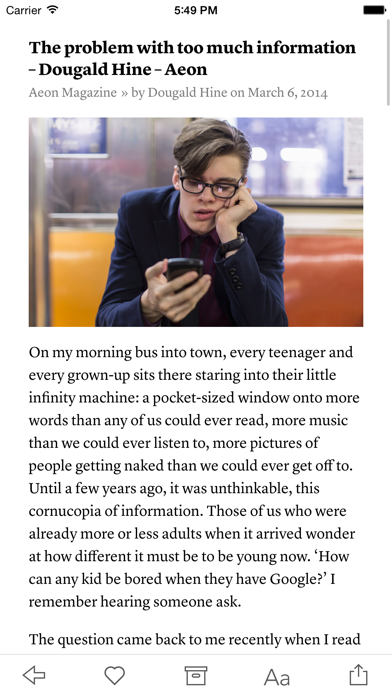
Instapaper is the quiet elder statesman of read-it-later apps, and it still feels like the most relaxing place to read on your phone. Save a page and Instapaper reformats it into plain, book-like text: your font, your size, a warm sepia background if you want one, and nothing else competing for attention.
We saved a sprawling longread from the browser share sheet, then opened it on a plane with the Wi-Fi off, and every word was already waiting offline. Tilt the phone and the page scrolls itself hands-free; hand the article to the text-to-speech voice and it will read the whole thing aloud while you cook dinner.
Main features:
- Distraction-free reader with adjustable fonts, sizes, and sepia or dark themes
- Automatic offline downloads so saved articles work with no signal
- Highlights and notes you can revisit later
- Text-to-speech that reads articles aloud, plus hands-free tilt scrolling
- Save from almost anywhere via the share sheet and browser extensions
The catch is that full-text search, unlimited highlights, and speed-reading extras sit behind Instapaper Premium, so the free tier is comfortable rather than complete. For casual saving and reading, though, you may never bump into the ceiling.


Raindrop.io
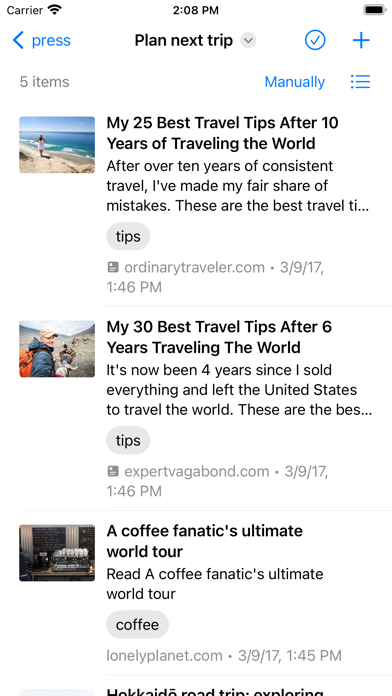
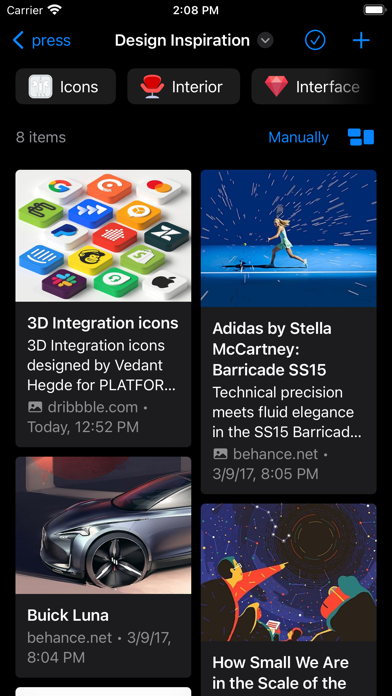
Raindrop.io is what happens when a read-it-later app grows up into a full bookmark manager. It saves articles, sure, but it also swallows videos, PDFs, product pages, and design inspiration, then sorts everything into color-coded collections with tags, cover thumbnails, and a search that actually finds things.
We dumped a messy week of open tabs into a single Raindrop collection and, within minutes, had a tidy visual board instead of browser chaos. Saving from the Android share menu takes two taps, and the same collection showed up instantly on the desktop app and the web, which is handy when you research on a laptop but read on the couch.
What it does well:
- Save articles, videos, PDFs, and any web page into nested collections
- Tags, filters, and a fast search to find a bookmark months later
- Visual card, list, and moodboard layouts with automatic cover images
- Syncs across Android, iOS, web, and every major browser
- Duplicate and broken-link finders to keep your library tidy
Because Raindrop is a bookmark manager first, its built-in reader is simpler than dedicated apps like Instapaper, and full-text search inside saved files needs the paid Pro plan. If you mostly want to organize links rather than sink into long reads, that trade is easy to make.
Matter

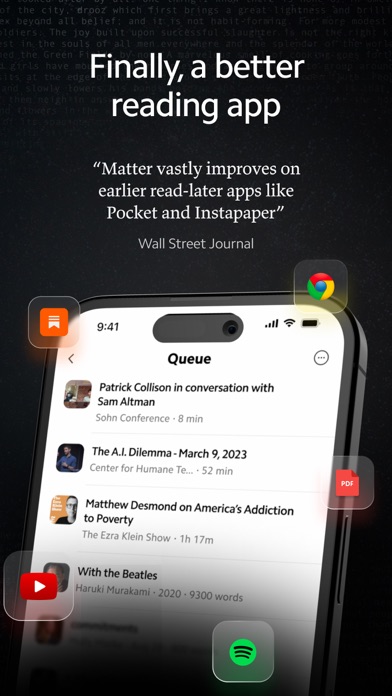
Matter is the best-looking app on this list, full stop. It treats reading like a calm ritual: elegant typography, gentle page transitions, and a home feed that quietly surfaces the articles and newsletters you actually meant to get back to.
We piped a few email newsletters straight into Matter using the personal address it hands you, and they arrived stripped of footers and unsubscribe clutter, reading like proper articles. Highlight a sentence and it saves to a running list; tap play and a natural-sounding voice reads the piece while you walk the dog.
Highlights:
- Polished, magazine-quality reader with beautiful typography
- Send newsletters to a personal Matter email so they skip your inbox
- Natural text-to-speech that turns articles into a listening queue
- Highlights and notes that collect in one searchable place
- Syncs between iPhone, iPad, and the web app
Matter is iPhone and iPad only, with a web app to cover your laptop, so Android readers are out of luck here. There is also a paid premium tier, but the free plan already covers everyday saving and reading.
Readwise Reader
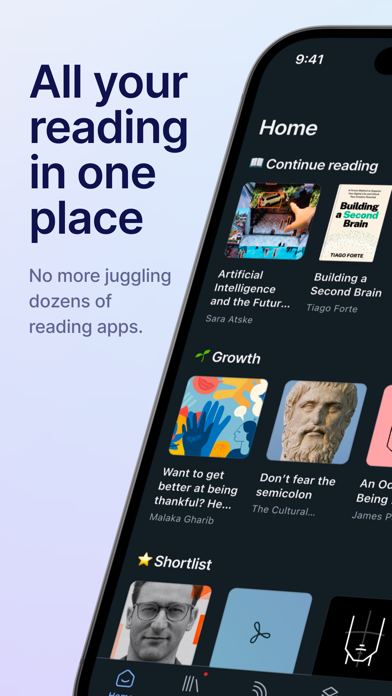
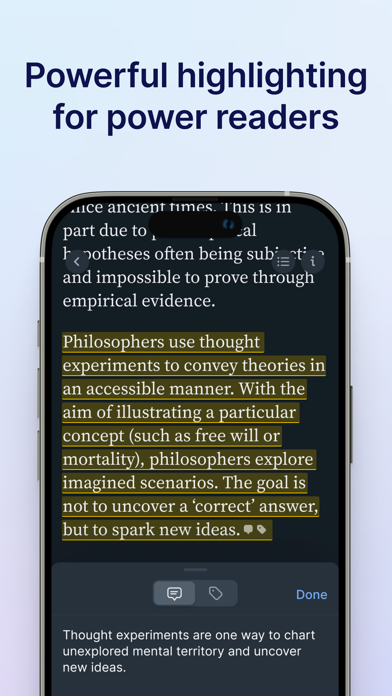
Readwise Reader is the power tool of the bunch, built for people who read a lot and want to keep what they learn. It pulls articles, PDFs, EPUBs, email newsletters, RSS feeds, YouTube transcripts, and even X threads into one place, then lets you highlight and tag all of them the same way.
We fed it a dense research PDF and a backlog of newsletters, highlighted as we went, and every highlight synced to Readwise to resurface later as flashcard-style reminders. An AI assistant called Ghostreader will define a term, summarize a section, or answer questions about whatever you are reading, which is unexpectedly handy when you are slogging through something technical.
What you get:
- One inbox for articles, PDFs, EPUBs, newsletters, RSS, and video transcripts
- Highlighting and tagging that syncs into the wider Readwise system
- Ghostreader AI for summaries, definitions, and Q&A on any document
- Offline reading and a fast, local-first web app that mirrors mobile
- Filtered views and keyboard shortcuts built for heavy reading days
Reader is free to download and comes with a 30-day trial, but after that it needs a paid Readwise subscription and an account to keep working, so it is the least ‘free’ pick here. If you read for a living the price tends to justify itself; if you read casually, start with one of the lighter apps.
You may also like: Offline Apps for Long Flights.
Cubox
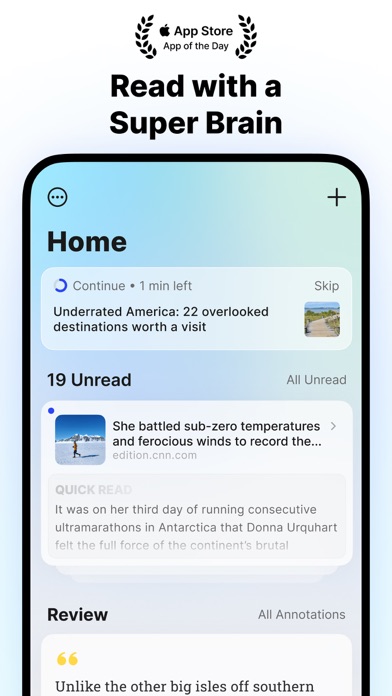
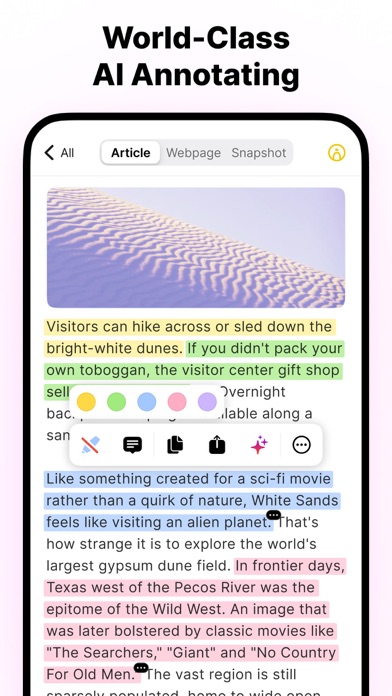
Cubox is the quietly capable all-rounder, a read-it-later app that also wants to be your personal knowledge shoebox. You can save a full article, a snippet you highlighted, an image, or a plain note, and it all lands in one searchable inbox that syncs across every device you own.
We tested its web clipper and share-sheet saving across Android and the desktop, and articles came through clean and readable, tags and all. The AI features will auto-summarize a long piece or suggest tags, and a snappy global search pulled up something we saved weeks earlier from a single half-remembered word.
Key tools:
- Save articles, highlights, images, and notes into one unified inbox
- Reader view with highlights, annotations, and folder or tag organization
- AI summaries and auto-tagging to triage a long reading list
- Web clipper, browser extensions, and share-sheet saving on mobile
- Cross-platform sync across Android, iOS, web, and desktop
The free plan caps how many items you can save and highlight each month, so heavy hoarders will hit the wall and get nudged toward a subscription. For a steady trickle of saves, the free allowance holds up fine.
Wallabag


Wallabag is the app for readers who would rather own their reading list than rent it. It is free, open-source, and self-hosted, which means your saved articles live on a server you control instead of a company’s cloud, with no ads and nobody mining your reading habits.
We connected the Android app to a hosted wallabag account and, once it was linked, saving and reading felt like any other read-it-later app: clean article view, offline access, tags, and annotations. The difference is philosophical rather than visual, though getting set up asks more of you than tapping ‘install.’
Why it earns a spot:
- Fully open-source and self-hosted, so you own your data outright
- Clean reader view with offline reading, tags, and annotations
- Official Android app plus community iOS clients and browser add-ons
- Export your whole library to EPUB, PDF, or plain text anytime
- No ads, no tracking, and no subscription to the core software
You need to either self-host wallabag or pay for a hosted plan, and the interface looks more utilitarian than polished next to Matter or Cubox. For privacy-minded tinkerers, that setup effort is exactly the point.
If you just want a calm, reliable place to stash and read articles, start with Instapaper or, on iPhone, Matter. Reach for Raindrop.io when you are really organizing links and inspiration, and Cubox when you want that plus a bit of AI tidying. Readwise Reader is worth paying for once reading becomes serious work, and Wallabag is there for anyone who wants to keep their reading list entirely their own.