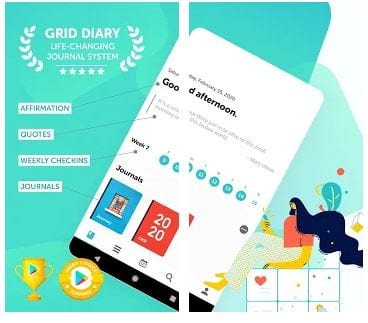
 From the very first second that you open the app, you can see the impressive animated intro that gives you an idea about how the app works in general. By making simple actions, you proceed to the main questions that you have to answer first – these are quite simple ones: what are your goals, what would you like to improve, and so on.
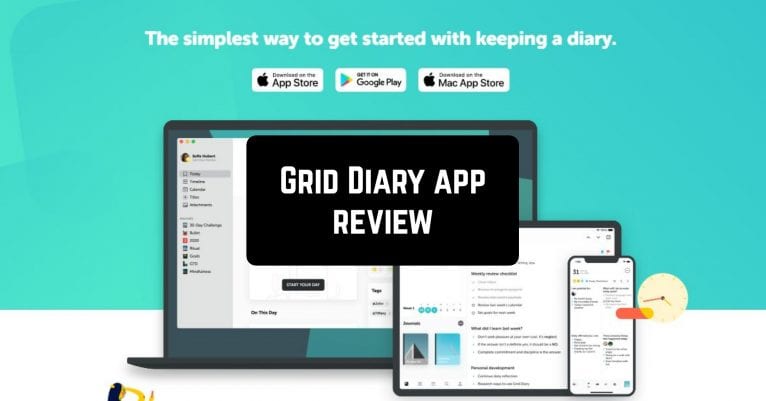
You can create your own account in the app, use your Google account, or proceed in guest mode. On the main page of the app, you can see the small banner with the calendar, a beautiful quote, and a journal in the lower part of the screen. The journal in the main part of the whole app.
When you click on the journal section, you will see that it includes several parts that you can fill out separately – there is a special spot to write down your small victories day by day, a daily planner, health and physical shape, personal growth, career, finance, family relationship and even more.
From the very first second that you open the app, you can see the impressive animated intro that gives you an idea about how the app works in general. By making simple actions, you proceed to the main questions that you have to answer first – these are quite simple ones: what are your goals, what would you like to improve, and so on.
You can create your own account in the app, use your Google account, or proceed in guest mode. On the main page of the app, you can see the small banner with the calendar, a beautiful quote, and a journal in the lower part of the screen. The journal in the main part of the whole app.
When you click on the journal section, you will see that it includes several parts that you can fill out separately – there is a special spot to write down your small victories day by day, a daily planner, health and physical shape, personal growth, career, finance, family relationship and even more.
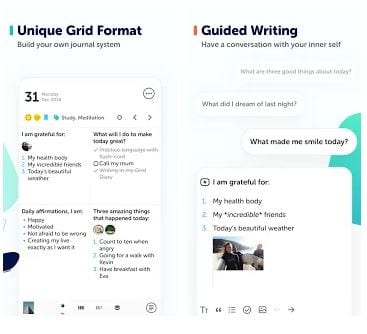 It is a perfect scheme to visualize all the spheres of your life and keep them balanced. The app displays templates for the current day, however, you can easily go forward or back in the calendar and make your notes wherever you want.
Apart from that, there is another section in the main menu (you can find it in the lower part of the screen) which is called “diary”. You can make your daily notes there, in the way you want it. One more quite interesting section that totally deserves your attention is the section of your profile.
It is a perfect scheme to visualize all the spheres of your life and keep them balanced. The app displays templates for the current day, however, you can easily go forward or back in the calendar and make your notes wherever you want.
Apart from that, there is another section in the main menu (you can find it in the lower part of the screen) which is called “diary”. You can make your daily notes there, in the way you want it. One more quite interesting section that totally deserves your attention is the section of your profile.
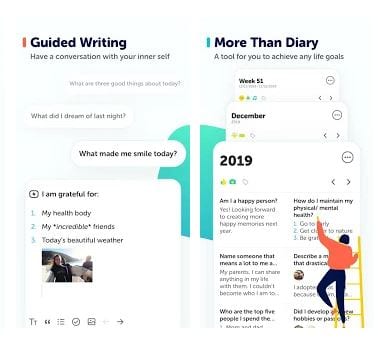 There you can explore possible templates for planning the week, year, and month (available for the premium subscription), explore the useful tips on how to become more aware, explore wise quotes and change the settings of your account.
By the way, it is highly recommended to create your own account, so your information is more personalized, not just to be in the gues mode.
You may also like: 8 Best Cartoon Avatar Creator Apps for Android & iOS
Summarizing all the points, Grid Diary is an excellent app to start a more aware lifestyle and become happier day by day. You will see how your productivity will grow and the casual things that you used to pay no attention, contribute greatly to your emotional and physical state and make your days so much better.
There you can explore possible templates for planning the week, year, and month (available for the premium subscription), explore the useful tips on how to become more aware, explore wise quotes and change the settings of your account.
By the way, it is highly recommended to create your own account, so your information is more personalized, not just to be in the gues mode.
You may also like: 8 Best Cartoon Avatar Creator Apps for Android & iOS
Summarizing all the points, Grid Diary is an excellent app to start a more aware lifestyle and become happier day by day. You will see how your productivity will grow and the casual things that you used to pay no attention, contribute greatly to your emotional and physical state and make your days so much better.


List of reviewed apps:
Key Features
- Customizable grid-based journaling system for tracking daily habits and goals
- Built-in calendar view to visualize your progress over time
- Guided prompts and questions to help you reflect on your goals and improvements
- Multiple login options including Google account or guest mode for quick access
- Inspirational quotes and motivational content integrated throughout your journal entries
Pros and Cons
- Pros: The visual grid layout makes tracking habits satisfying and easy to understand at a glance. Setup is straightforward with helpful prompts guiding you through initial goal-setting. The combination of journaling and planning keeps you accountable without feeling overwhelming.
- Cons: The app requires consistent daily engagement to be truly effective—sporadic journaling won’t give you meaningful insights. The guided approach might feel restrictive if you prefer completely freeform journaling without structure.
Bottom Line
Grid Diary is perfect for anyone looking to build better habits, track personal goals, and gain clarity about their life without the pressure of complicated productivity systems. If you’re tired of feeling scattered and want a beautiful, intuitive app that makes journaling actually enjoyable, this one deserves a spot on your phone.