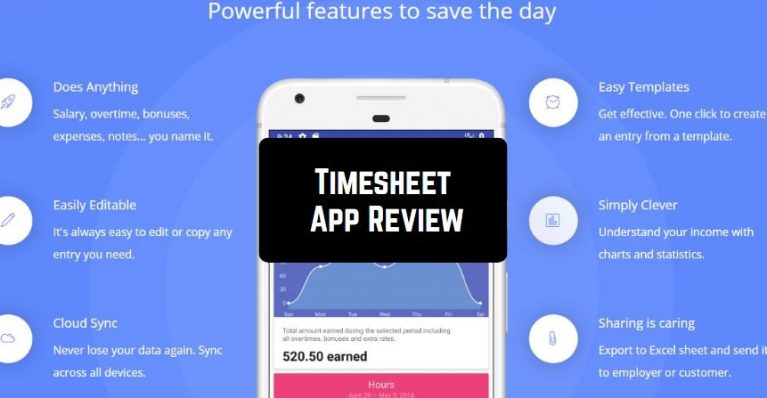
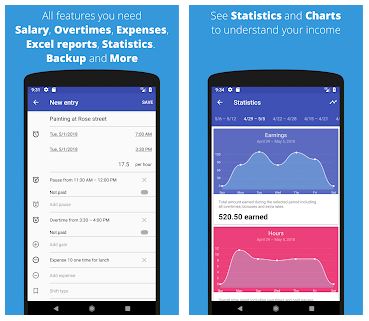
 So, in Timesheet, you can find the following features:
- Statistics for a week, month, or another user-selected period
- Automatic salary calculation
- Export to Excel
- Charts
- Automatic backup saving to the cloud
- Expenses and bonuses accounting
- Tags and notes
- Share the data via mail, Dropbox, or Google Drive
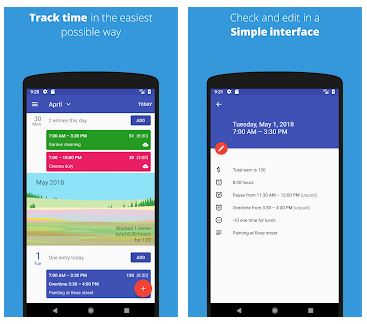
 By the way, Timesheet comes with a straightforward interface. So, we can surely say that even novice users will instantly find out how everything works there.
As for the additional functions, you can use the built-in calendar widget for simple navigation.
In case you have faced any difficulties while using this app, Timesheet offers you an online chat. The customer specialists are very responsive and they will help you at any time!
To better control the attendance of your employees if you work offline you can get a special tracking app and see how much time each of them spends at work.
To sum up, Timesheet is truly worth downloading. Almost all the users have positive impressions of this app. Highly recommended!
By the way, Timesheet comes with a straightforward interface. So, we can surely say that even novice users will instantly find out how everything works there.
As for the additional functions, you can use the built-in calendar widget for simple navigation.
In case you have faced any difficulties while using this app, Timesheet offers you an online chat. The customer specialists are very responsive and they will help you at any time!
To better control the attendance of your employees if you work offline you can get a special tracking app and see how much time each of them spends at work.
To sum up, Timesheet is truly worth downloading. Almost all the users have positive impressions of this app. Highly recommended!


List of reviewed apps:
Key Features
- Track working hours with automatic time logging and manual entry options
- Calculate salaries automatically based on hourly rates and logged hours
- Generate detailed statistics and visual charts for any time period
- Export timesheet data to Excel for further analysis or payroll processing
- Sync data across devices with cloud backup and share via email, Dropbox, or Google Drive
Pros and Cons
- Pro: Lightweight and fast to install with a clean, beginner-friendly interface
- Pro: Comprehensive features including expense tracking, bonuses, and tags for better organization
- Pro: Reliable automatic cloud backups mean your work data is always safe
- Con: Template setup requires a few extra steps through the sidebar menu
- Con: May feel feature-heavy for users who only need basic hour tracking
Bottom Line
Download Timesheet if you’re a freelancer, contractor, or employee who needs to monitor working hours and track income with minimal fuss. The app strikes a great balance between powerful features and ease of use, making it ideal for anyone tired of manual time tracking or spreadsheet chaos.