A shared list only earns its keep when everyone can see it change the moment someone ticks a box. We have all lived the other version — one person keeps the “real” list, everyone else texts them updates, and half of it quietly disappears. The fix is a single list that lives in the cloud and syncs to every phone that matters, so your partner, your roommates, or your whole team are looking at the same thing.
We rounded up ten apps that do this well and cost nothing to start. Some are full task managers, a couple are built for the fridge and the grocery run, and each one lets more than one person edit the same list.
By the way, if you only need a personal list for yourself, we covered those separately in the article about 11 Free To-Do List Apps for iPhone & iPad.
Microsoft To Do
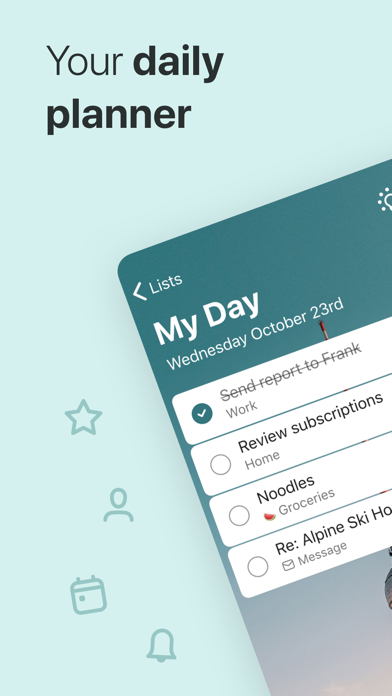

Microsoft To Do is the easiest place to start if you want shared lists without paying a cent. You build a list, tap the share icon, send the invite link, and the other person can add and check off items from their own phone.
We liked how clean it feels. There is no clutter and no board metaphor to learn — just lists, tasks, and a satisfying tick. The “My Day” view quietly gathers the things you flagged into one focus screen each morning, which helps when the shared grocery list and your own work tasks all live in the same app.
Here is what you can do with it:
- Share any list with family or coworkers through a link.
- Assign a task to a specific person on a shared list.
- Break a task into steps with due dates and reminders.
- Attach files and notes to keep context in one place.
- Sync across phone, tablet, and the web.
Everyone does need a free Microsoft account to join a list, which is a small hurdle if your group lives entirely in Google’s world. Get past that and it is genuinely free, ad-free, and on both iOS and Android — a very safe starting point.


Todoist

Todoist is the app we reach for when a shared list needs a bit of structure. It handles a quick “milk, bread, eggs” just as happily as a multi-step project split between four people.
What makes it click is the natural-language box: type “pay rent every 1st” and it schedules the recurring task for you, no menus. Invite people to a shared project and everyone sees the comments, due dates, and who is on the hook for what. Even a long, messy list stayed quick to move through.
Key features:
- Shared projects with per-task assignees and comments.
- Natural-language dates ("tomorrow at 6pm", "every Friday").
- Priority levels and labels to sort a busy list.
- A productivity view that shows what actually got done.
You will meet the free plan’s edges eventually — a handful of reminders and filters are nudged toward the paid tier, and a shared project only holds so many collaborators. For most households and small teams that ceiling sits high enough, and the app runs on iOS and Android.
Any.do
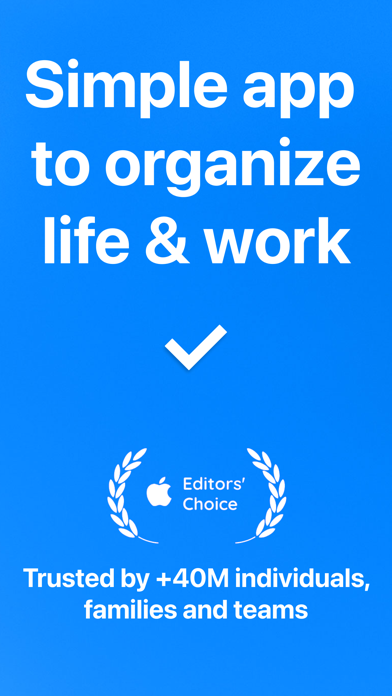
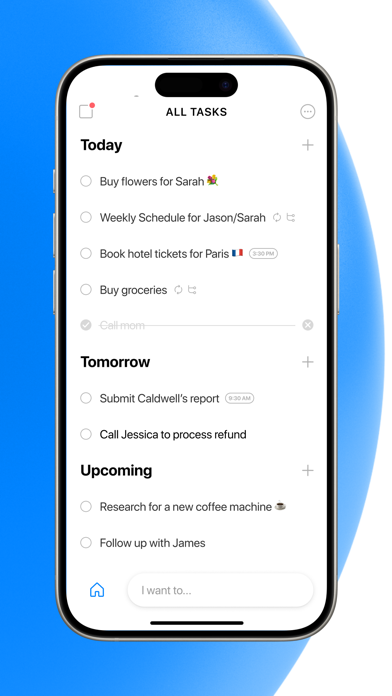
Any.do folds a to-do list, a calendar, and shared lists into one friendly app, and it looks good doing it. Picture a tidy daily agenda that a whole group can pour tasks into.
In our testing the shared lists were a hit with couples and roommates — everyone edits the same list, and the daily “plan my day” prompt keeps it from becoming a forgotten dumping ground. Adding an item takes seconds, and the change lands on the other phones right away.
What is especially useful here:
- Shared lists that several people can co-edit.
- A built-in calendar sitting right next to your tasks.
- Recurring tasks and reminders for the things that repeat.
- Voice entry for adding items on the move.
Any.do does keep nudging you upward — the slicker calendar and some reminder tricks live behind the Premium plan, and the free app slips in the occasional upgrade prompt. Still, the free shared lists cover the everyday, and it is available on iOS and Android.
TickTick
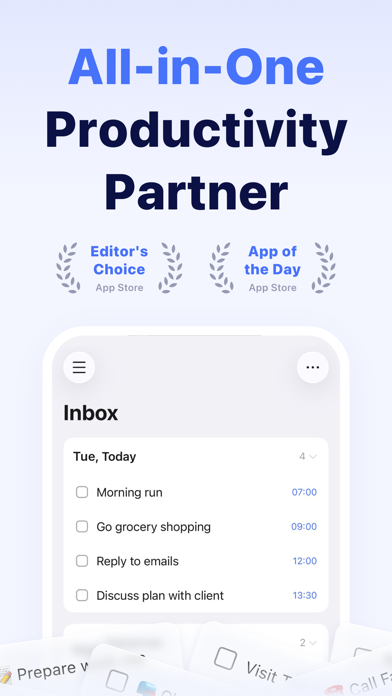
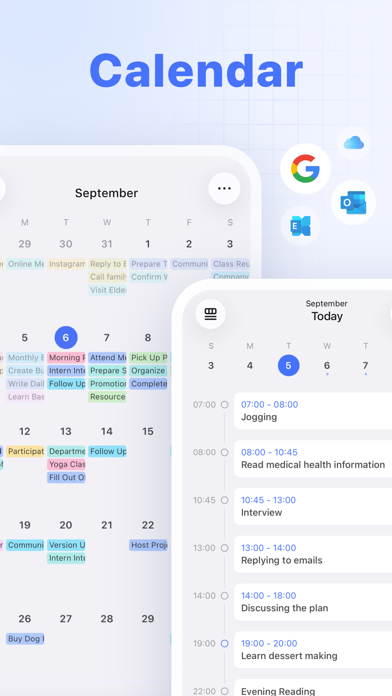
TickTick is the power user’s choice that somehow stays approachable, and its shared lists are quietly among the best here. You can hand off a task, watch it get checked, and even talk it over inside the task itself.
The little extras kept pulling us back — a built-in Pomodoro timer, a habit tracker, and a calendar that shows your shared tasks in context. Add someone to a list and the whole thing updates live on their device.
Main features:
- Share lists and assign tasks to collaborators.
- See everything on a calendar or in an agenda view.
- Set flexible recurring tasks and multiple reminders.
- Focus with the built-in Pomodoro timer.
Sharing does have a ceiling on the free plan — you get a set number of shared lists, so a very large group might eventually bump into it. For a family or a small crew there is plenty of room, and it is free on iOS and Android.
You may also like: 11 Free Daily Checklist Apps for Android & iOS
Google Keep
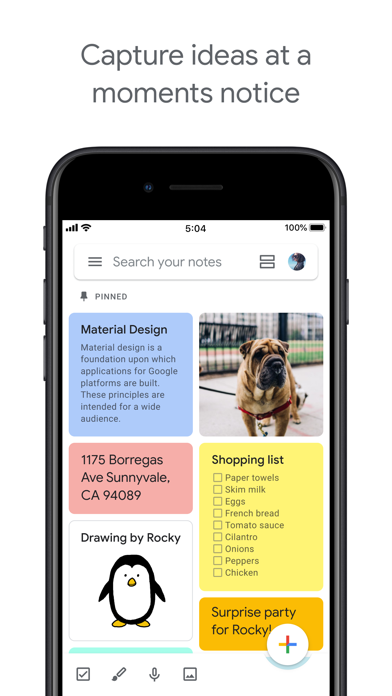
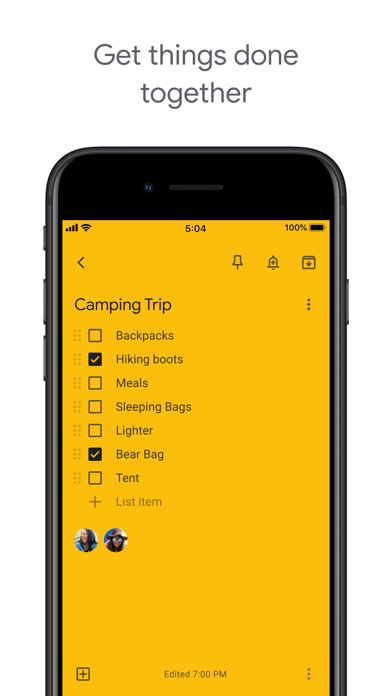
Google Keep is the no-friction option when you just want a shared checklist and nothing more. If your people already use Gmail, sharing takes two taps and zero new accounts.
Think of it as a digital sticky note that several hands can reach. Add a collaborator to a note and your shared shopping or packing list updates the instant anyone changes it. Colour-coding and labels keep the board from turning into chaos.
Here is what makes it handy:
- Add collaborators to any note or checklist.
- Colourful notes with labels and pinning.
- Voice notes and image-to-text capture.
- Instant sync through the Google account you already have.
Being honest, Keep is a notes app rather than a task manager — there are no per-item due dates or assignees, so it fits a simple shared checklist better than a multi-step project. For a quick “what do we need from the store” list, though, nothing is faster, and it is free on both iOS and Android.
Cozi Family Organizer
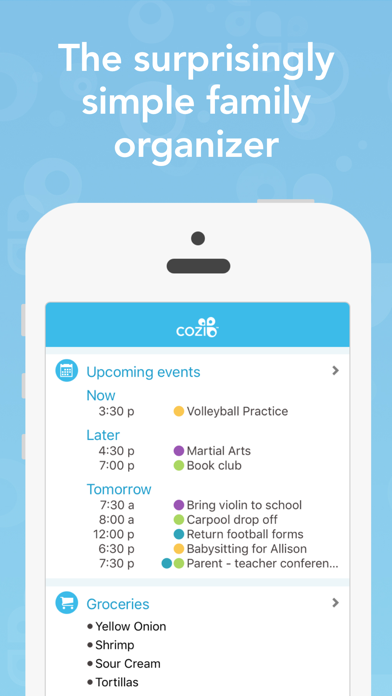
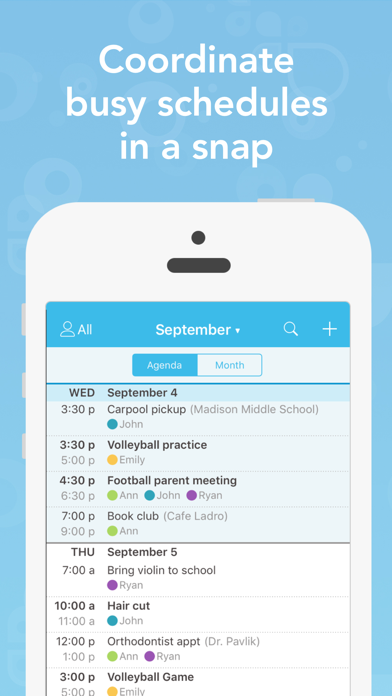
Cozi is built from the ground up for one gloriously messy thing: running a household together. Everyone in the family sees the same lists and the same calendar, colour-coded per person.
This is the app we would hand to a busy parent. The shopping list and to-do list are shared across the family by default, so there is no more “did you add it to the list?” A recipe box and a family calendar round it out, which makes it more of a household command centre than a plain checklist.
Here is what you get:
- Shared shopping and to-do lists for the whole family.
- A colour-coded family calendar everyone can see.
- Meal planning with a built-in recipe box.
- Reminders that reach each family member.
- A shared contacts list for the people you all deal with.
It is not the prettiest app on the list, and the free version carries a few ads and leans practical over polished. If a couple of banners do not bother you, it is a genuinely useful free hub, and it works on iOS and Android.
AnyList

AnyList began as the best shared grocery list around and quietly grew into a tidy shared to-do app too. Share a list with your partner and it syncs the second either of you adds “coffee filters.”
What we love is how smart the grocery side is — type “2 lb chicken” and it drops the item into the right aisle automatically, which turns a chaotic list into an ordered shopping run. Beyond groceries, the plain shared lists work well for chores, travel packing, or a general household to-do.
What it does well:
- Real-time shared lists with a partner or family.
- Automatic grocery categorisation by aisle.
- Notes, quantities, and reminders on individual items.
- Fast sync across everyone's phones.
A few of the nicer extras — recipe web import, meal planning, and more than one starred store — belong to the paid AnyList Complete tier. The free shared lists still cover the everyday shopping run, and the app is on both iOS and Android.
Trello

Trello swaps the checklist for a board of cards, and once a shared list has moving parts — “to do”, “doing”, “done” — that visual layout suddenly makes sense. Drag a card across the board and everyone on it sees it move.
We reached for Trello when a shared list was really a small project: planning a trip, organising an event, splitting a house move. Each card holds its own checklist, due date, comments, and attachments, so a single line item can carry a surprising amount of detail.
Here is what makes it stand out:
- Invite people to a shared board and hand out cards.
- Turn any card into its own mini checklist.
- Add due dates, labels, and comments to tasks.
- Attach files and links right onto a card.
- Watch changes update live for the whole team.
For a plain “grab these five things” list the board metaphor is more than you need, and the free plan only holds so many boards per workspace. For a shared project, though, it is a pleasure to use — and it is free on iOS and Android.
You may also like: Top 10 Routine Checklist Apps in 2026
Asana

Asana is the most work-minded app here, and that is exactly why it shines when a shared list is really a team’s to-do. Assign a task, set a due date, and it lands in the owner’s own list.
We would not use it for the grocery run, but for a group project — a club, a side hustle, a committee — it keeps everyone honest. The same shared list works as a simple checklist or flips into a board, and every task carries a clear owner so nothing slips between people.
What you can do with it:
- Assign shared tasks to specific teammates.
- Switch a project between list and board views.
- Set due dates, subtasks, and followers.
- Comment on tasks to keep the discussion in one place.
Asana can feel a touch corporate for a household, and a few of the nicer views like timeline sit behind a paid plan. For a small team that wants free shared task tracking, it still delivers, and it runs on iOS and Android.
Bring!
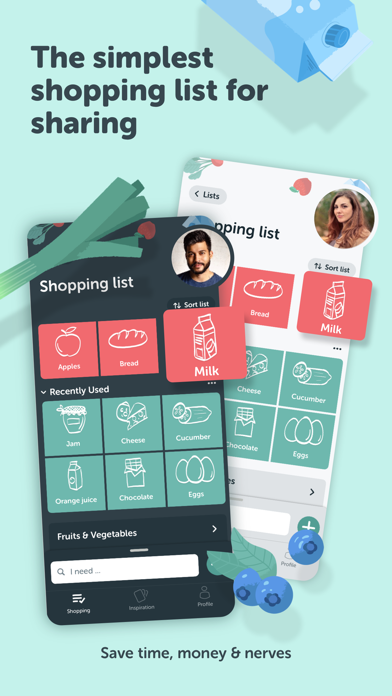
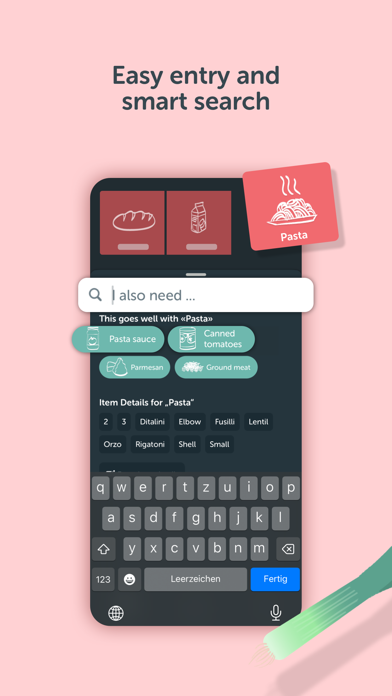
Bring! rounds out the list with the most delightful take on a shared list — a bright, picture-driven shopping list a household fills together. Tap the icon for milk and it appears on everyone’s phone at once.
It is almost fun to use, which you rarely say about a to-do app. Because items are pictures instead of typed lines, even the least techy person in the house can add to the list in seconds, and the whole family sees it update live at the store.
Why we enjoyed it:
- A shared shopping list the whole household edits live.
- Visual, tap-to-add items instead of typing.
- Recipe inspiration and handy item suggestions.
- Separate lists for different stores or trips.
Because it is built around shopping, Bring! will not manage a work project or a multi-step task — that is simply not its job. For a shared grocery and household list, though, it is a small gem, free on iOS and Android.
Each of these keeps one list in sync across every phone that needs it — the right pick just depends on the job. Grab Microsoft To Do or Todoist for everyday shared tasks, Cozi for the whole family, Trello or Asana when the list is really a project, and Bring! or AnyList for the grocery run.